"Where's the floor plan?"
Plans printed at midnight. Rev C buried in 500 WhatsApp messages while the gang on level 3 works off Rev A. The door code? Good luck finding that.


Built for major projects · Fire · Security · Electrical · Data · AV
Built for specialist contractors on major projects: thousands of devices, a gang on every floor and a main contractor who wants all of it evidenced. Survey it, price it, install it against the drawing, certify it, hand it over, then maintain it. Nothing is ever typed in twice.
7-day free trial · No credit card required · Major project setup on request
On site? Graftix Go, the app for iPhone and iPad
80+
Buildings on a single live campus deployment
A0
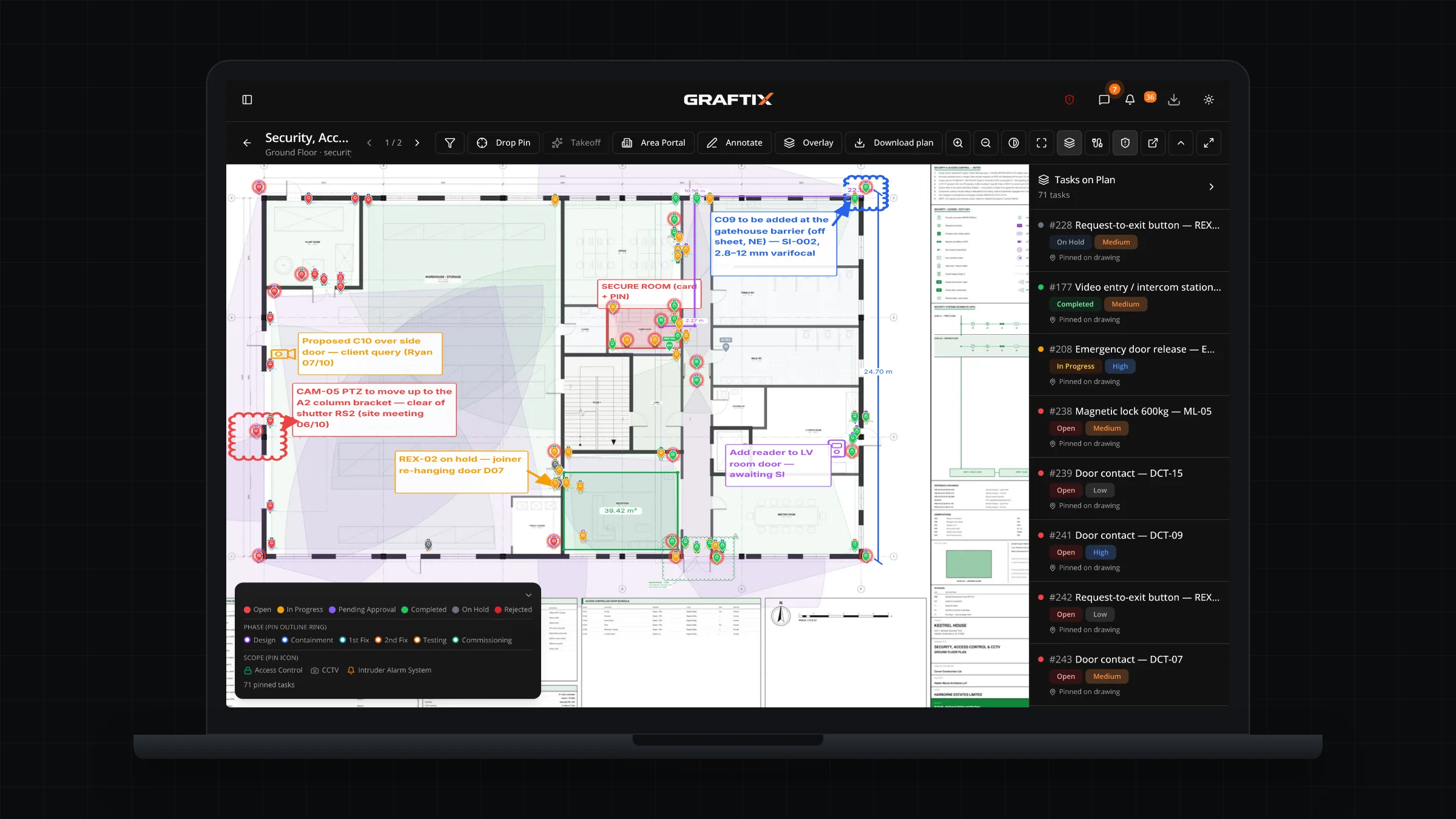
Full-size drawings, readable on a phone
5
Trades on one drawing, each seeing its own devices
£0
Seat cost for operatives and subcontract labour on your register
The current state of play
"Where's the floor plan?"
Plans printed at midnight. Rev C buried in 500 WhatsApp messages while the gang on level 3 works off Rev A. The door code? Good luck finding that.
"Check the spreadsheet"
Timesheets in one file, the device schedule in another, IP addresses on Steve's laptop. Forty operatives on site and nobody can say who signed the RAMS.
"Who told you to move it?"
A site manager changed the route three weeks ago. Nobody wrote it down, and now it is a variation you cannot claim.
There is a better way.
Built for major projects
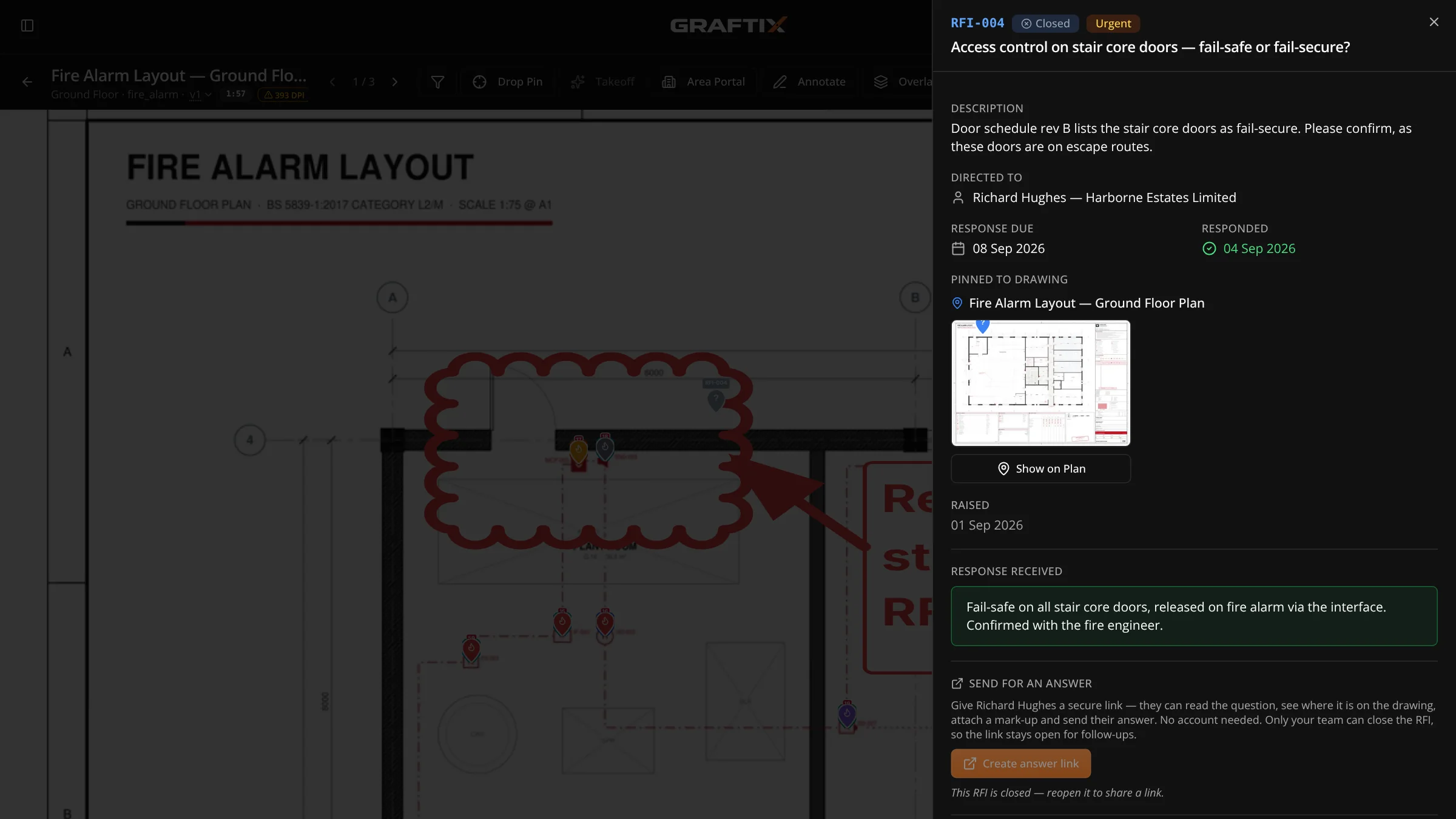
On a big job the work is rarely what goes wrong. It is the instruction nobody wrote down, the builders' work nobody can prove was asked for, and the floor that was "finished". Graftix puts each of them on the drawing, with the date, the person and the evidence.
Graftix Go · iPhone and iPad
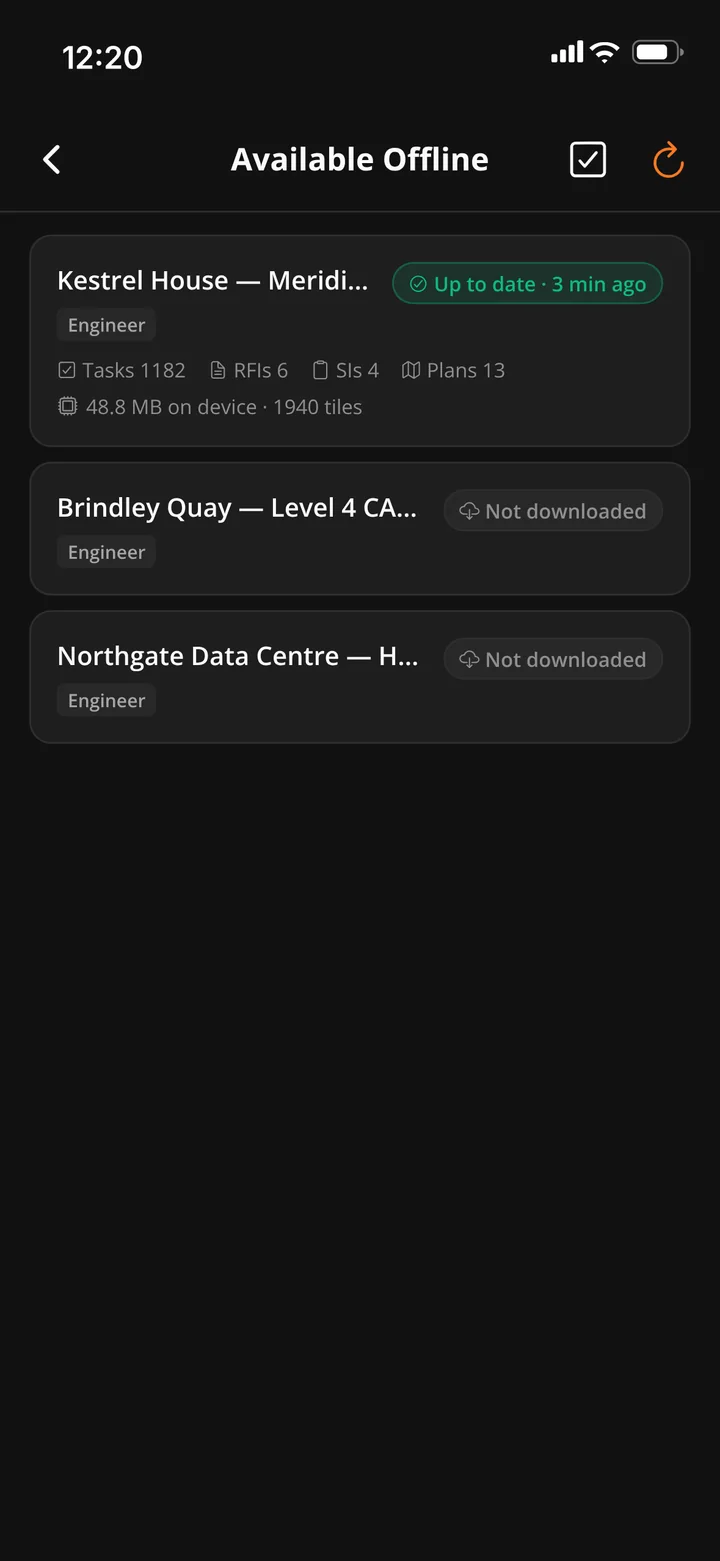
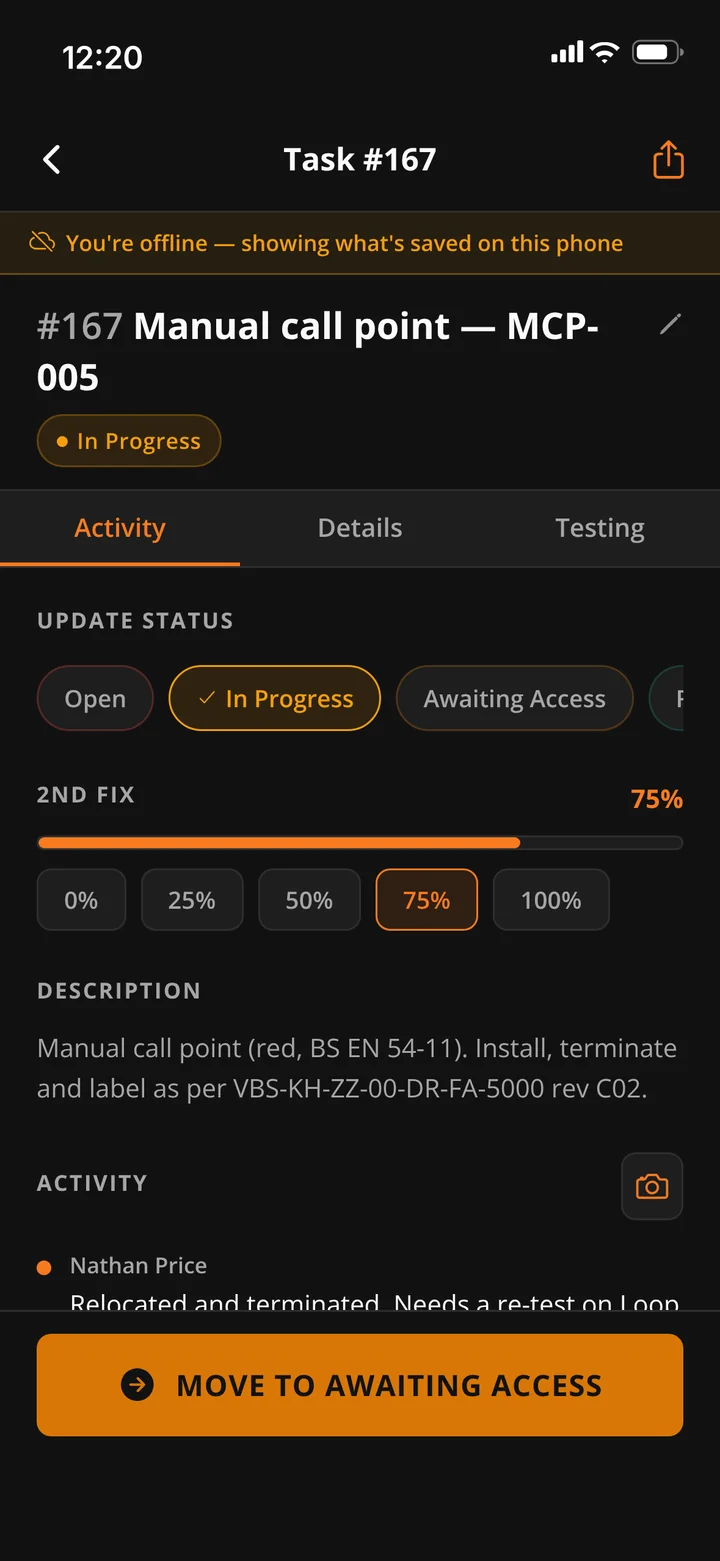
Graftix Go is the app for the people doing the work: the next task, the drawing, the test sheet, the permit and the camera. Open a project and go: what you open is kept on the phone as you work, with no sync to set up first. Heading into a basement for the day? Download the whole project before you go, then offload it when you are done.
Graftix Go · iPhone and iPad
The native app for everyone on the tools. Tasks pinned to the drawing, test results, permits, RAMS, photos and check-in, all built to work with no signal. Android is coming soon.
Graftix Go and the web app
Graftix Go on the walk-round: close out tasks against the drawing, sign off RAMS and run the toolbox talk. The full platform on a tablet when you need the programme or the register.
Web app · laptop and tablet
The full platform in the browser on a laptop or Surface Pro: programme, financials, purchasing, the full drawing set and every setting. Install it from the browser and it opens like an app.
The Graftix web app · for managers and the office
Project managers, directors and the office get every module from the web app: the programme, financials, purchasing, the eForm builder, reports, Graftix Live and every setting. Install it from Chrome, Edge or Safari and it opens in its own window with its own icon, on a laptop, a Surface or an iPad. No app store, nothing for IT to roll out, and it keeps itself up to date.
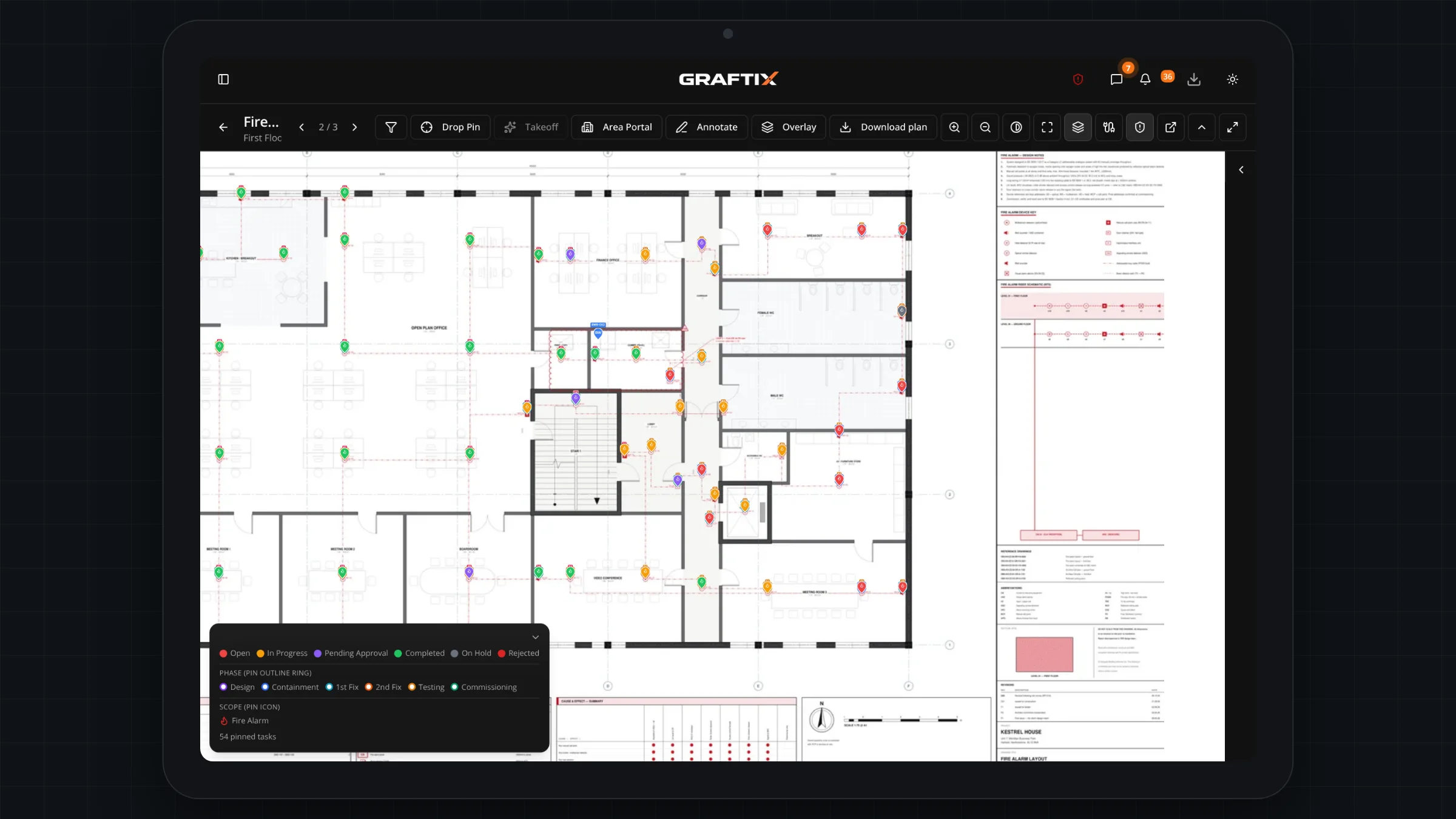
The lifecycle
Most systems make you re-enter the job when you win it, and re-enter it again when it turns into a maintenance contract. A survey point is a task. The designed system is the task list. The equipment schedule is the take-off. The installed device is the asset you service. Every module below is included in every subscription.
01 · Win it
Book the survey, capture it on the drawing, price the design with a real man-day build-up, and send a proposal the client accepts online.
02 · Plan it
Deep-zoom drawings with every task pinned where the work actually is, a register built for thousands of devices, and a programme drawn from both.
03 · Buy it
Take-offs straight from the design, purchase orders, material pools that decrement themselves, and margin you can see while the job is still live.
04 · Prove it
RAMS signed and version-controlled, toolbox talks, permits to work, incidents, attendance, inductions at the gate, and a workforce register that costs nothing to hold.
05 · Hand it over
Device results that become certificates, sealed against a hash chain and verified by QR, and an O&M pack that assembles itself and names its gaps.
06 · Maintain it
The devices you installed become the estate you service. Jobs, visits, planned maintenance, quotes and invoices, against the same drawings.
Live demo · Open right now
There is a full Graftix environment loaded with a complete demo project, open to anyone, read-only. Full drawing sets with pins on them, a task register at volume, certificates, materials and financials. No sign-up, no email address, no sales call.
Ten minutes in it will tell you more than any brochure
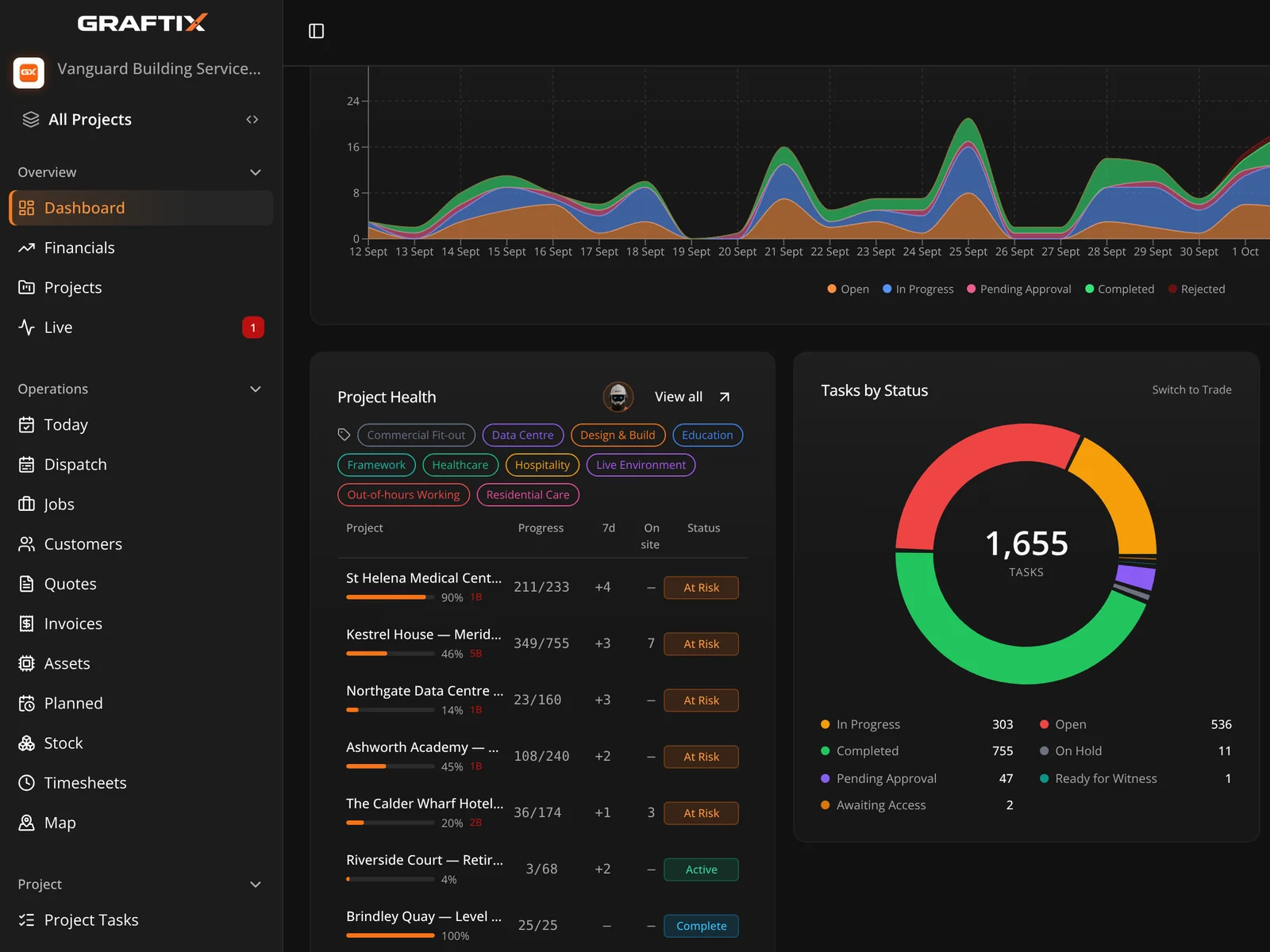
Plans and tasks
Stop describing where the work is. Drop a pin on the actual drawing, assign it, and watch the status change from the office. Everyone is looking at the same sheet.
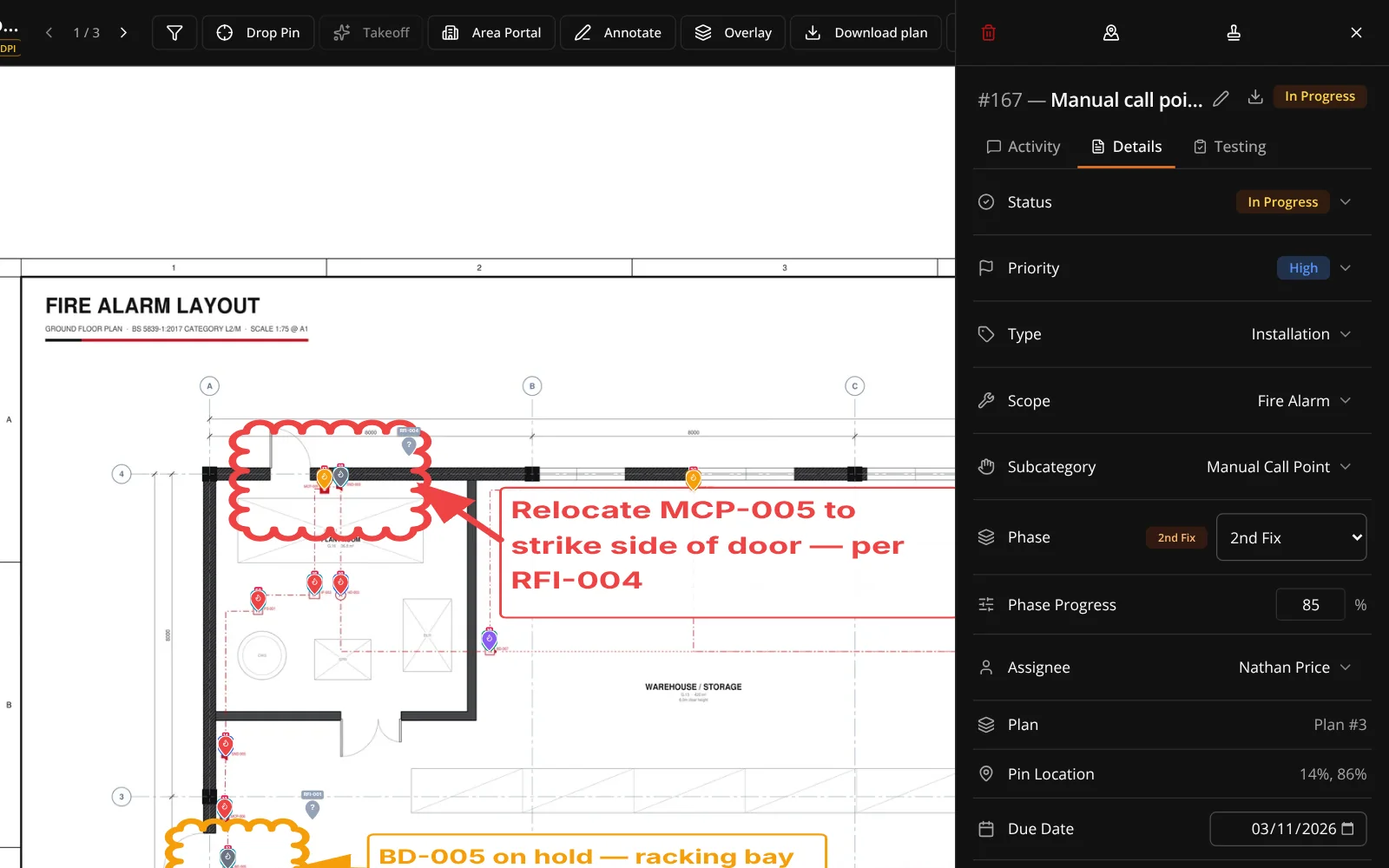
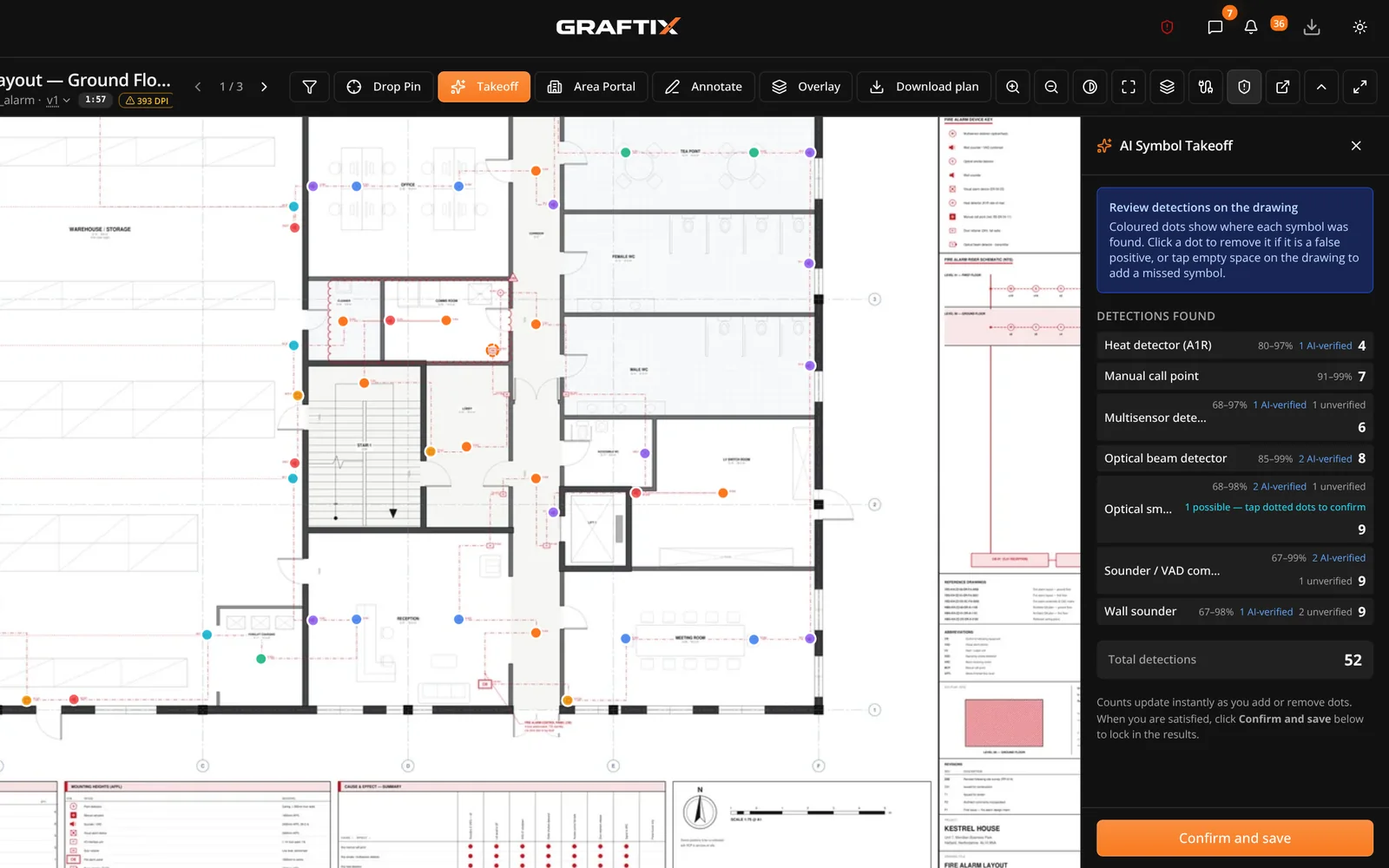
AI on the job
Symbol takeoff reads your drawing set and counts the devices. What used to be a weekend with a highlighter and a clicker is now a coffee break.
Graftix Live · £10 + VAT per device, per year
For installers, Graftix Live watches the cameras, access points, switches and servers you've installed and paints their status onto your own drawings. For building managers, it's their own view at graftix.live: one plan, every system, tap to interrogate.
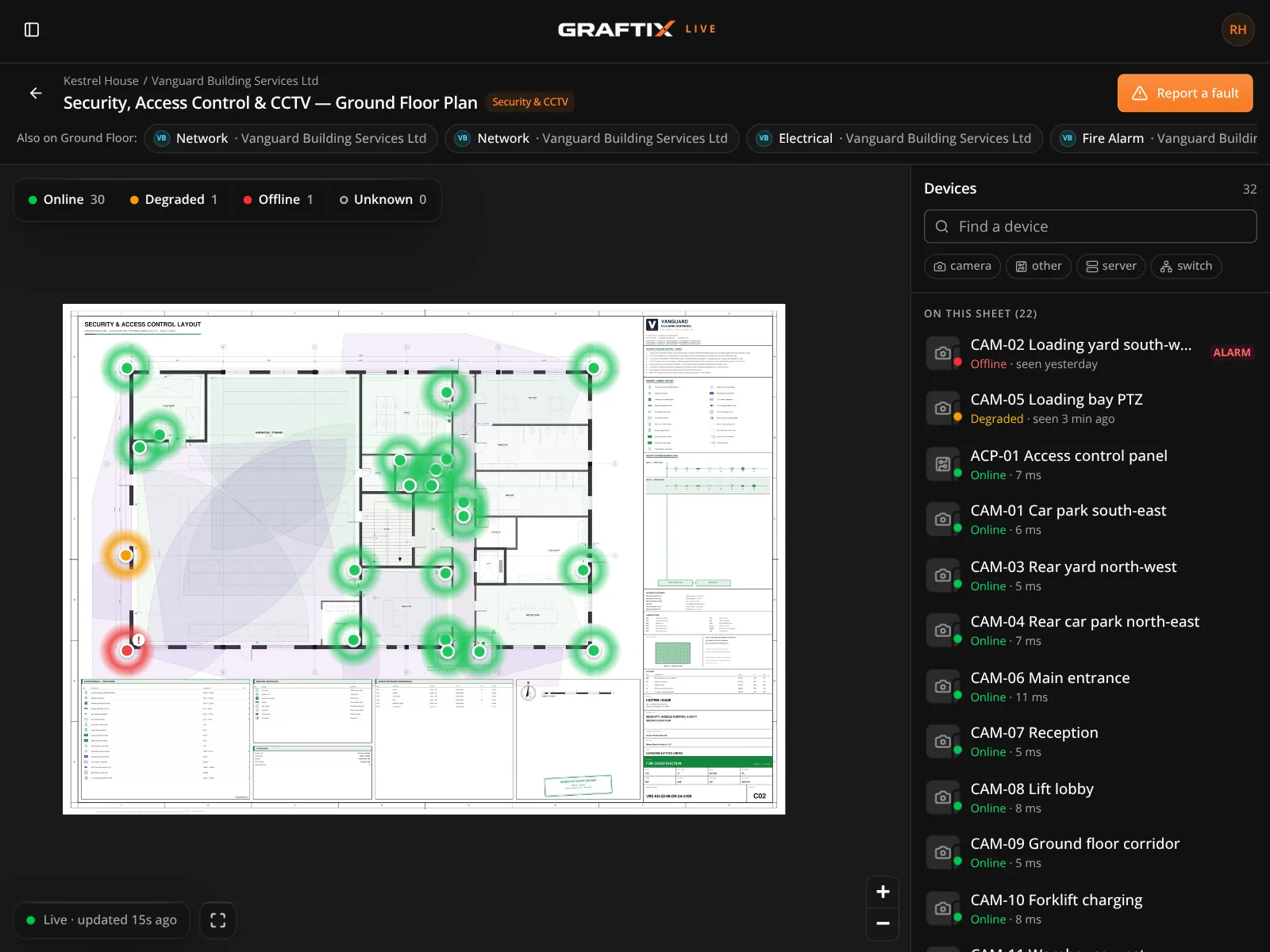
Built for your trade
Graftix speaks the language your engineers already use, and holds the records your client is actually going to ask for at handover.
Fire
Device schedules against the drawing, zone plans, commissioning records, and certification the responsible person can rely on.
Security
Camera and door positions pinned to the plan, device addressing, commissioning sheets and as-built records that survive the project.
Electrical
Certificates, test records and periodic inspection dates held against the project, with expiry reminders so nothing quietly lapses.
Data
Containment, outlets and comms rooms tracked building by building, with live device status through Graftix Live where the estate supports it.
AV
Room-by-room schedules, rack builds and first fix coordination, commissioned alongside the four other trades sharing the same ceiling.
Pricing
No tiers, no feature gates, no sales call before you can see the product. Add users as the team grows.
Billed monthly
£40
per month, per organisation, first user included. Additional users £20 per month.
Every module included as standard. Cancel any time.
Start free trialBilled yearly · two months free
£400
per year, per organisation, first user included. Additional users £200 per year.
Same platform, same features, for the price of ten months.
Start free trialPrices exclude VAT · Graftix Live priced separately per device
Get started
Set up your first project this afternoon, or send us the drawings and we will set up your major project with you. Either way, you will know within a week whether it fits how you work.
Built by contractors, for contractors