01
Nobody can say what percentage is complete
First fix in six buildings, second fix in two, testing in one. The progress figure reported to the client is an educated guess and everyone knows it.


Solutions · Data
Thousands of outlets, dozens of comms rooms, one label convention that everyone has to follow. Graftix keeps the containment, the outlets, the patching and the test results in one place, then shows you what is actually live.
The problem
A structured cabling job is not conceptually hard. It is just enormous. The failure mode is never one difficult outlet, it is four thousand ordinary ones and no reliable way to know which are done.
01
First fix in six buildings, second fix in two, testing in one. The progress figure reported to the client is an educated guess and everyone knows it.
02
The convention was agreed at the start. By building four, three engineers are using three variants and the patching schedule no longer matches the outlets.
03
Link test exports sitting in a directory with no reliable mapping back to the outlet, the room or the drawing they belong to.
At volume
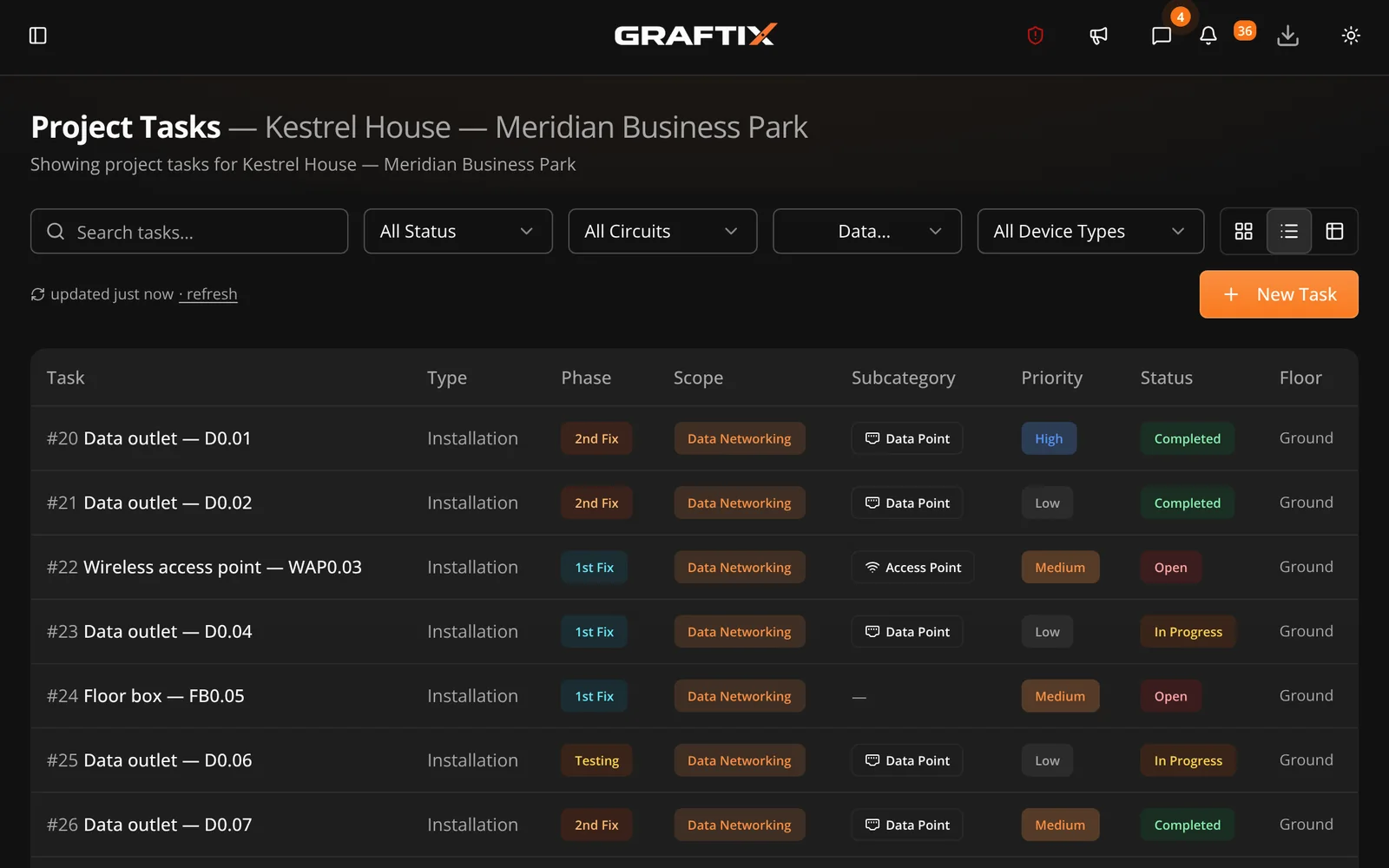
The task register is a spreadsheet-style view designed for exactly this. Clone and stamp repeated work across floors, hold outlet references and patch panel positions as custom fields, and filter by building, floor or comms room in one click.
Graftix Live
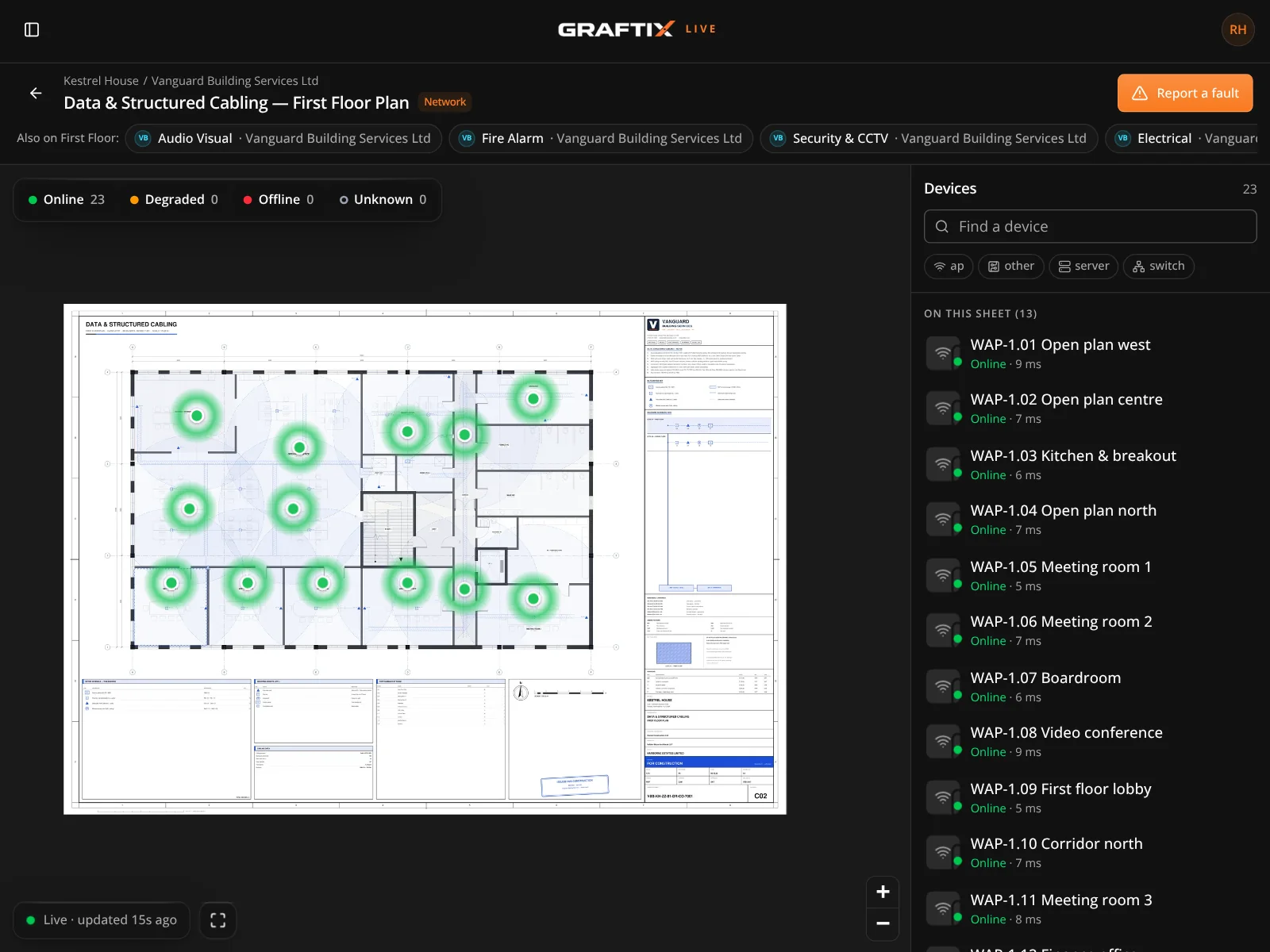
This is the trade Graftix Live was built for. Connect to your network management platform and real device status appears on the drawing, so verifying an install stops being a two-person job with a phone call in the middle.
What you will be asked for
On a cabling job the handover pack is the product almost as much as the cable is. It has to be complete, consistent and traceable back to a physical outlet.
Outlet and port schedules
Every outlet with its reference, room, panel and port, matched to the drawing it sits on.
Link test results
Test exports attached to the task for the outlet they belong to, not dumped in a folder.
Patching schedules
Comms room by comms room, held against the child site for that building.
As-built drawings
Annotated on the platform, so the issued drawing and the installed reality stay in step.
Technical submittals
Cable, panel and hardware data sheets held at organisation level and reused job to job.
Asset register
Switches, panels and hardware with serials, feeding straight into the support contract.
Certification
Link results held against the outlet they belong to, accumulating into a certificate rather than a bulk export nobody opens.
Maintenance contracts
Switches, patching and outlets carried into a service register, with live status where the estate supports it.
Data
Seven days, every feature, no card. Put one building's outlets in it and watch the progress figure stop being a guess.