

GX-04 · Plan viewer and annotations
Every other feature in Graftix hangs off a pin on a drawing. Upload the set, put the work where it physically is, and stop describing locations in words.
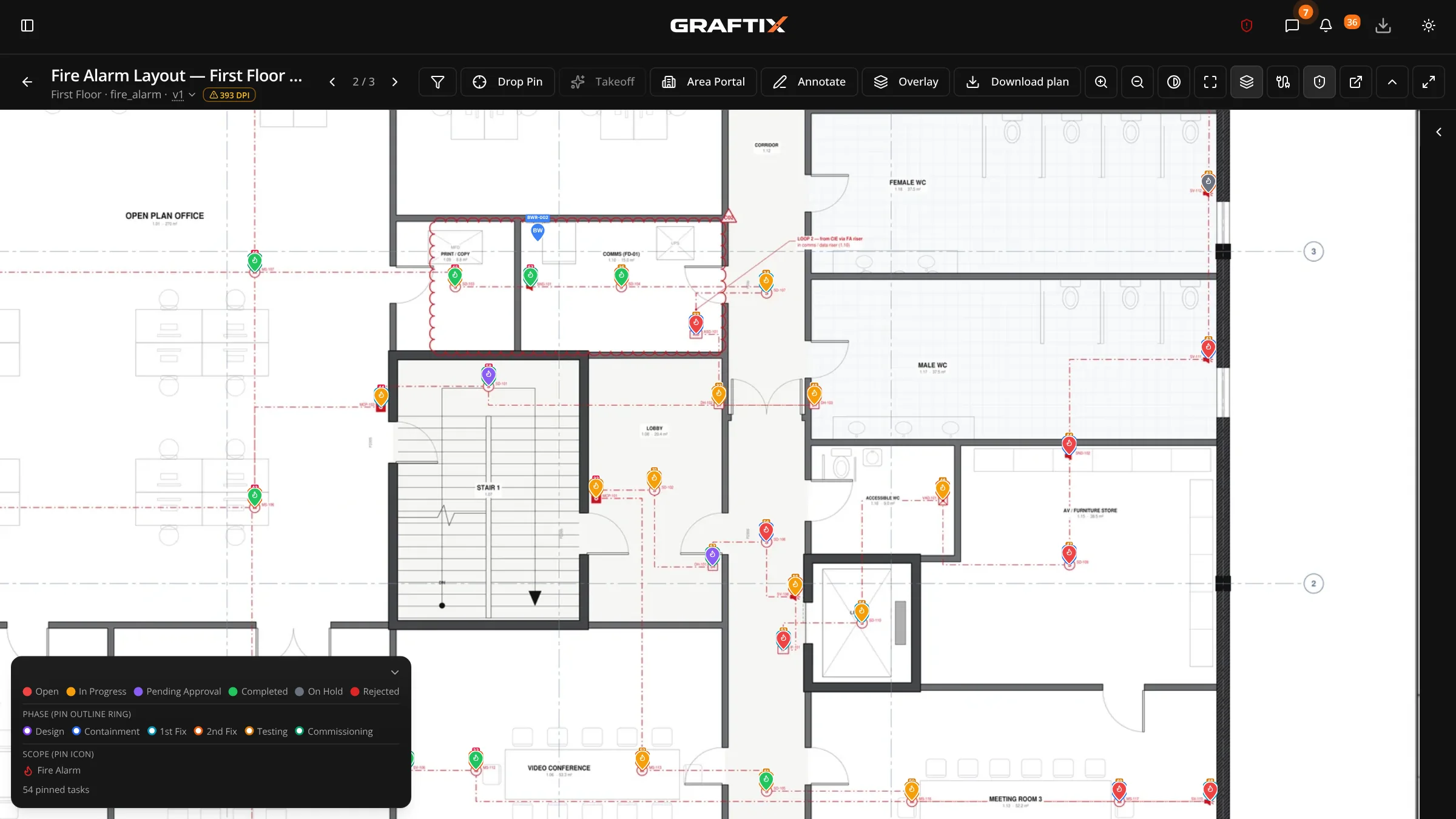
Uploading and navigating
Drop in a PDF drawing set and it gets tiled server-side, the same way a mapping application handles satellite imagery. A full-size architectural sheet opens instantly and zooms smoothly on a phone in a riser, not just on a workstation.
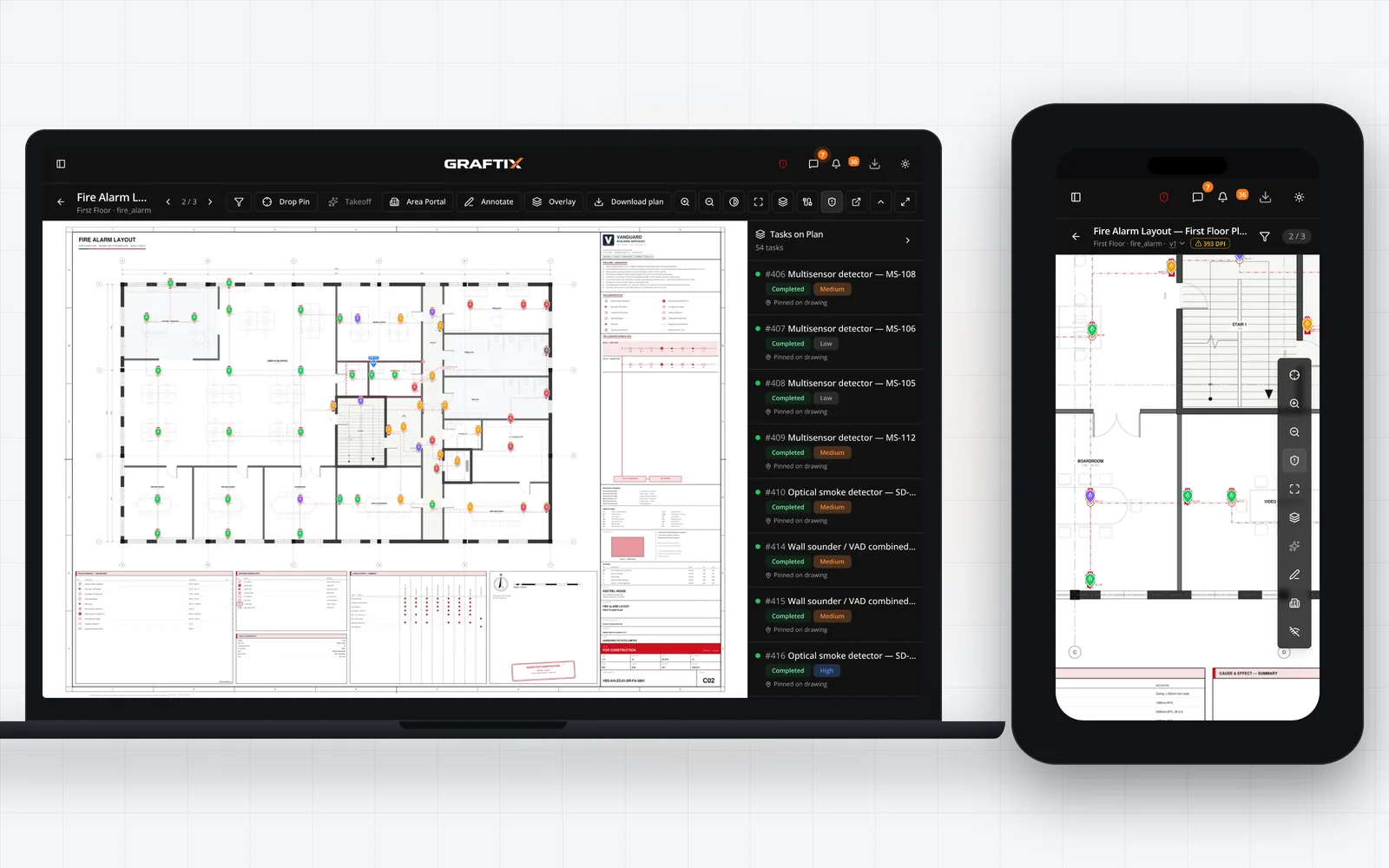
Pins
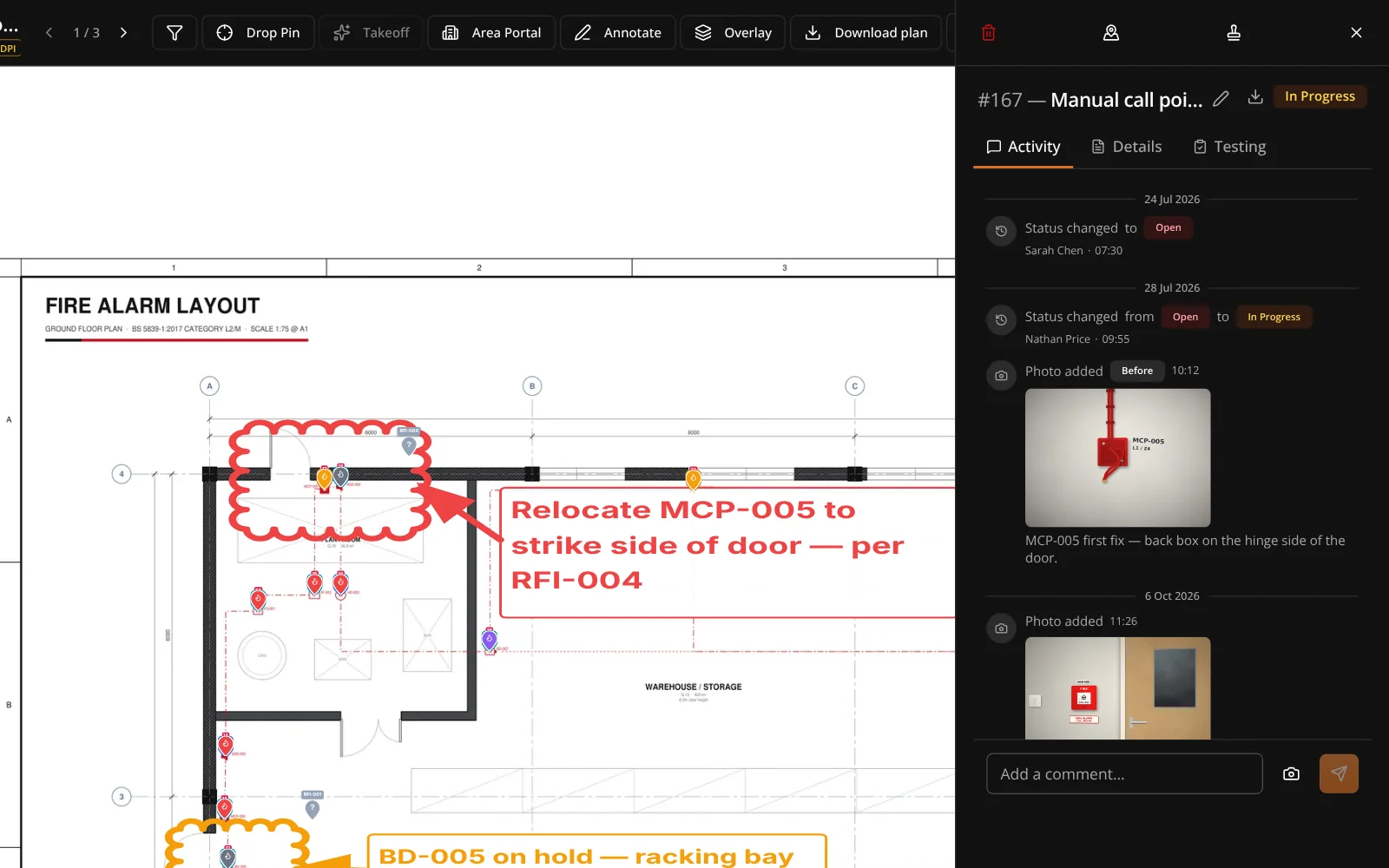
A pin is not just a marker. It is the anchor everything else attaches to: the task, the photos, the materials claimed against it, the certificate that proves it works.
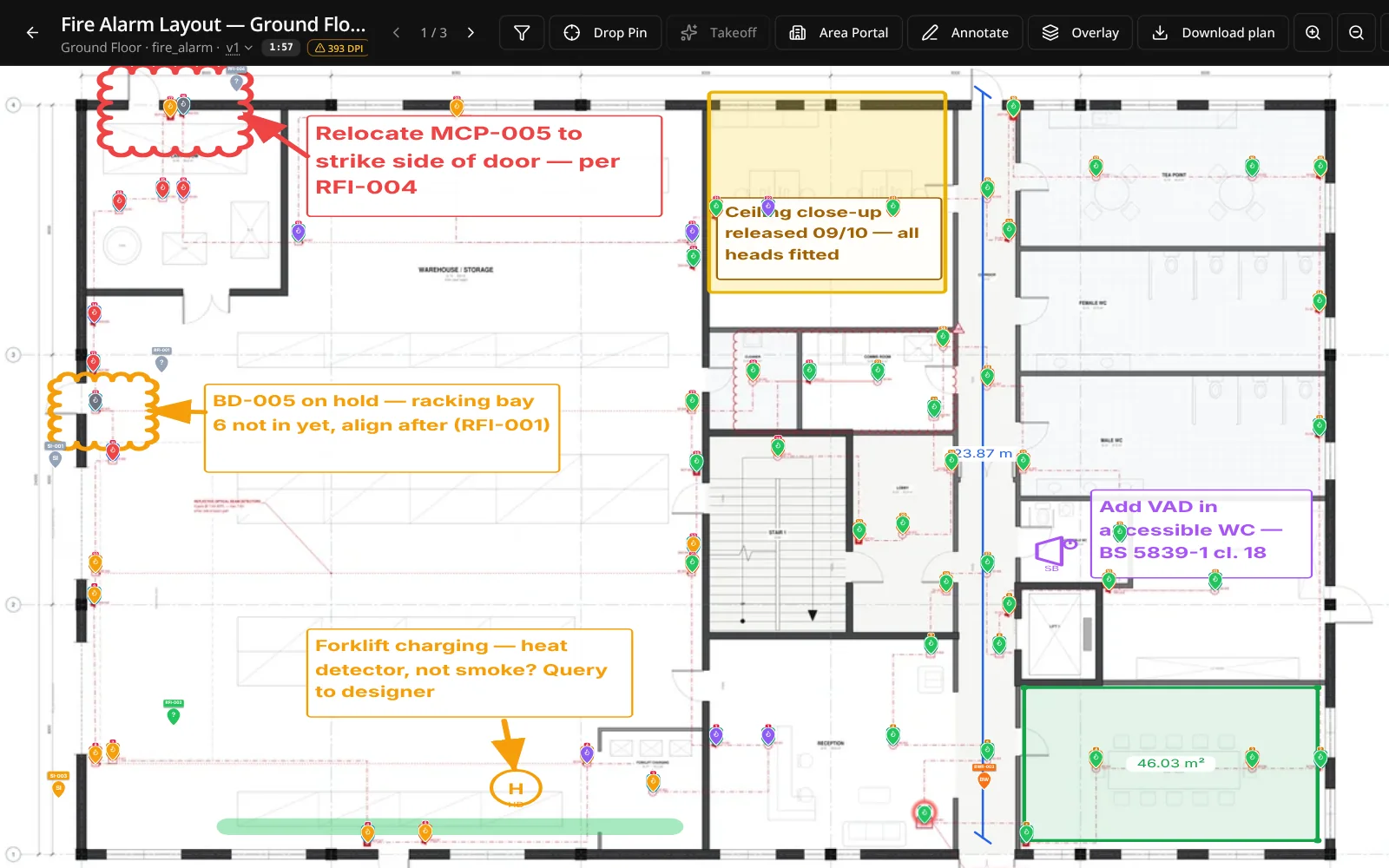
Annotations
Notes and markups live on the drawing for everyone who opens it. No more photographing a marked-up print and hoping the person who needs it can read your handwriting.
In this module
04
Uploading plans
PDF drawing sets tiled server-side for instant deep zoom on any device.
Navigating the viewer
Zoom, pan and layer control that behaves the way engineers expect.
Pinning tasks to plans
Every task can live at a real coordinate on a real sheet.
RFI and SI pins
Queries and instructions raised against the location they concern.
Area portal pins
Navigate from a site plan into any building, floor or zone.
Annotations
Markup that stays with the sheet for everyone who opens it.
AI symbol takeoff
Automated device counting straight off the drawing set.
Offline access
Download the project or save a sheet in Graftix Go, and it opens with no signal.
Survey mode
Capture what is already in the building on the drawing itself, existing against proposed, before the job is even won.
Plan versions
A revised drawing supersedes the old one without orphaning the pins that were placed on it.
Plan folders
A drawing set of any size organised the way the issue sheet organises it.
Cause and effect on the drawing
Ask a device what it sets off, and the answer is drawn on the plan with rings, tags and arrows.
Get started
It takes about ten minutes to know whether this is how you want to run a job.