Before
Verification takes two
One engineer at the device, one at the management platform, and a phone call between them for every single unit.


Graftix Live · Add-on
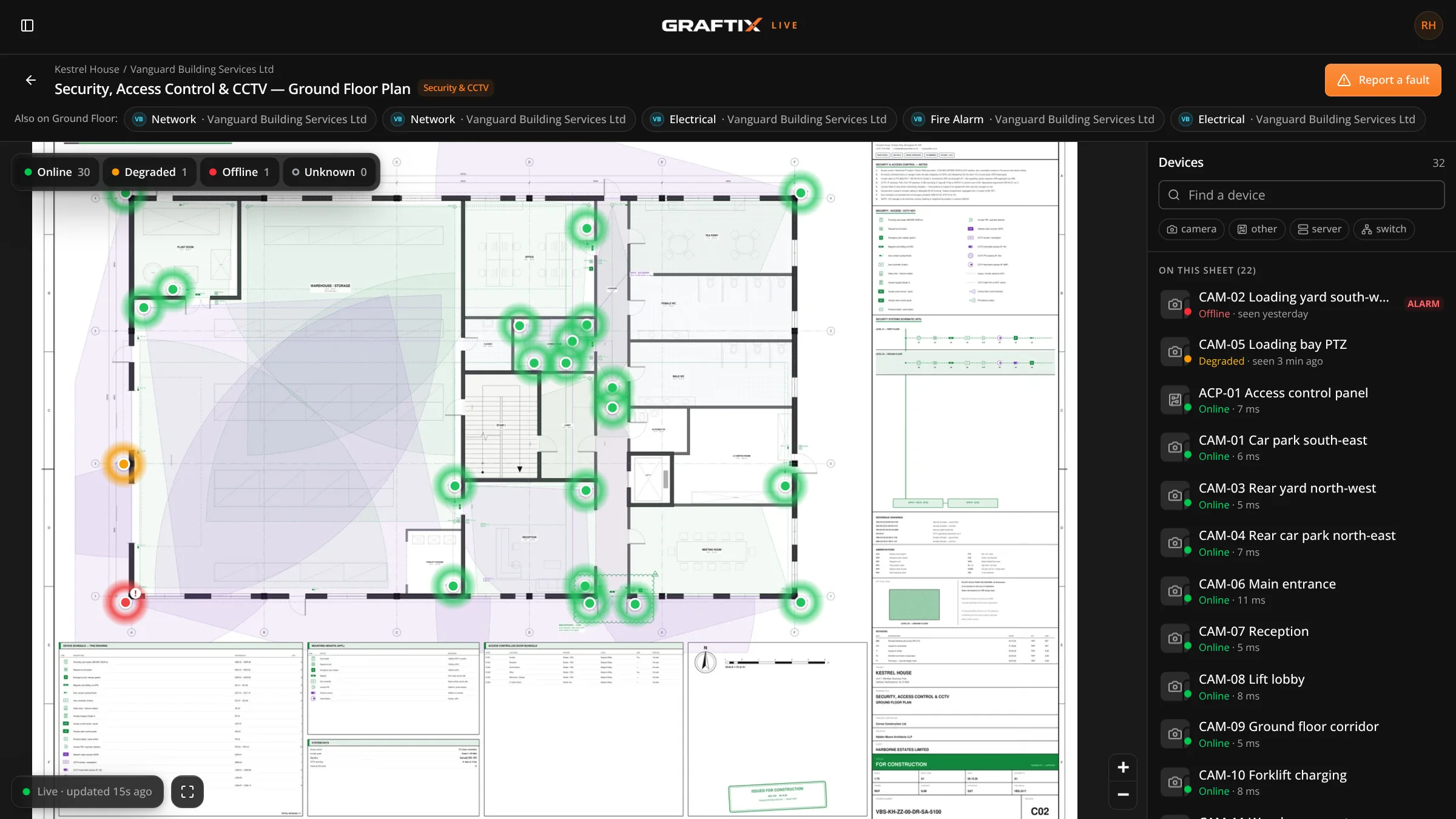
Graftix Live watches the cameras, access points, switches and servers you've installed and paints their status onto your own drawings. Then it hands your client their own view at graftix.live: one plan, every system, tap to interrogate.
£10 + VAT per monitored device, per year · 30-day trial on every project
The problem
Someone is on a ladder in a ceiling void. Someone else is at a laptop in the comms room reading a controller. They are on the phone to each other, and one of them is reading out a MAC address. This is how most of the industry still verifies an install.
Before
One engineer at the device, one at the management platform, and a phone call between them for every single unit.
Before
The install schedule says a device is in. The controller says nothing is there. Working out which is right takes a site visit.
Before
A camera goes offline on a Tuesday. Nobody notices until the client needs the footage, and then it is your phone that rings.
How it works
Step 01
No inbound ports. Read status from your network controller's cloud, or drop the Graftix Live agent on any Linux box or Raspberry Pi that can reach the kit.
Step 02
Devices are matched to the tasks already pinned on your drawings, so the estate and the install schedule become one dataset.
Step 03
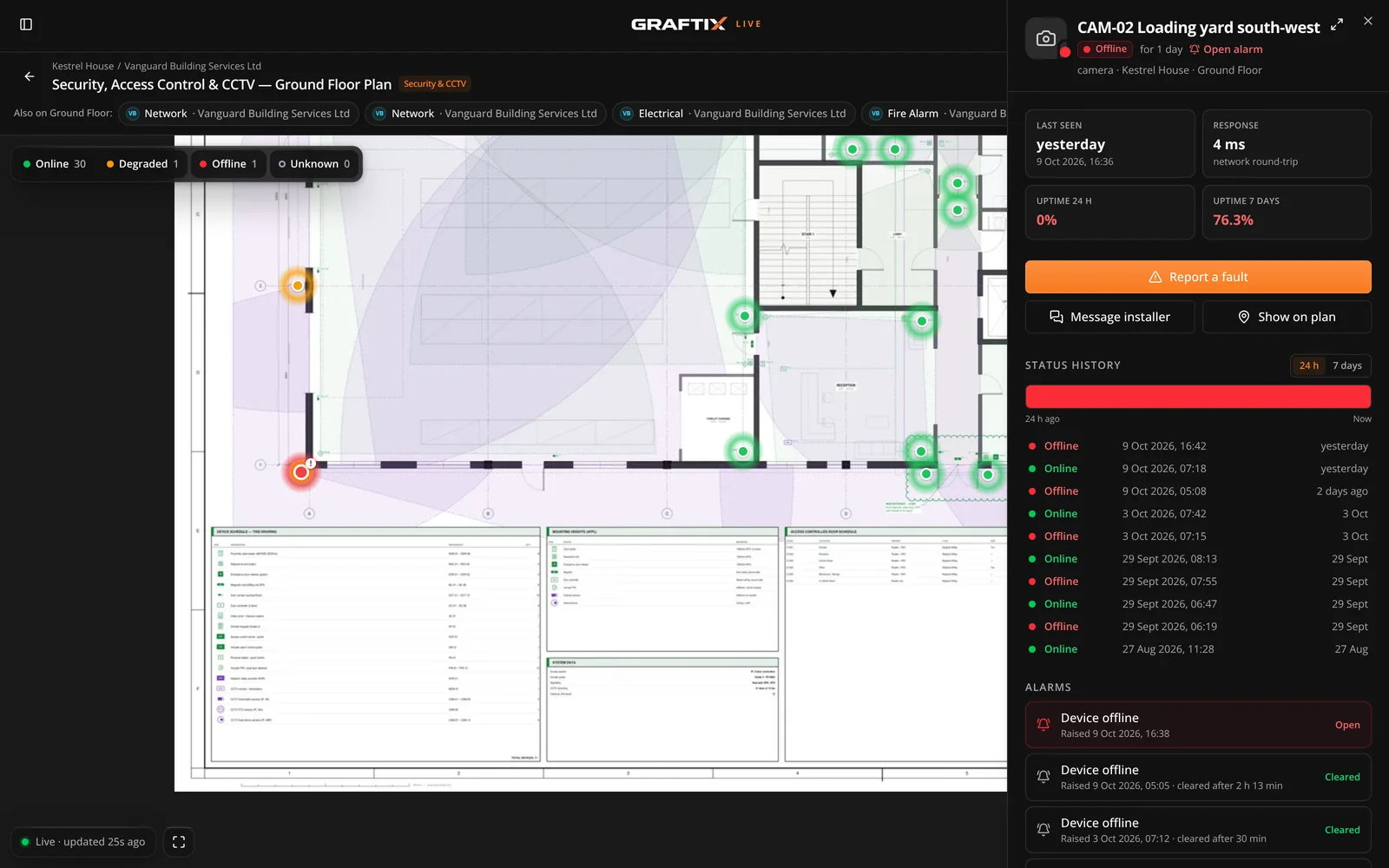
Status appears on the plan and updates itself every 30 seconds. Online, degraded or offline, colour-coded on the pin where the device was fitted.
Step 04
Give your client their own live view at graftix.live, and turn the faults they report into tasks on the drawing.
For installers
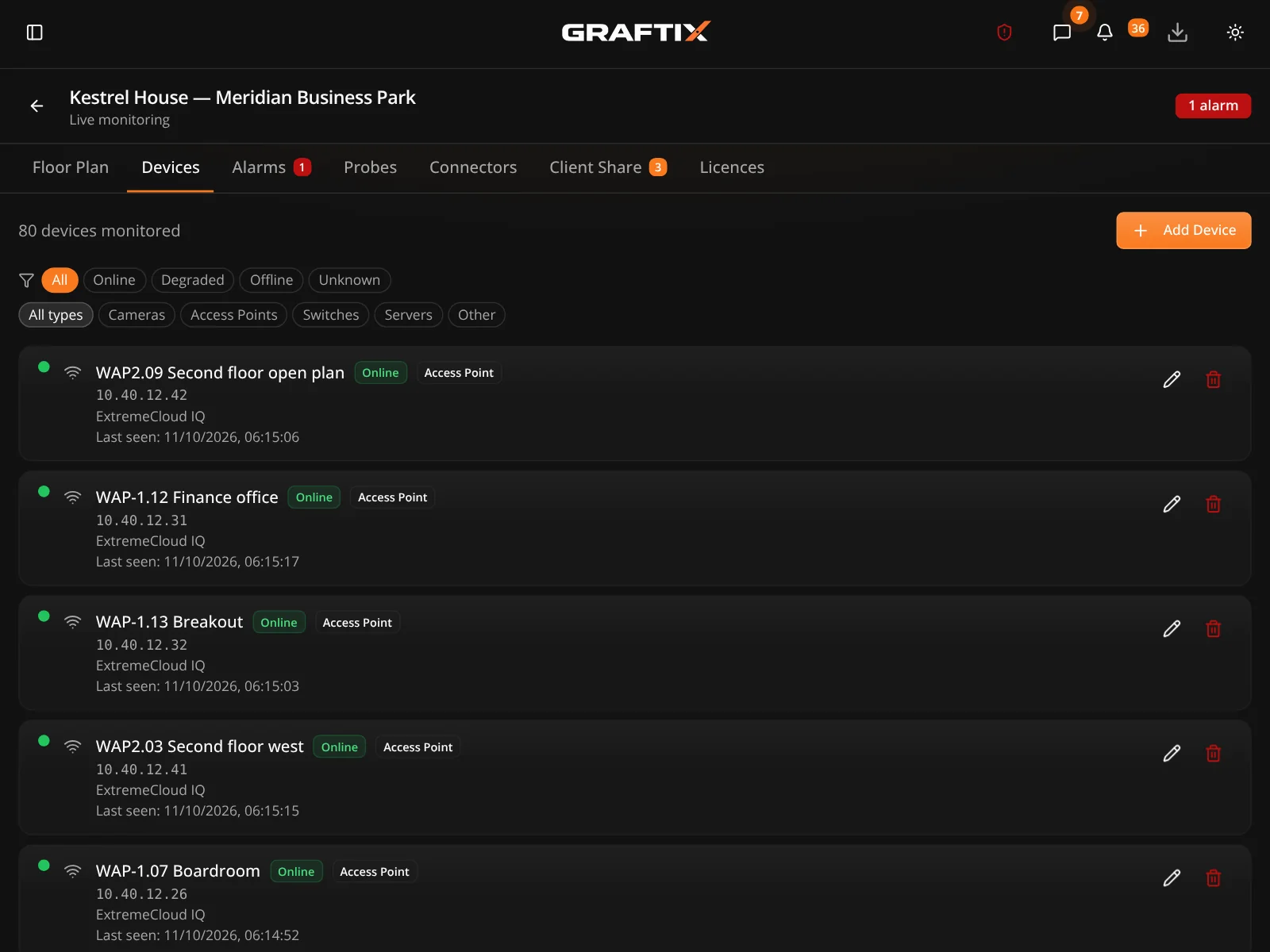
Built during Brunel University London's Extreme Networks refresh, across eighty-plus buildings, not in a lab. Status comes from one of two sources, chosen per device, and lands on the drawing you installed from.
The Graftix Live agent
A great deal of installed kit has no cloud platform behind it at all. For that, the Graftix Live agent runs inside the estate: a lightweight process that checks your devices over the network and reports what it sees. It is the part your client's IT department will ask about, so it is worth being precise.
01
The probe talks out to Graftix over HTTPS on port 443. No inbound firewall rule, no port forward, no VPN back into the site. Nothing is opened for us to reach in.
02
Each probe watches the network segment it sits on, so you put one on each VLAN and name it. One Linux box or Raspberry Pi that can reach the kit covers the site, Windows servers included.
03
Run the one-line installer on Linux x64, ARM64 / Raspberry Pi 4+ or Docker, or on Windows via Node.js, and pair it with a token generated once in Graftix. Nothing else to configure.
For building managers · graftix.live
Each building system usually arrives with its own vendor portal, showing only its own kit. graftix.live is where the building owner or facilities team sees everything their installers have shared, live on the real drawings. One plan, every system, tap to interrogate.
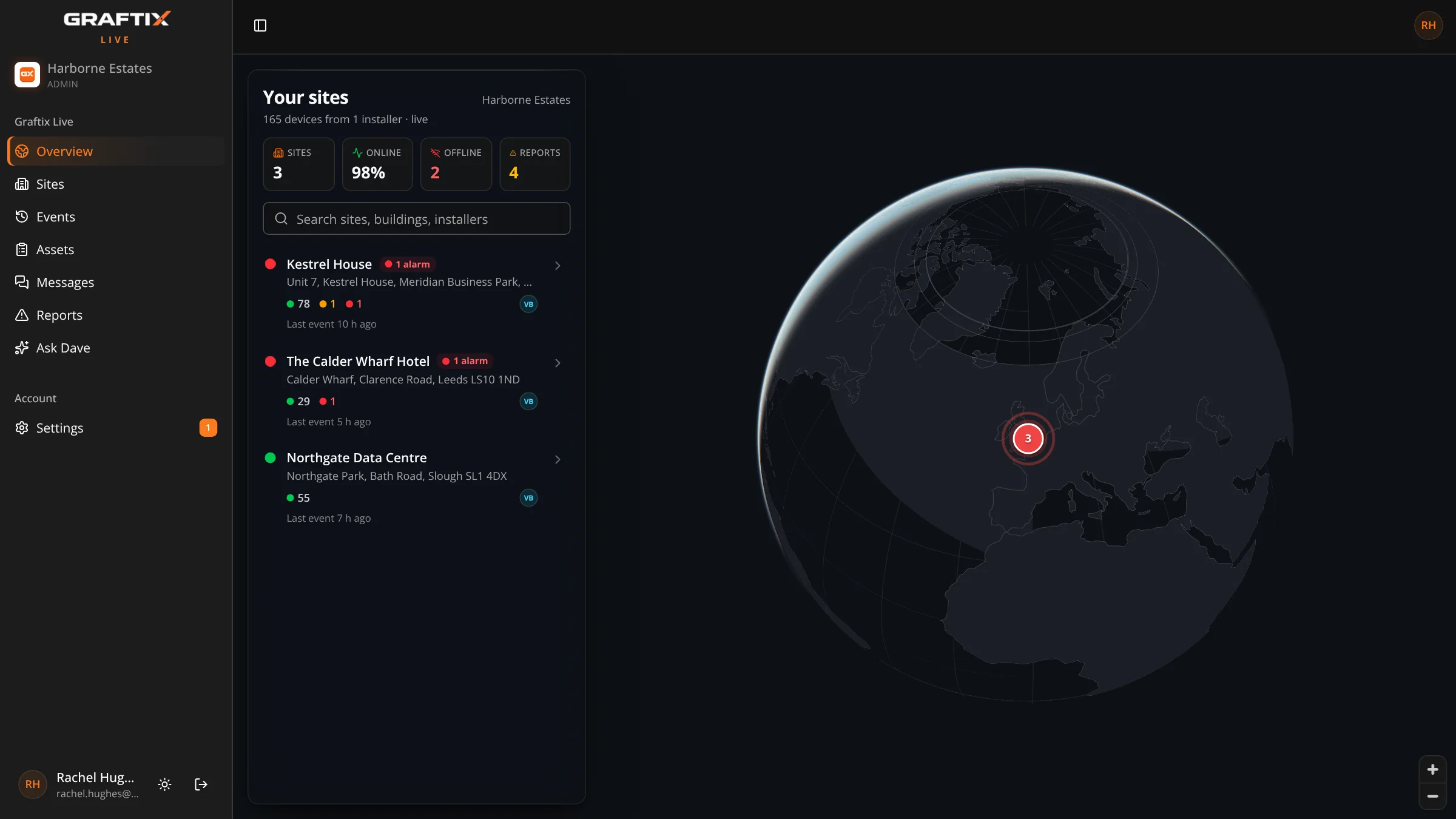
Your client never sees your tasks, timesheets, purchasing or team — only the systems you choose to share.
graftix.live works in any browser and adds to a phone's home screen. A native Graftix Live app for iPhone and Android is on the way.
Client Share
Share a project with the building owner or facilities manager straight from Graftix. Your client gets their own organisation and invites their own team.
Step 01
Open the project's Live page in Graftix and share it with your client's email addresses.
Step 02
Share every plan or only the ones you choose, and label each with its system: fire alarm, CCTV, access, data.
Step 03
Include live devices, and show or hide IP addresses. Devices on plans you leave out stay private.
Step 04
You or your client, at £10 + VAT per device per year. Add a message and send it.
Pricing
£10 + VAT per monitored device, per year. Licensed per project, with a 30-day trial on every project. You or your client can pay. Buy licences online or on invoice — whichever suits.
Your data
graftix.live holds no copy of your data. It is a secure front door to Graftix: your client signs in there, and only what you have chosen to share comes through.
Who it is for
Universities, hospitals and large sites where the device count runs into thousands across dozens of buildings.
Where you are responsible for an estate after handover and need to prove what is up without a site visit.
Long programmes where devices go live in waves and the picture changes every week.
Graftix Live
Every project gets a 30-day trial. Tell us what you're running and how many devices are in scope, and we'll show you both sides: the plan your engineers work from and your client's view at graftix.live.