Panel card / zone chart
A card for inside the enclosure
An A5 panel card or zone chart with a QR code to the live circuit. And a full schedule CSV whenever you need one: every device, its run position, its custom fields and the latest test.


GX-18 · Circuits
Group devices into the circuit that feeds them — fire loops, data, CCTV, access — draw the cable run on the plan, and Graftix produces a branded schematic, a device schedule and a riser diagram that stay current as the job changes.
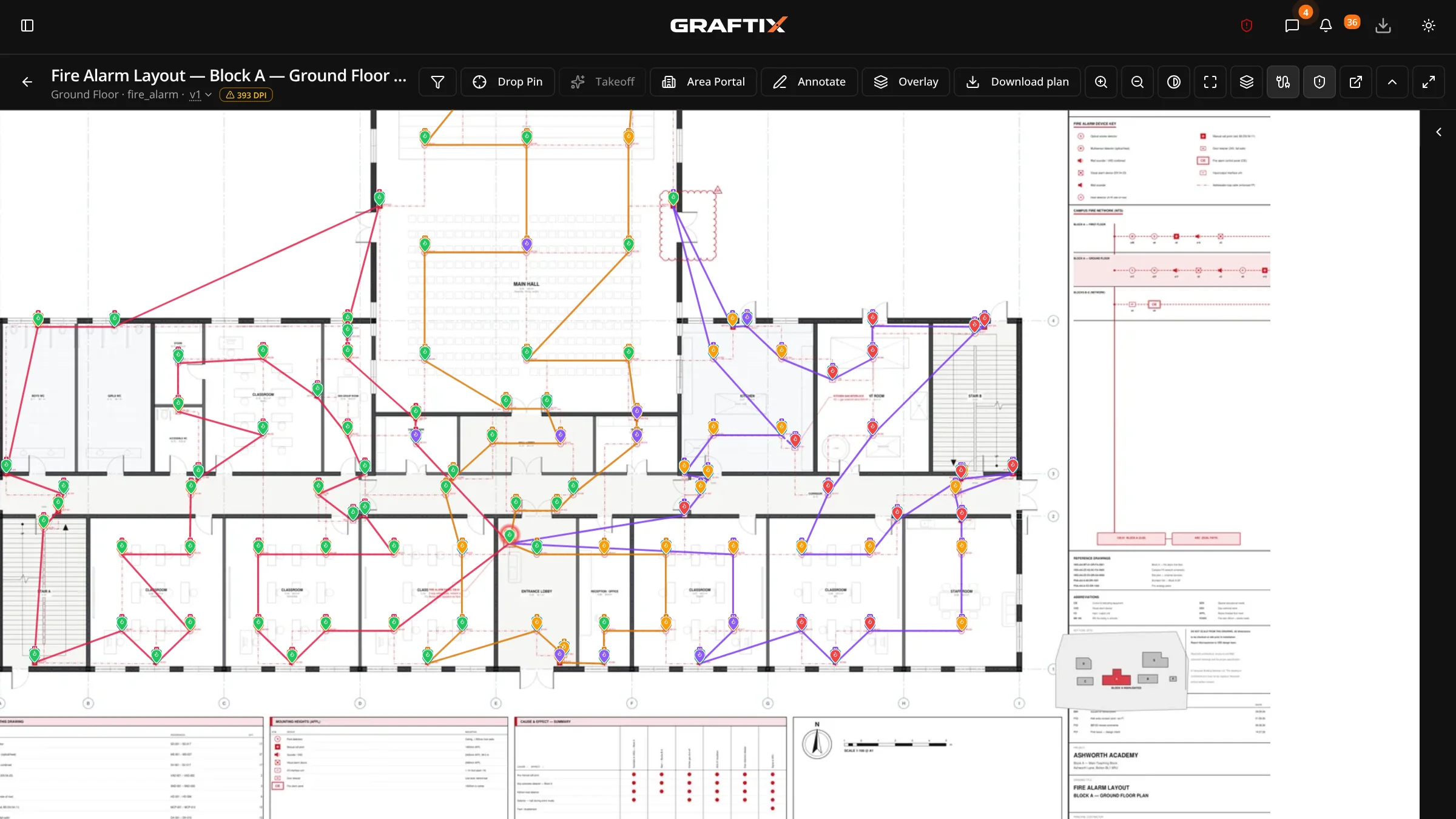
Circuit register
Group devices into the circuit that feeds them, whether it is a fire loop, a data run or a CCTV or access circuit, and Graftix keeps them in run order. Draw the cable route on the plan and each pin gets a numbered badge.
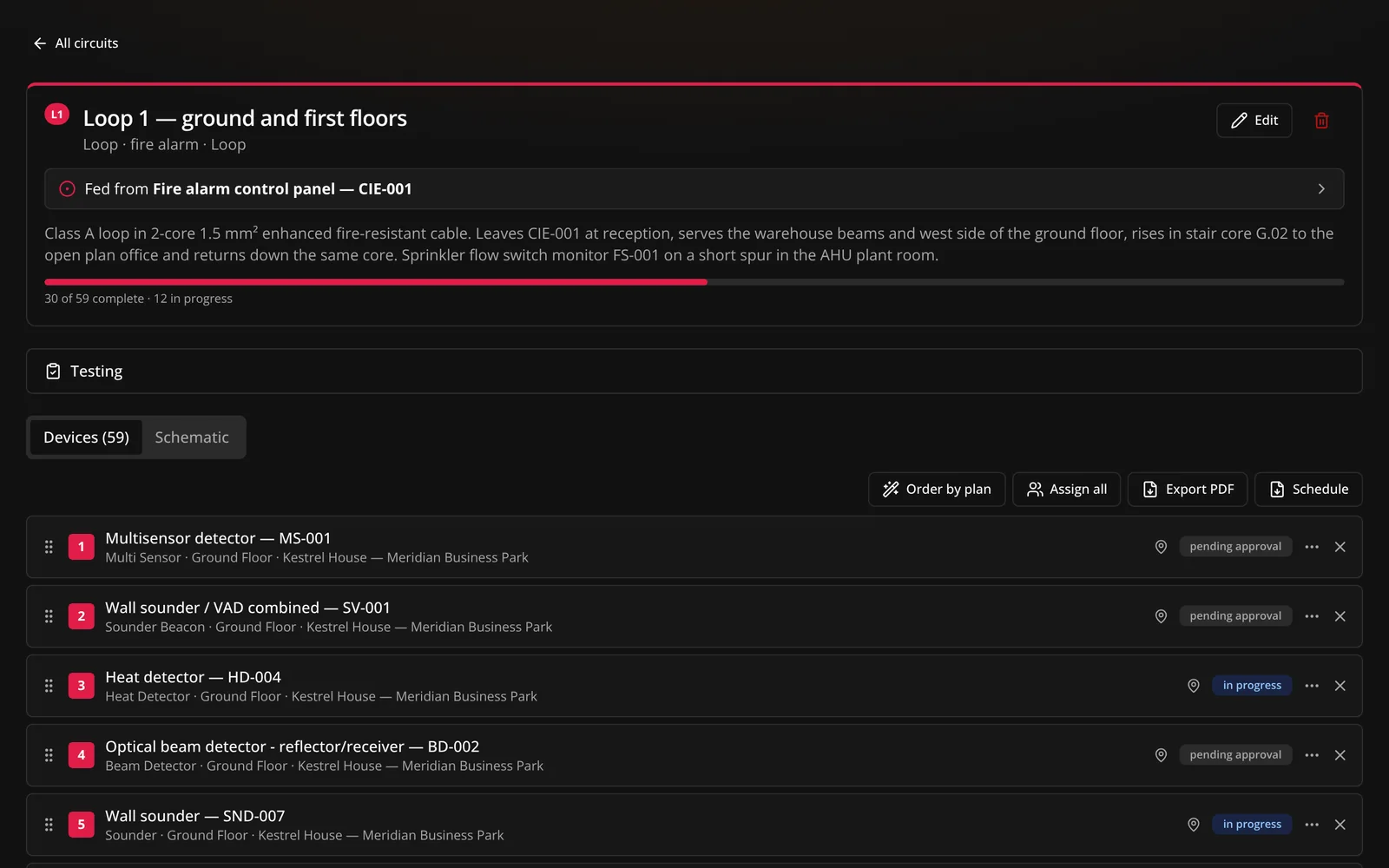
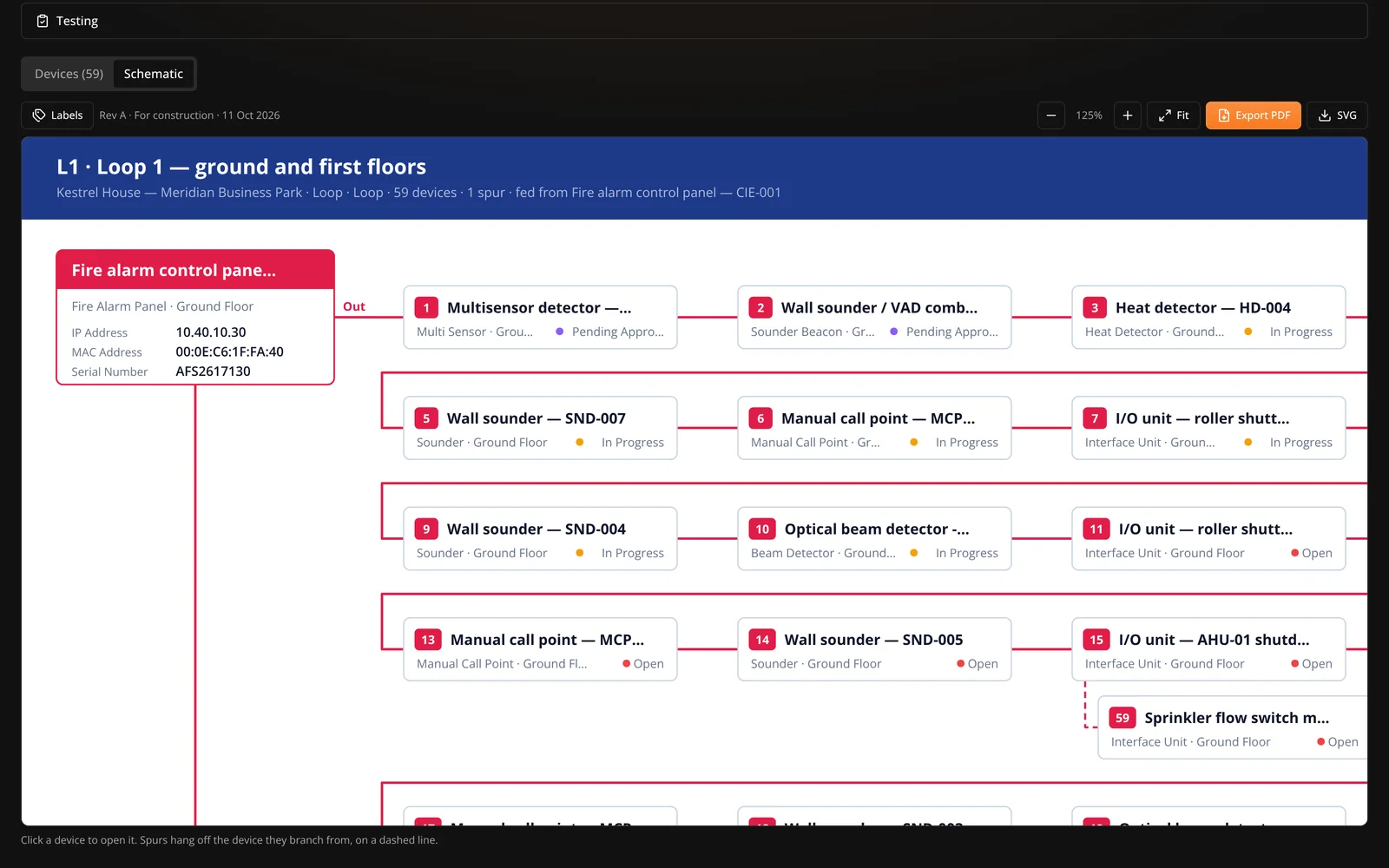
Live schematics and PDFs
Every circuit gets an auto-drawn, branded schematic that redraws itself as devices are added, moved and tested. Export it when someone needs it on paper.
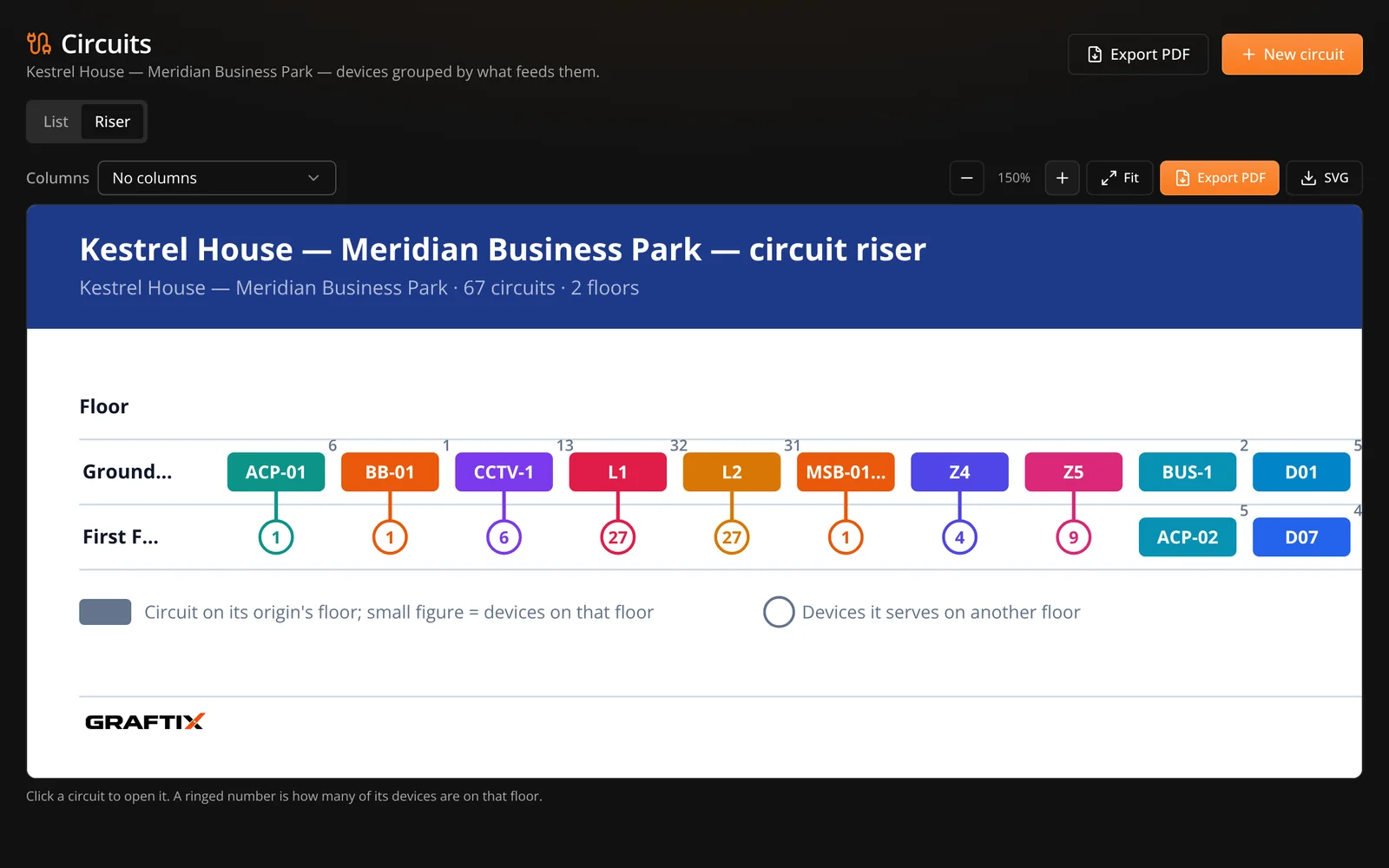
Riser diagram
The riser diagram lays out the whole project's circuits by floor, so whoever commissions or maintains the building can see what runs where without opening forty schematics.
Panel card / zone chart
An A5 panel card or zone chart with a QR code to the live circuit. And a full schedule CSV whenever you need one: every device, its run position, its custom fields and the latest test.
Graftix Go
Create circuits from the drawing, put devices in run order, record the tests and export the PDF pack from Graftix Go, the native app for iPhone and iPad, built to work with no signal.
In this module
18
Circuit register
Star, radial, ring and loop topologies with spurs, every device in run order.
Runs on the plan
Cable routes drawn between devices, with numbered badges on the pins.
Live schematics
Auto-drawn and branded, with label pickers and an SVG download.
Schematic PDFs
A1, A3 or A4: Preliminary, For construction or As installed.
Automatic revisions
Letters that only move when the circuit changed, with clouds and a revision table.
Riser diagram
Every circuit in the project, floor by floor, on one drawing.
Panel card and zone chart
An A5 card for the enclosure, with a QR code to the live circuit.
Full schedule CSV
Every device, run position, custom field and the latest test.
On the phone
Create circuits, record tests and export the pack from Graftix Go.
Get started
Put one circuit on a drawing you already have and see the schematic, the schedule and the riser build themselves.