

New

Graftix Go for iPhone is now in public beta. Feedback shapes what gets built next, and beta testers keep their pricing fixed for life.

Graftix Go public beta · Pricing fixed for life

Get the app
✕

GX-08 · Purchasing and materials

Know where every unit went

From take-off to purchase order to the task that consumed the kit. Pools decrement themselves as work is claimed, so the number on screen is the number in the container.
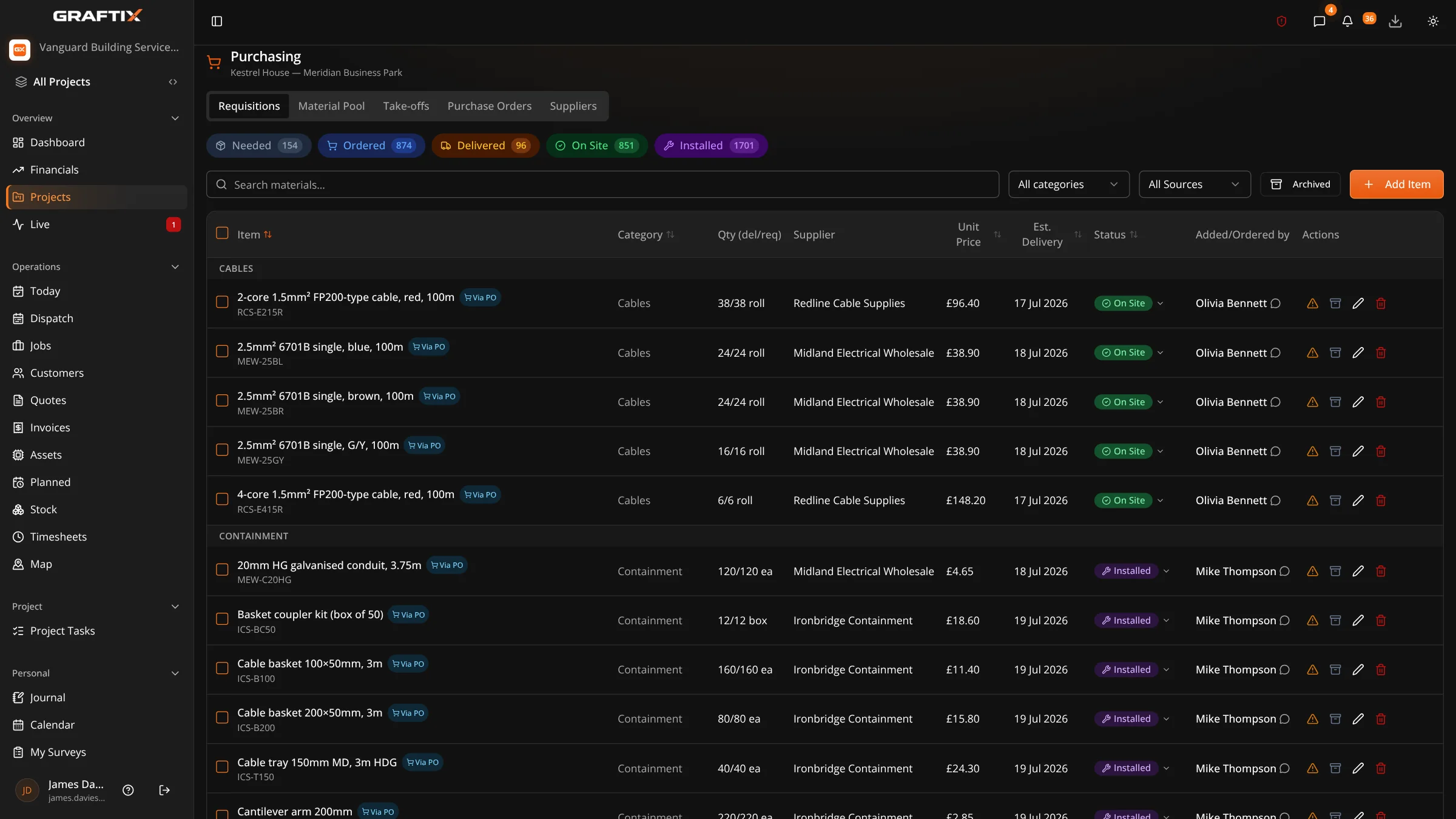
Graftix purchasing requisitions for Kestrel House: every item from needed to ordered, delivered, on site and installed, with supplier, unit price, delivery date and status

The chain

Take-off to order to installed

Most contractors have a good handle on what they bought and a rough idea of what they fitted, with a gap in between that only gets reconciled at the end of the job, if at all. Graftix closes it by making the claim part of doing the work.
  • Take-off lists built from the drawing, ready to price or order
  • Purchase orders raised, issued and tracked against the project
  • Supplier directory held at organisation level and reused job to job
  • Symbol takeoff counts feed straight into the take-off list
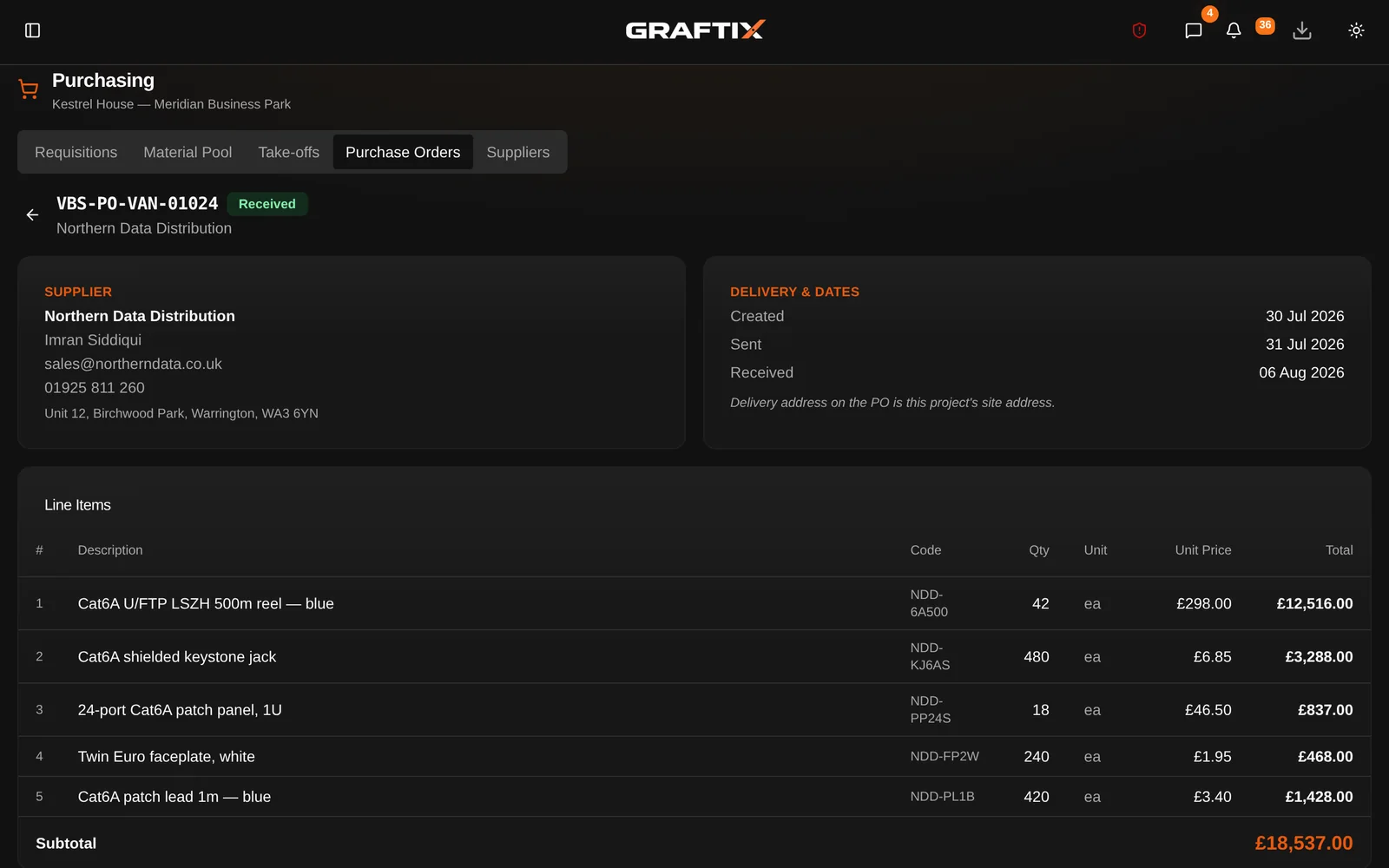
Graftix purchase order VBS-PO-VAN-01024 to Northern Data Distribution: supplier contact, sent and received dates, Cat6A line items with quantities and prices, and the £18,537 subtotal
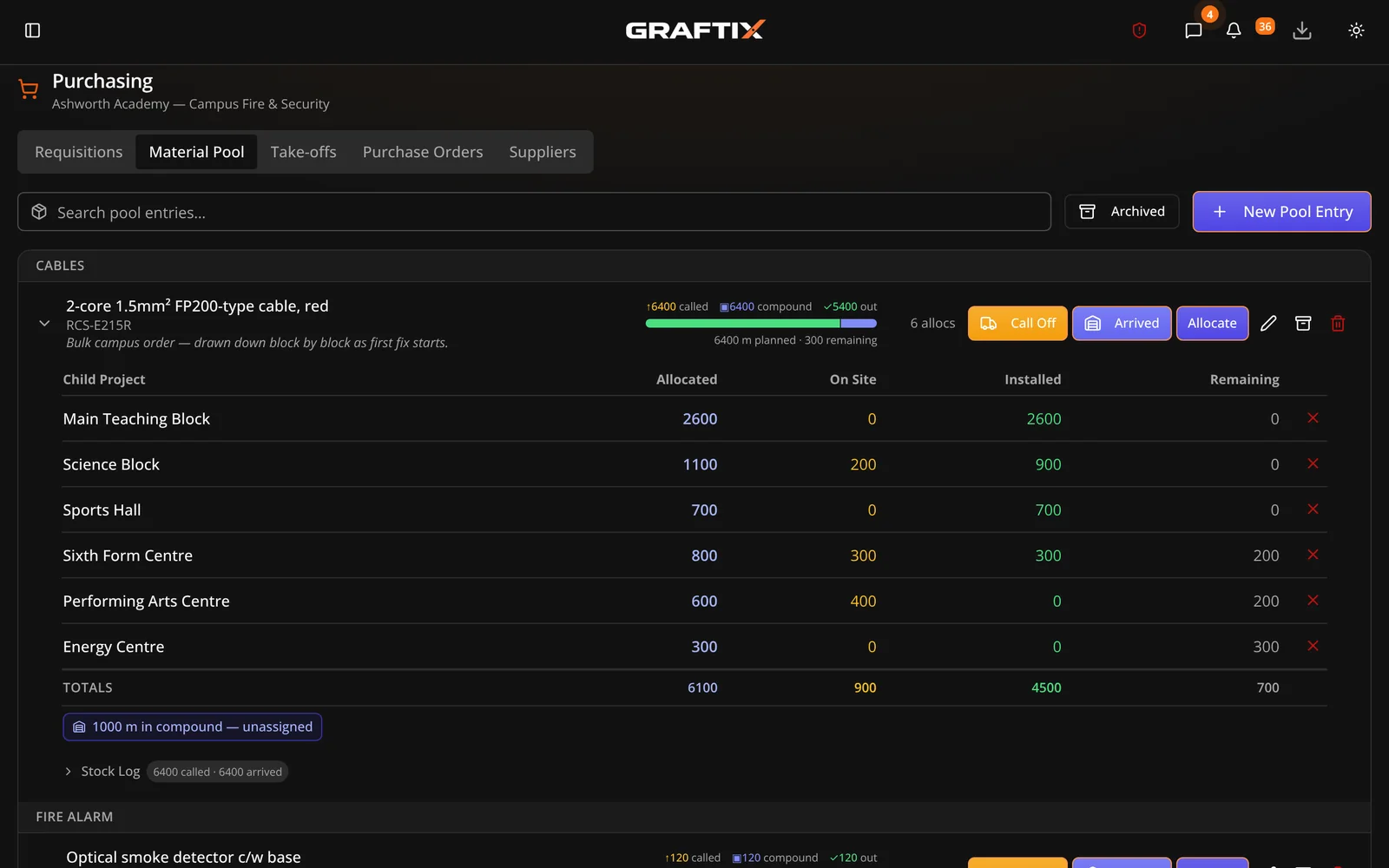
Graftix material pool on the Ashworth campus: bulk orders called off, delivered and allocated to buildings, with the remaining balance counting down as tasks claim stock

Material pools

Stock that keeps its own count

A pool holds a quantity of something on site. When a task claims from it, the remaining figure drops and the claim is logged against the task that used it. Nobody does a stocktake to find out where things went, because the record was made as the work happened.

  • Pools that auto-decrement as tasks claim from them
  • Every claim logged against the task that consumed it
  • Pools sit above child sites, so campus jobs order centrally and consume locally
  • Kit list showing what landed, what is left and what is fitted

Into the money

Spend that appears while the job is live

Because material consumption is recorded as it happens, material spend aggregates automatically into the project financials rather than arriving as a surprise from the accounts department six weeks after practical completion.
  • Material and labour spend aggregated from what the project recorded
  • Contract value, working budget and cost codes on every project
  • Direct cost entries for anything falling outside purchasing
  • Portfolio financials across every live job in the business
See financials
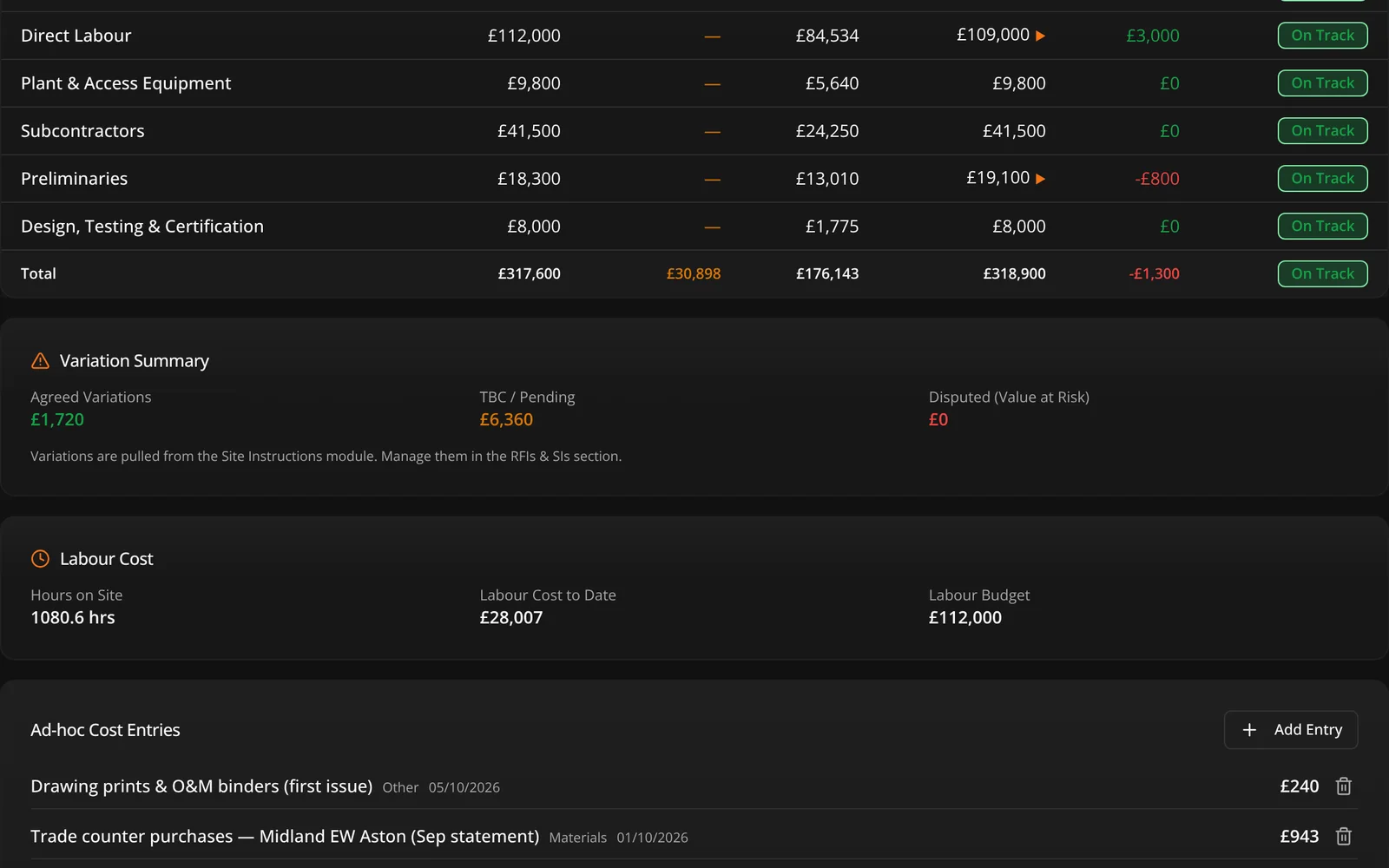
Graftix project financials: committed and actual material spend by cost code, variation summary, labour cost to date and the ad-hoc cost entries behind them

In this module

Everything in purchasing and materials

08

Take-off lists

Bills of quantity built from the drawing set.

Purchase orders

Raised, issued and tracked with delivery status visible to site.

Supplier management

A directory held once and reused across every project.

Kit list

The site materials register: landed, remaining, fitted.

Material pools

Auto-decrementing stock with every claim logged to a task.

Plant track

Plant and equipment on hire, where it is and when it is due back.

Cost codes

Break the budget down the way your accountant wants it.

Portfolio financials

Every live project on one screen, rolled up across the business.

Take-off from design

The equipment schedule you designed at tender becomes a priceable take-off list in one click, without re-keying a line of it.

Get started

Find the missing two hundred.

Every contractor has a job where the kit went somewhere and nobody can say where. Put one pool in and watch it count itself.