Drawings
Tasks on the drawing
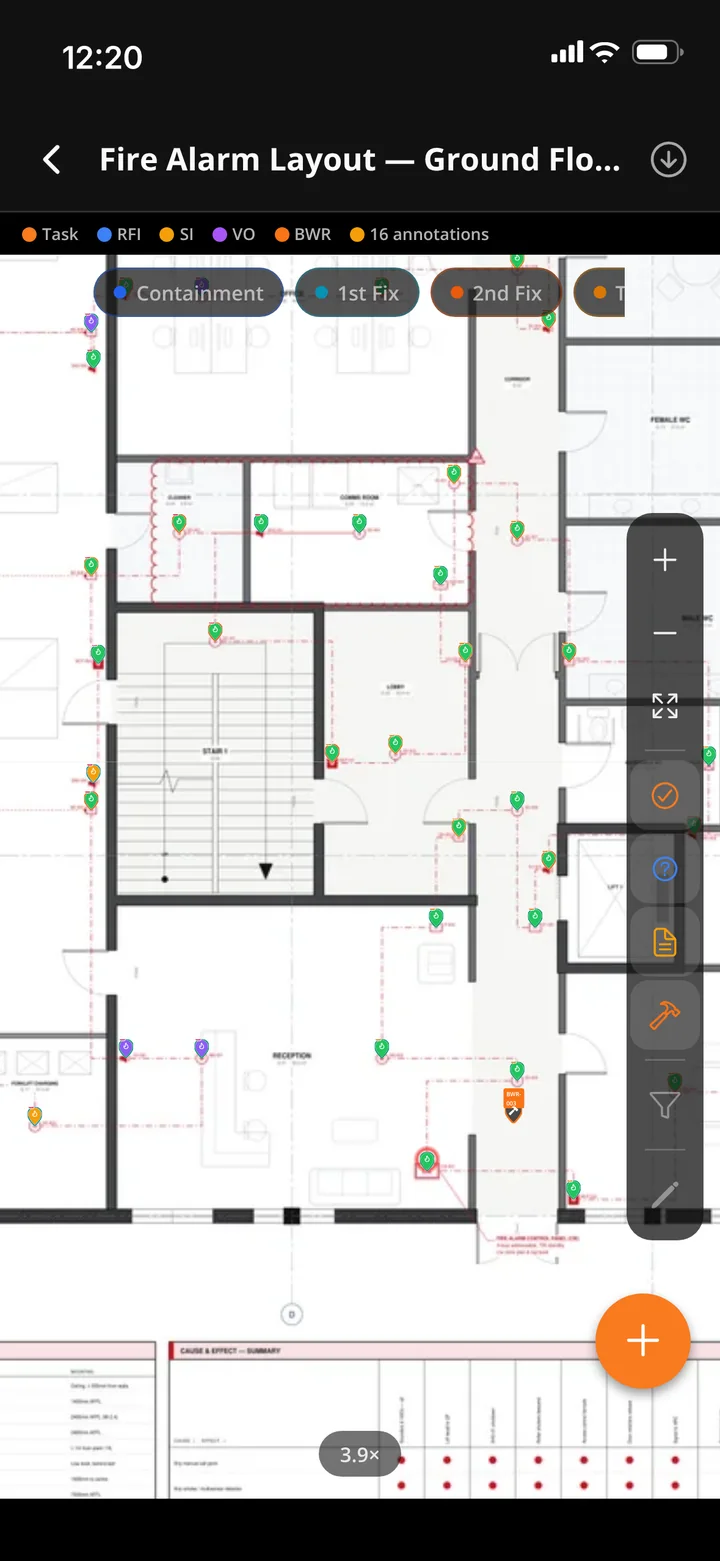
Pins for tasks, snags, RFIs, site instructions and builders' work. Update a task from its pin, and mark up the sheet with a full set of drawing tools.


Graftix Go · iPhone and iPad · Android coming soon
Graftix Go is the app for the people doing the work. The next task, the drawing, the test sheet, the permit and the camera, on a phone that keeps working in the riser, the plant room and the basement.
On a computer? Point your iPhone camera here to open the TestFlight invite.
Included with every Graftix subscription · Public beta on TestFlight

Offline, the way site actually works
Most site apps make you choose: sync everything to the phone before you start, or stop working when the signal goes. Graftix Go does neither. It works live, keeps what you have used, and puts a whole project on the phone only when you ask it to.
01
Install, sign in, start. Every screen loads live, so there is no project to sync before you can look at a task.
02
Anything you have looked at is kept on the phone for up to seven days. Walk into the basement and the screen you were just on still opens.
03
No signal where you are going? Download the project: tasks, test sheets, drawings, permits, RAMS and photos. One tap, per project, only when you choose.
04
Finished on that job? Offload it and the space comes back. The project is still there, live, whenever you have signal.

Download and offload
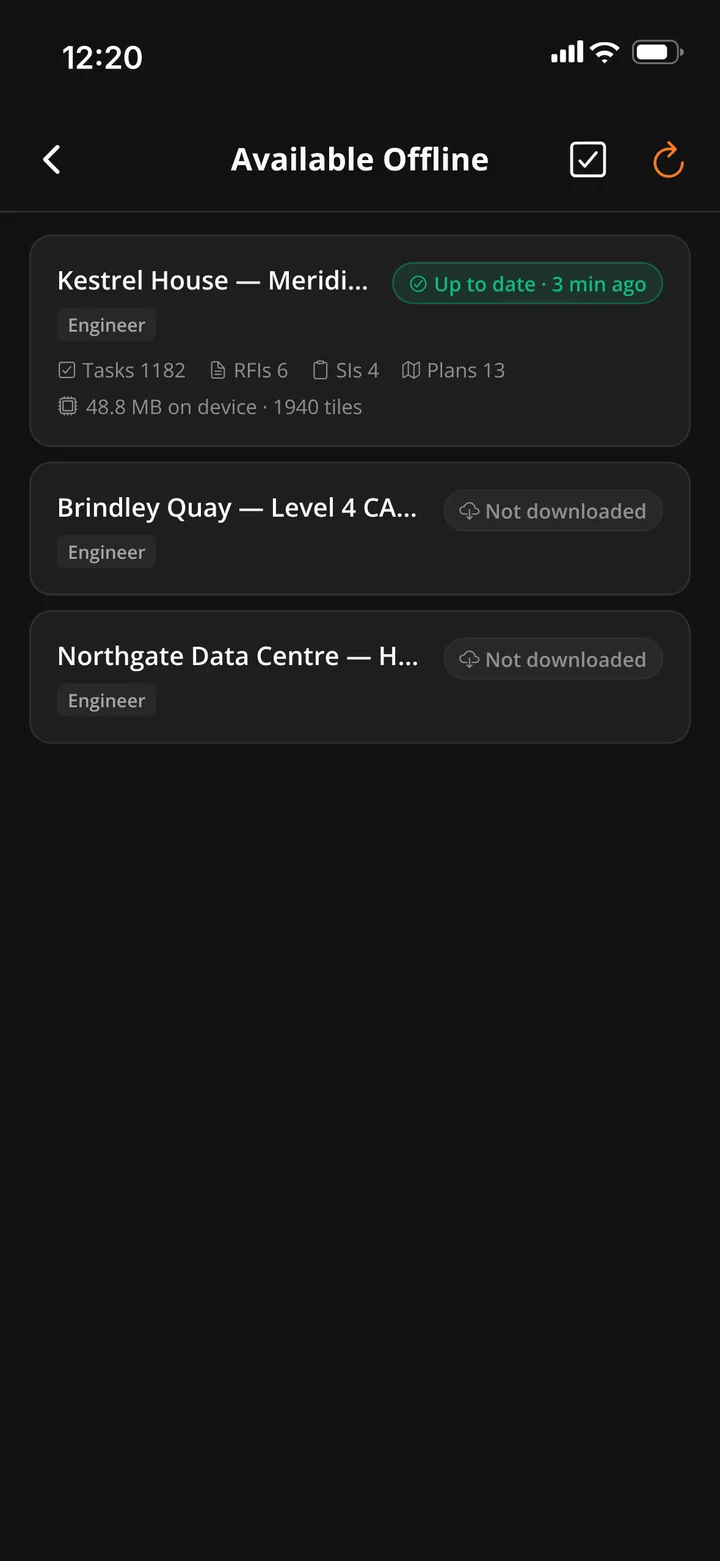
Available Offline lists every project you are on. Download the ones you need for no-signal days, see exactly how fresh each one is, and give the space back when you are finished.
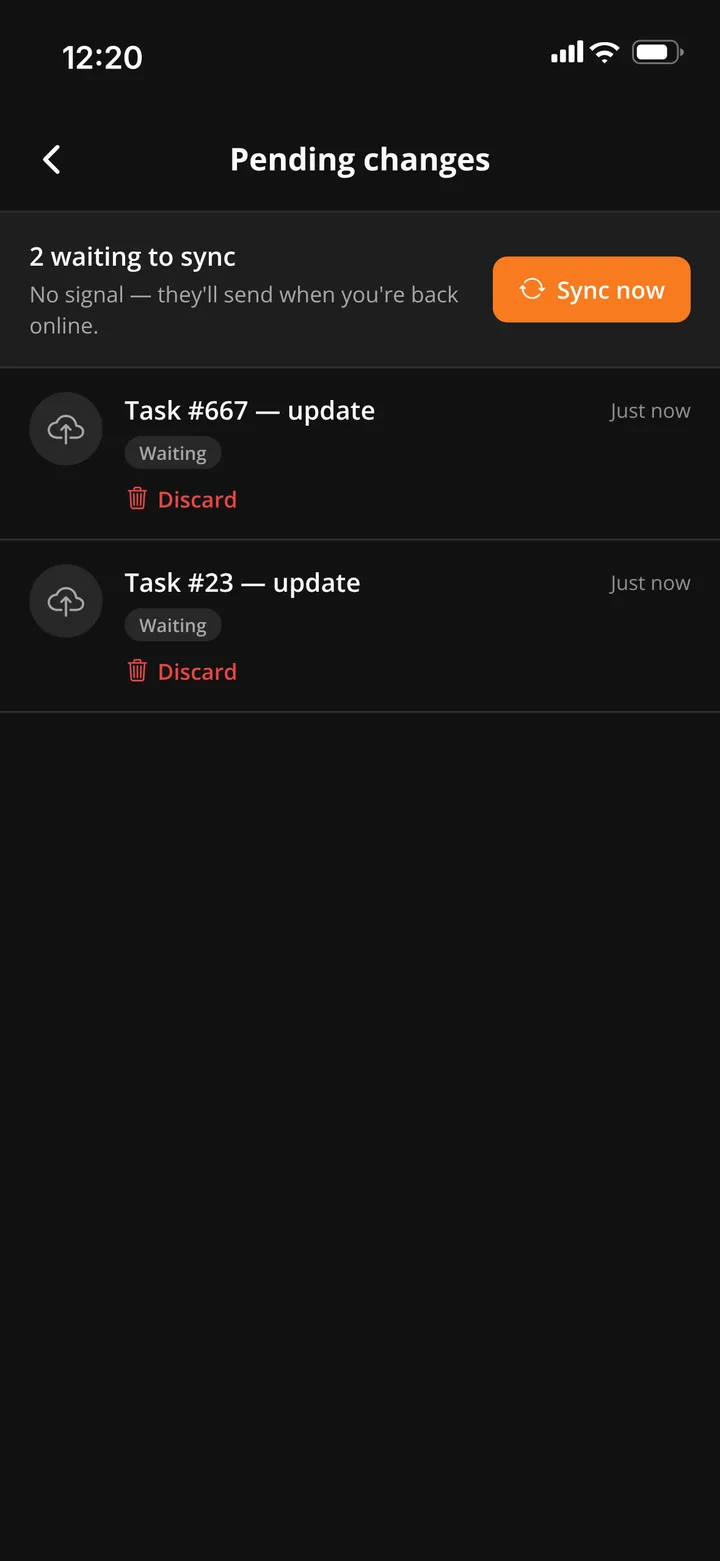
Changes without signal
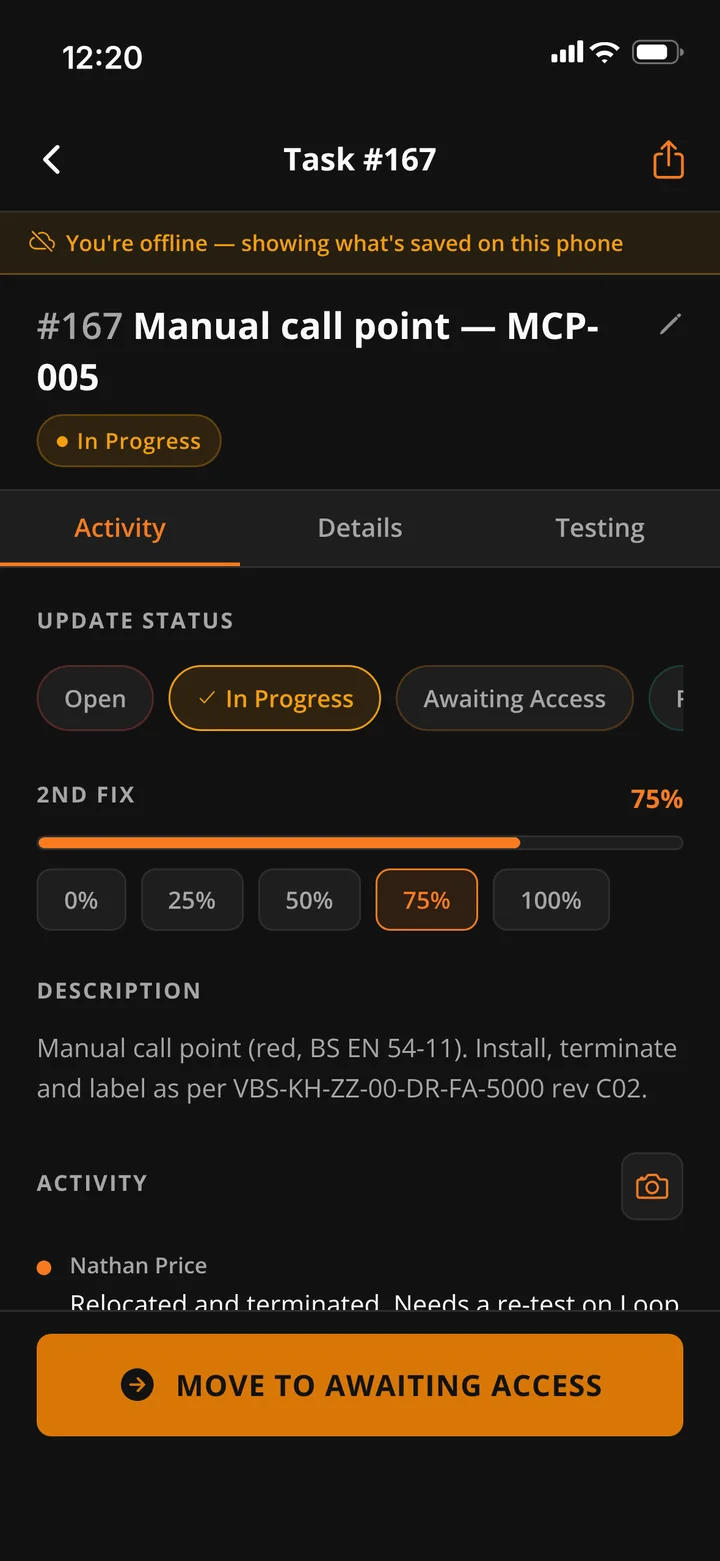
Close the task in the riser, sign the RAMS in the basement, take the photo in the plant room. Every change is saved on the phone first and sent, in the order you made it, the moment there is a connection.
Everything on site
Graftix Go is built for the person on the ladder: one hand free, gloves on, bright sun or a dark plant room. It carries the site work, and leaves the office work to the office.
Drawings
Pins for tasks, snags, RFIs, site instructions and builders' work. Update a task from its pin, and mark up the sheet with a full set of drawing tools.
Testing
The task's own test form, with the same calculations as the certificate. Circuits in run order, each with its own tests. And, in the latest Graftix Go, cause and effect witness testing and sign-off, with photo and video evidence, even with no signal.
Photos
Saved on the phone first, uploaded in the background, and marked up with a finger. Scan a barcode straight into a serial number field.
Safety
Read the real RAMS document and sign it. Request a permit, watch the countdown, sign the toolbox talk, return the key with a scan.
Incidents
Report an incident or near miss with photos, offline if need be. An SOS goes out live with your position, straight to the people who can help.
Attendance
Check in and out, breaks and the tasks you worked on, with optional reminders when you arrive on site, worked out on the phone itself.
Talk
Direct and group chat with photos, files and your location, and a push notification for anything that needs you.
Records
Raise them from the pin the moment the question comes up, signal or not. The record of when and from whom is what a variation stands on.
Kit
Plant check-in with LOLER dates and an IPAF check, the eForms sent to you, and one search box for any serial, MAC or port.
A look inside
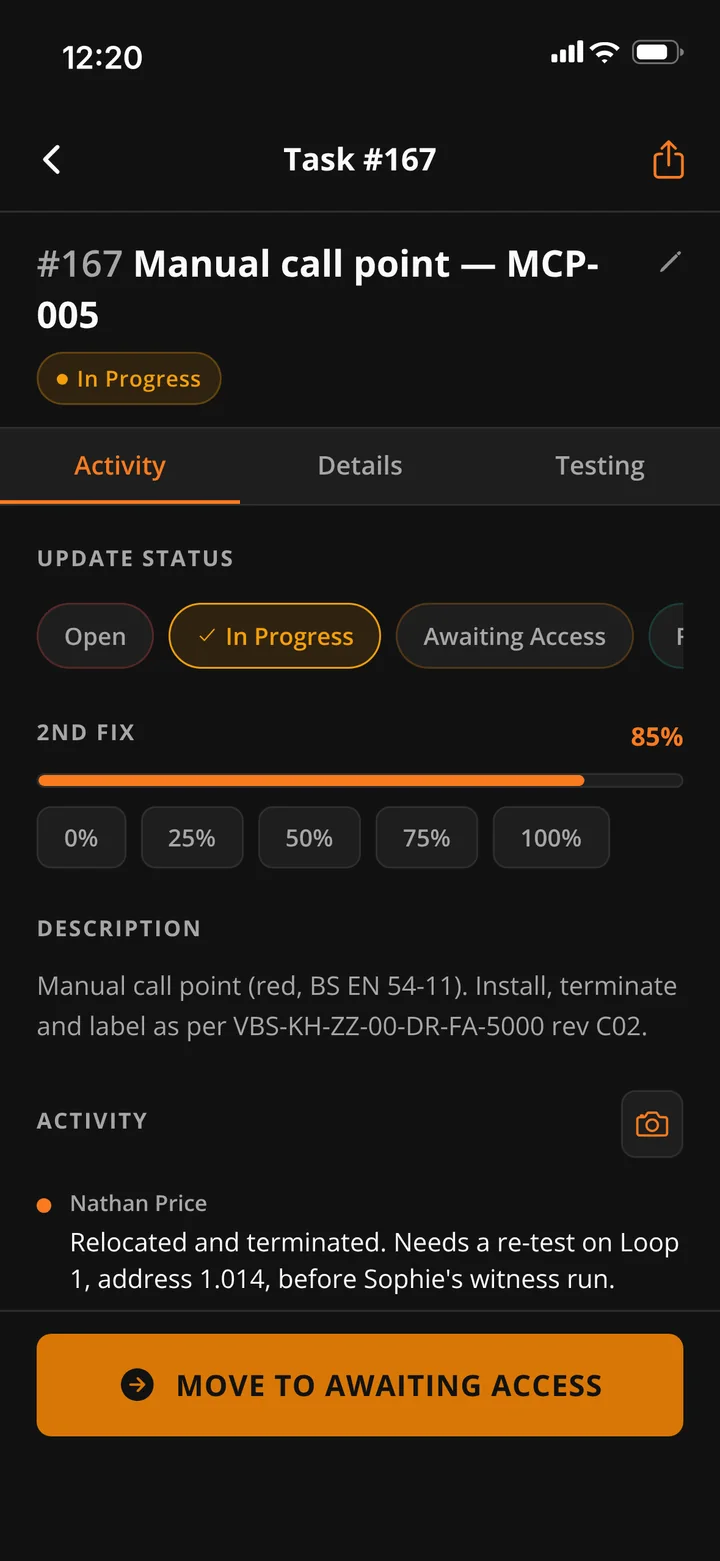

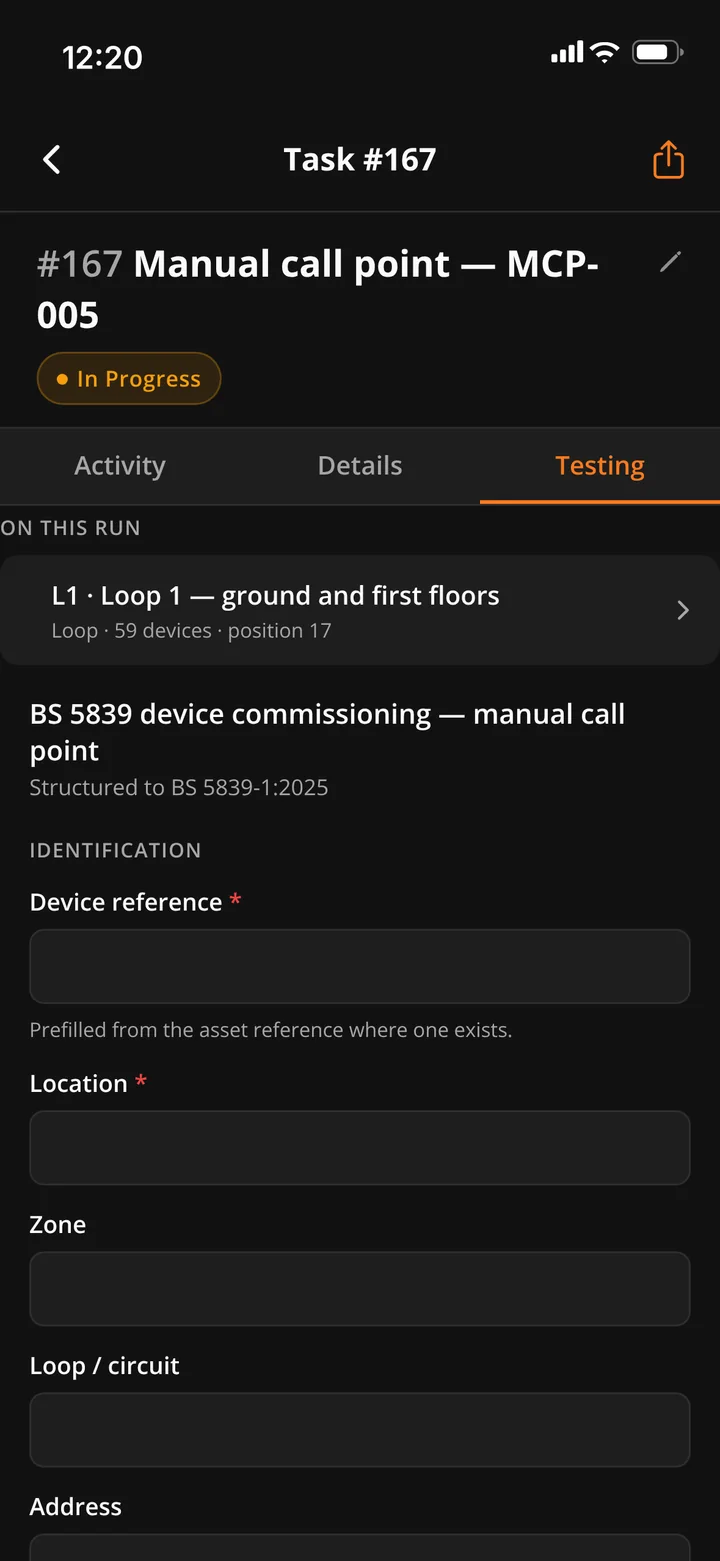


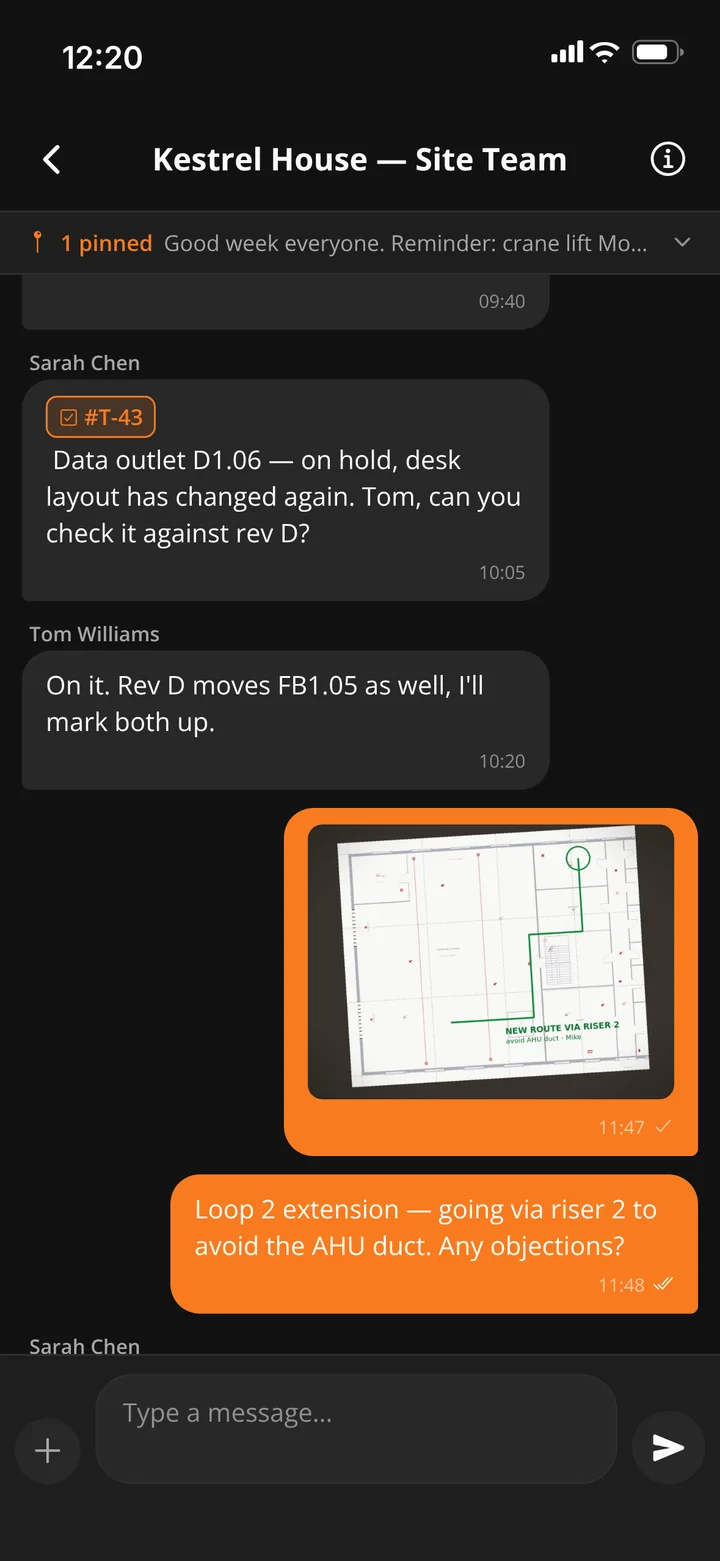
Two apps, one system
Same sign-in, same data, live both ways. A task closed on the phone is closed on the office screen, and a drawing revised in the office is the drawing on the phone.
Graftix Go · iPhone and iPad
Engineers, supervisors and subcontractors. Tasks on the drawing, testing, safety, attendance and chat, built to work with no signal. Android is coming soon.
Web app · installed from the browser
Project managers, directors, administrators and finance. Every feature, from project setup and the programme to purchasing, financials, the eForm builder, reports and billing. Install it from Chrome, Edge or Safari and it runs like a desktop app: its own window and icon, push notifications, and it keeps working when the Wi-Fi drops.
Questions
On iPhone and iPad, join the public beta through Apple's TestFlight: install TestFlight from the App Store, open the invite link and tap Install. It takes about a minute. Android is coming soon.
No. Graftix Go comes with every Graftix subscription, and anyone on your team signs in with the account they already have.
As much as you let it. There is no sync up front: what you open is kept for up to seven days, and a downloaded project shows its size. Offload it and the space comes back.
Signing in, asking Dave (the AI assistant), exports and a handful of office jobs. The day-to-day work of tasks, tests, photos, signatures and check-ins carries on without it.
Get started
Start a free trial, add your team and send them the TestFlight link. Seven days, no card.