

GX-03 · Programme
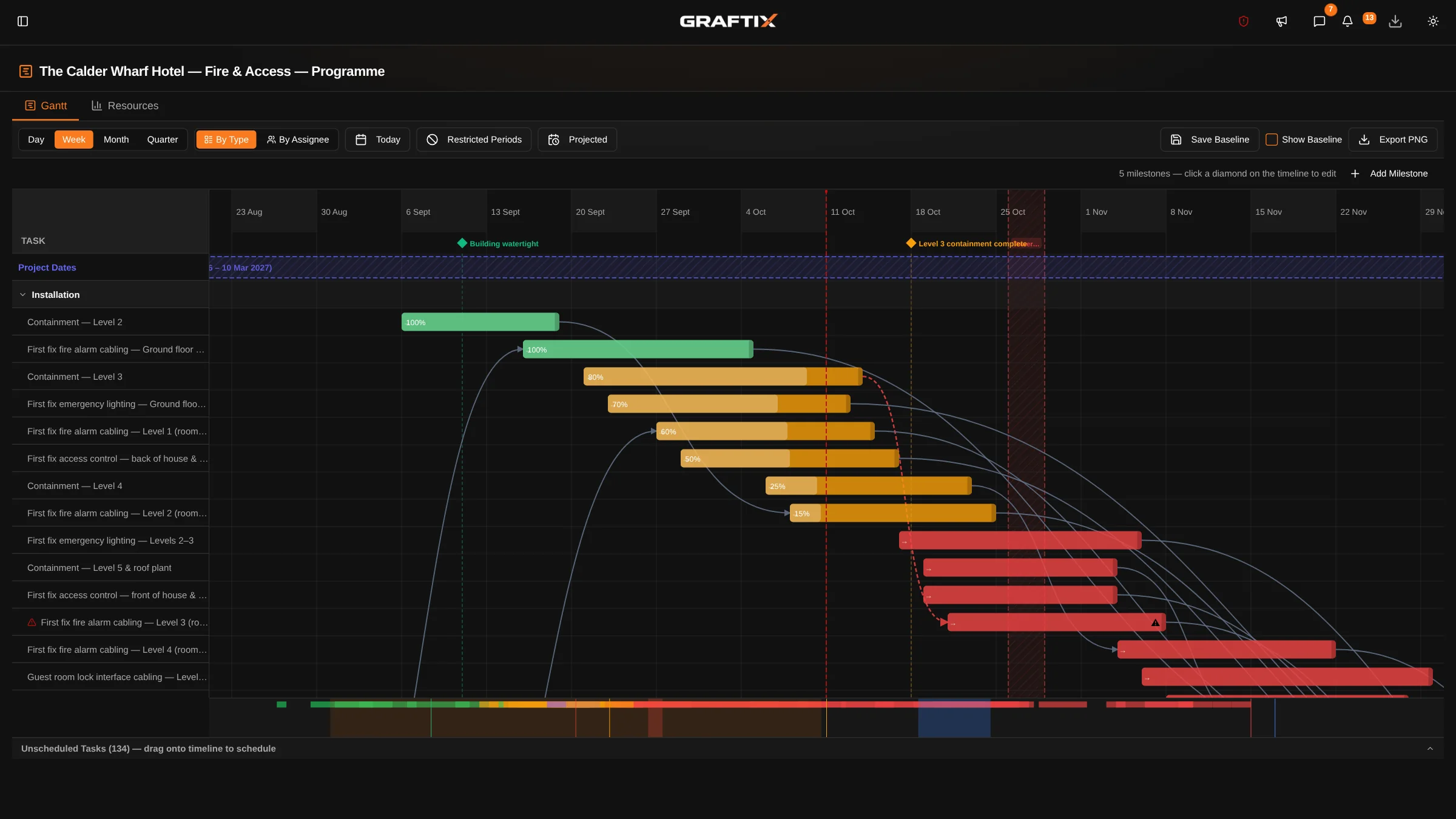
Most programmes are drawn once, printed, and quietly diverge from site within a fortnight. This one is generated from the tasks your engineers are actually working through, so it cannot drift without you seeing it.
The link to reality
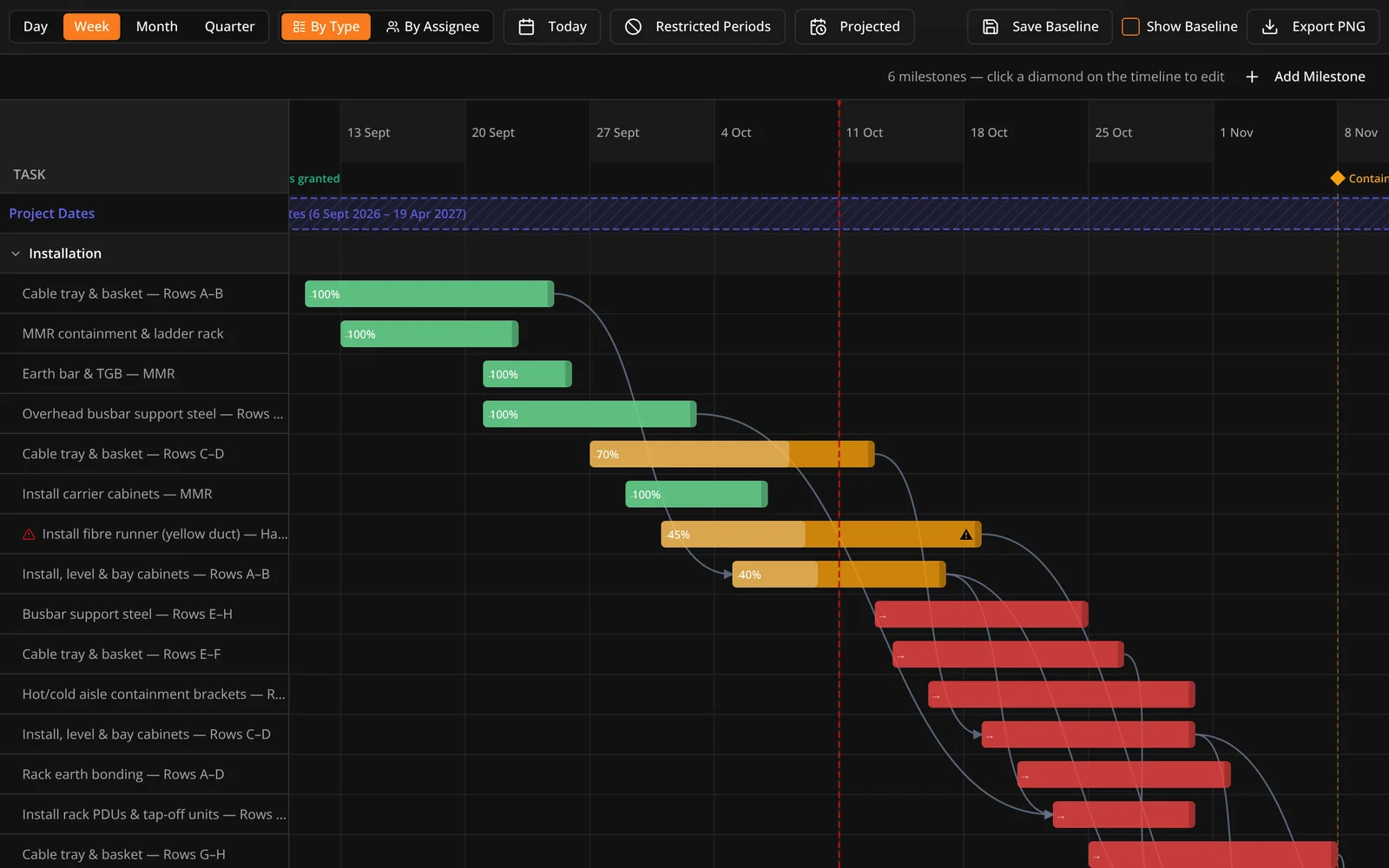
The programme is not a separate document that somebody maintains. It is the same tasks, seen along a timeline. When a device is completed on site, the bar moves. When something is blocked, you can see what it delays without redrawing anything.
Labour
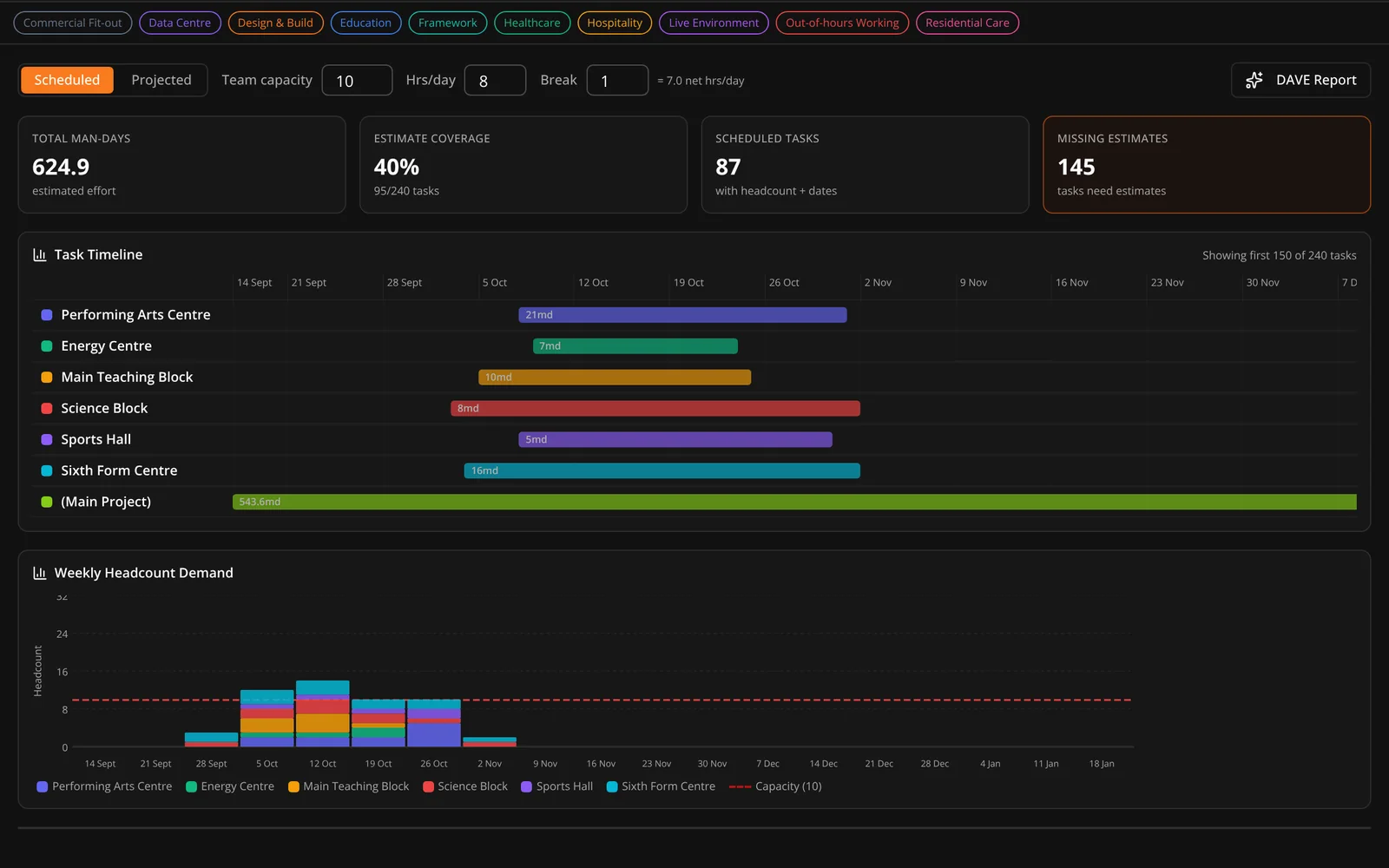
A programme that ignores how many people you actually have is a wish. Duration, unit and required headcount sit on each task, and resource allocation shows who is already committed to what across the job.
Why it matters commercially
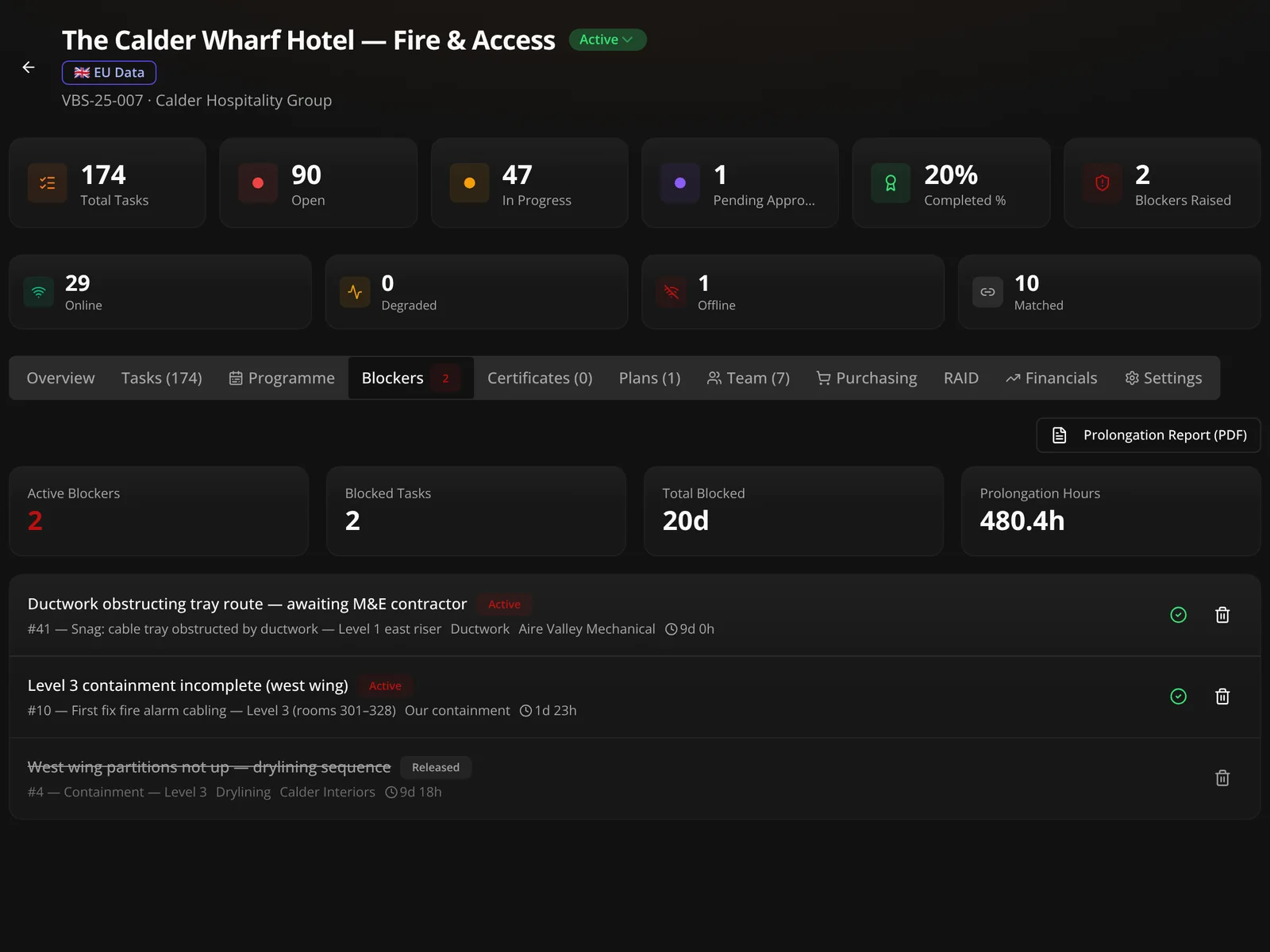
When a job overruns, the argument is never about whether it overran. It is about why, and whose fault it was. A blocker raised at the time, owned by somebody, and released on a date is worth more in that conversation than any amount of recollection six months later.
In this module
03
Programme overview
Gantt with phases, drawn from the task register itself.
Programme dates
Start, end and due dates held per task.
Installation phases
Phase and phase progress percentage on every task.
Estimates
Duration, unit and required headcount per task.
Resource allocation
Who is committed to what, across the job or per building.
Dependencies
Links between work that has to happen in sequence.
Blockers
Raised, owned and released, with a full audit trail.
Progress tracking
Completion by trade, floor and phase, calculated not guessed.
Get started
The programme and the task list should be the same thing. Put a real job in and see the difference.