

GX-05 · Task register
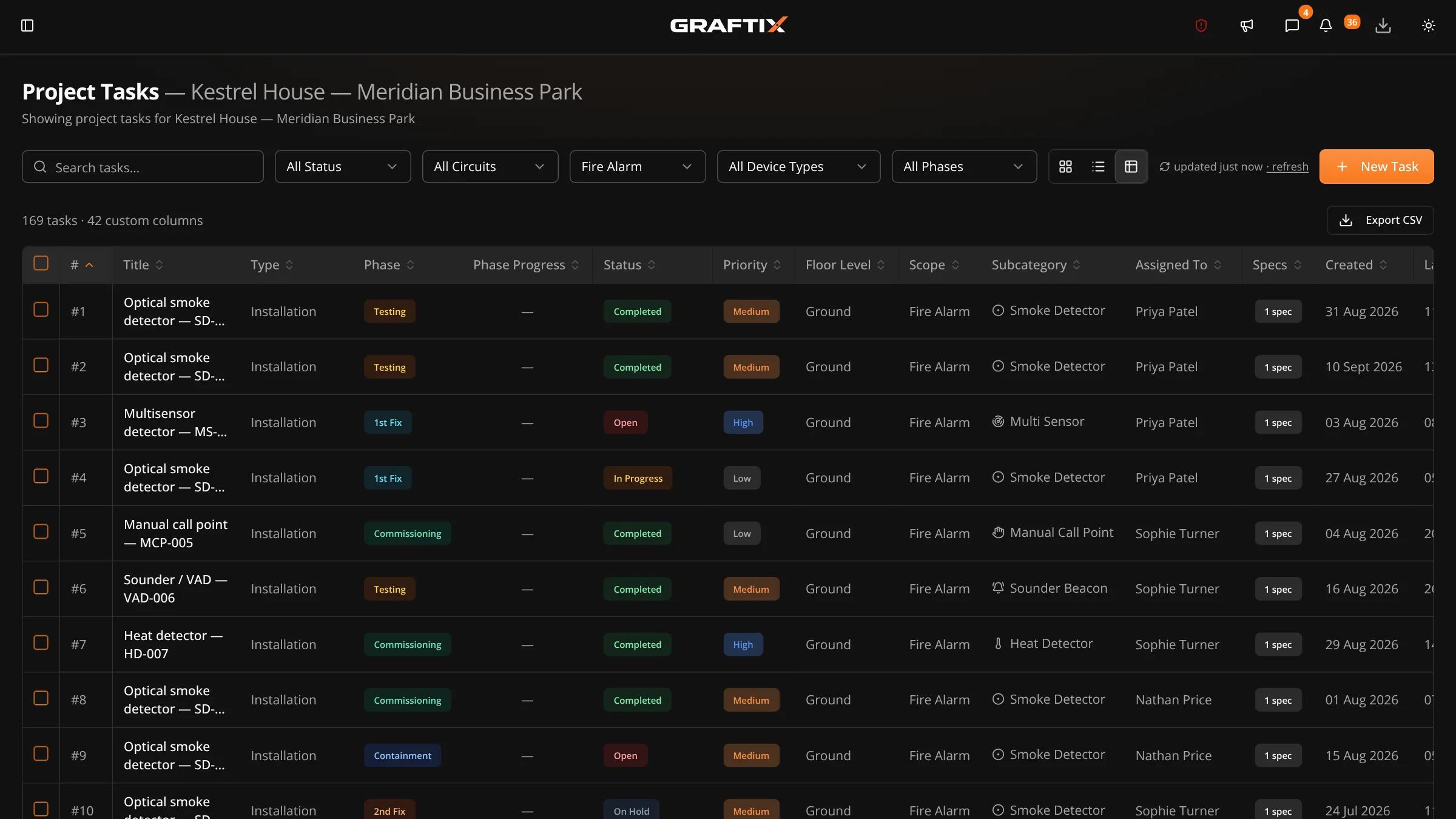
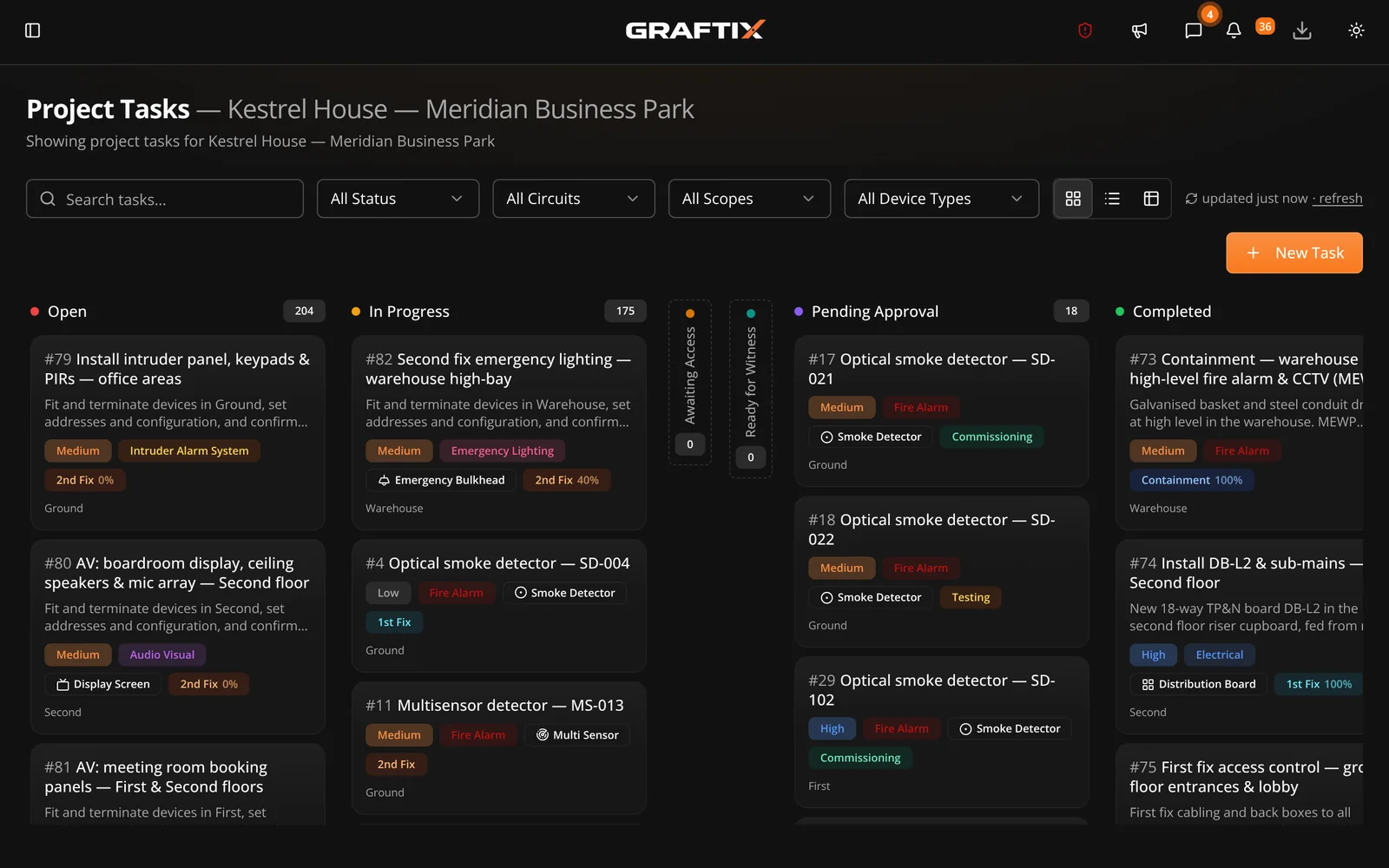
A spreadsheet-style register and a kanban board over the same data, built for jobs where the task count runs into thousands rather than dozens.
Why a register, not a to-do list
Most project tools assume a few dozen tasks with names like "finish the kitchen". A fire, security or data job has four thousand items, each of which is a physical device with an address, a location and a test result. That needs a register you can sort and filter like a spreadsheet, because that is what people were already using.
On every task
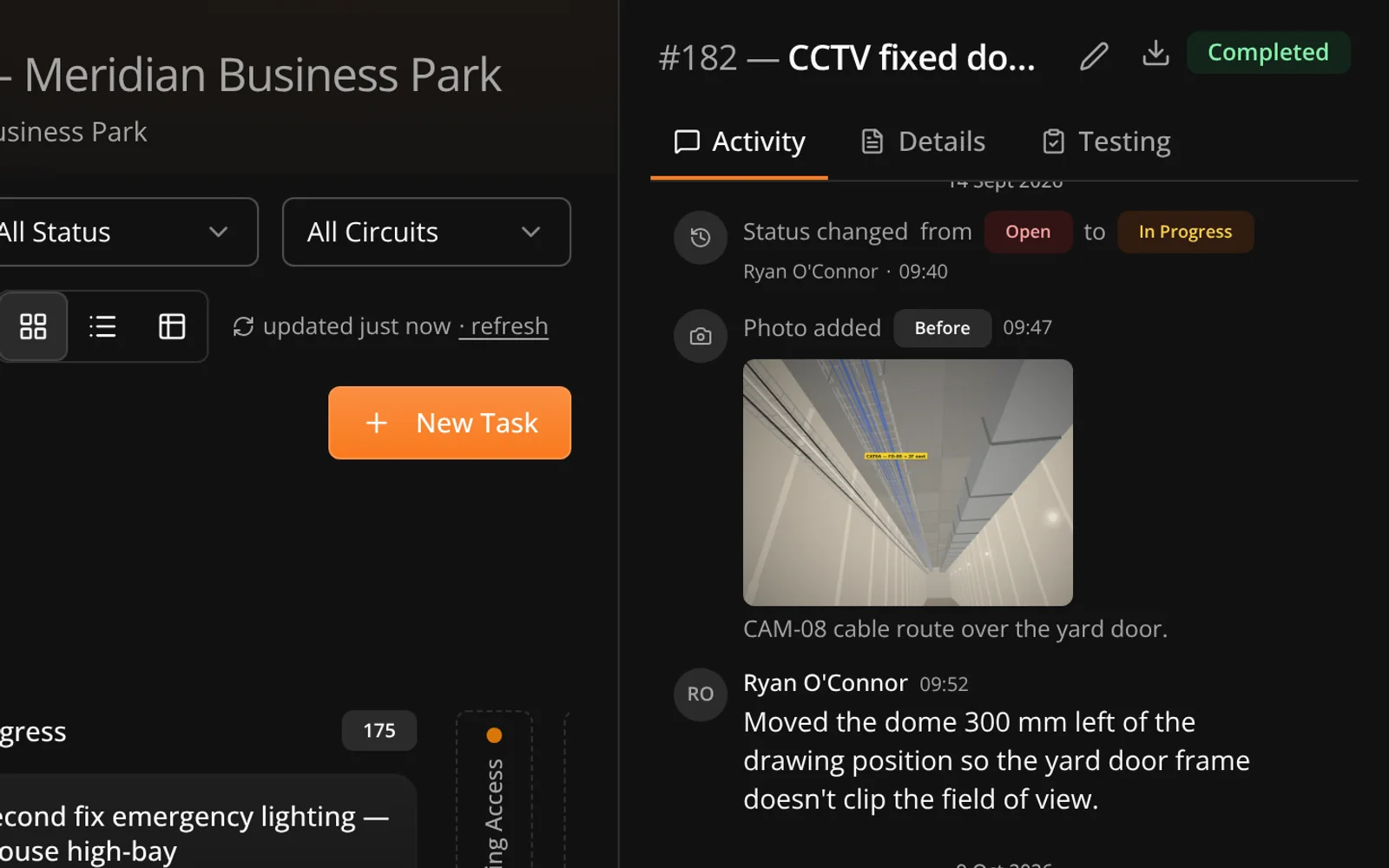
Custom fields carry whatever your trade needs — loop and address, circuit reference, outlet number, room configuration. Statuses and task types can be renamed to the language your business already uses on site.
When work stops
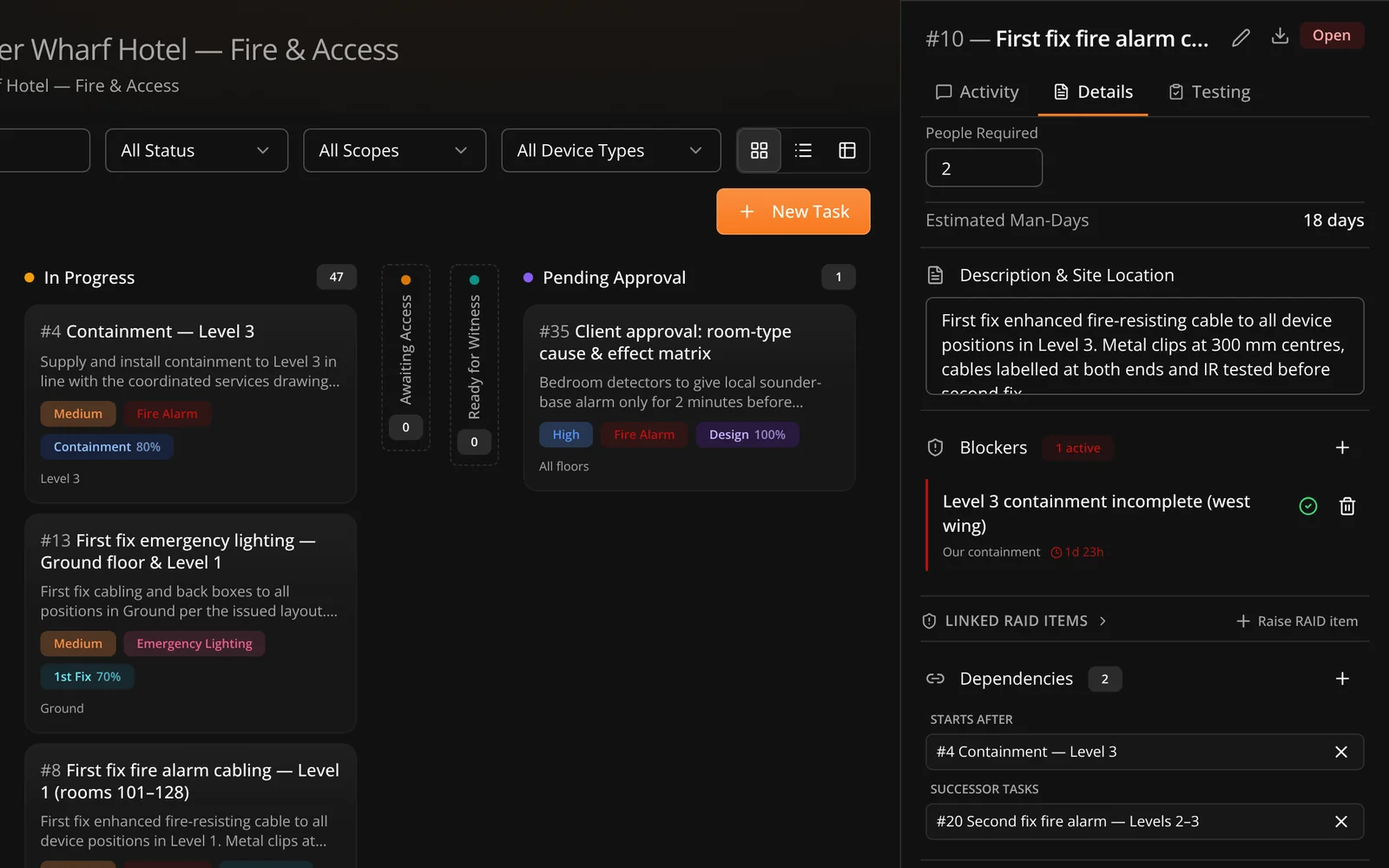
Work gets held up constantly. What causes arguments later is that nobody recorded why, for how long, or who was waiting on whom. A blocker is raised against the task, owned by someone, and stamped when it is released.
In this module
05
Task register
Spreadsheet-style view built for thousands of items.
Creating a task
Individually, in bulk, or pinned straight onto a drawing.
Workflow status and phase
Statuses that match site reality, plus install phase and progress.
Task blockers
Raised, owned and released, with a full audit trail.
Dependencies
Link work that relies on something else being finished first.
File attachments
Photos, datasheets and markups held on the task itself.
Custom fields
Whatever your trade needs, searchable project-wide.
Kanban board
Drag between statuses when a board suits the work better.
Progress tracking
Completion calculated from tasks, not estimated in a meeting.
Custom status labels
Rename statuses and types to your own site language.
Device subcategories
The device type beneath a task's trade — an access point, a patch panel, a data cabinet. Optional, and it stays optional.
Enabled trades
Turn on the trades a project actually involves, so nobody picks from a list of things you do not do.
Twenty-four hour undo
A deleted file waits in an undo window before it is destroyed, because the wrong tap happens.
Get started
The device schedule everyone is scared to touch. See what it looks like when it is attached to a drawing instead.