Fire
Fire alarm and detection
Device schedules against the drawing, zone plans, commissioning records and certification the responsible person can rely on.
BS 5839 · EN 54 · Zone plans

Solutions
Most contractors run more than one of these disciplines, often on the same job, often on the same drawing. Graftix was built for exactly that overlap rather than forcing you into a tool designed for one trade and bent into shape for the others.
By discipline
Each of these pages covers the compliance burden specific to that trade, the records you will be asked for at handover, and how Graftix holds them.
Fire
Device schedules against the drawing, zone plans, commissioning records and certification the responsible person can rely on.
BS 5839 · EN 54 · Zone plans
Security
Camera and door positions pinned to the plan, device addressing, commissioning sheets and the evidence your certification body asks to see.
BS EN 62676 · BS EN 60839 · PD 6662
Electrical
Certificates and test records held against the project, circuit schedules, and periodic inspection dates that will not quietly lapse.
BS 7671 · Test records · Periodic inspection
Data
Containment, outlets and comms rooms tracked building by building, with test results against every link and live device status through Graftix Live.
BS EN 50173 · BS 6701 · Link testing
AV
Room-by-room schedules, rack elevations, signal flow, first fix coordination and commissioning sheets that survive the client walkthrough.
Rack builds · Signal flow · Room sign-off
Major projects
For specialist contractors on large sites with big teams: RFIs, builders' work requests, variations, inductions at the gate and commissioning readiness, with estates split building by building.
RFIs · Variations · Inductions · Parent and child sites
The overlap
The reason this matters is that these disciplines share a building. The fire panel needs a mains supply. The cameras need a network drop. The AV rack needs both, and a door needs an access controller, a lock, a power supply and a cable to all three.
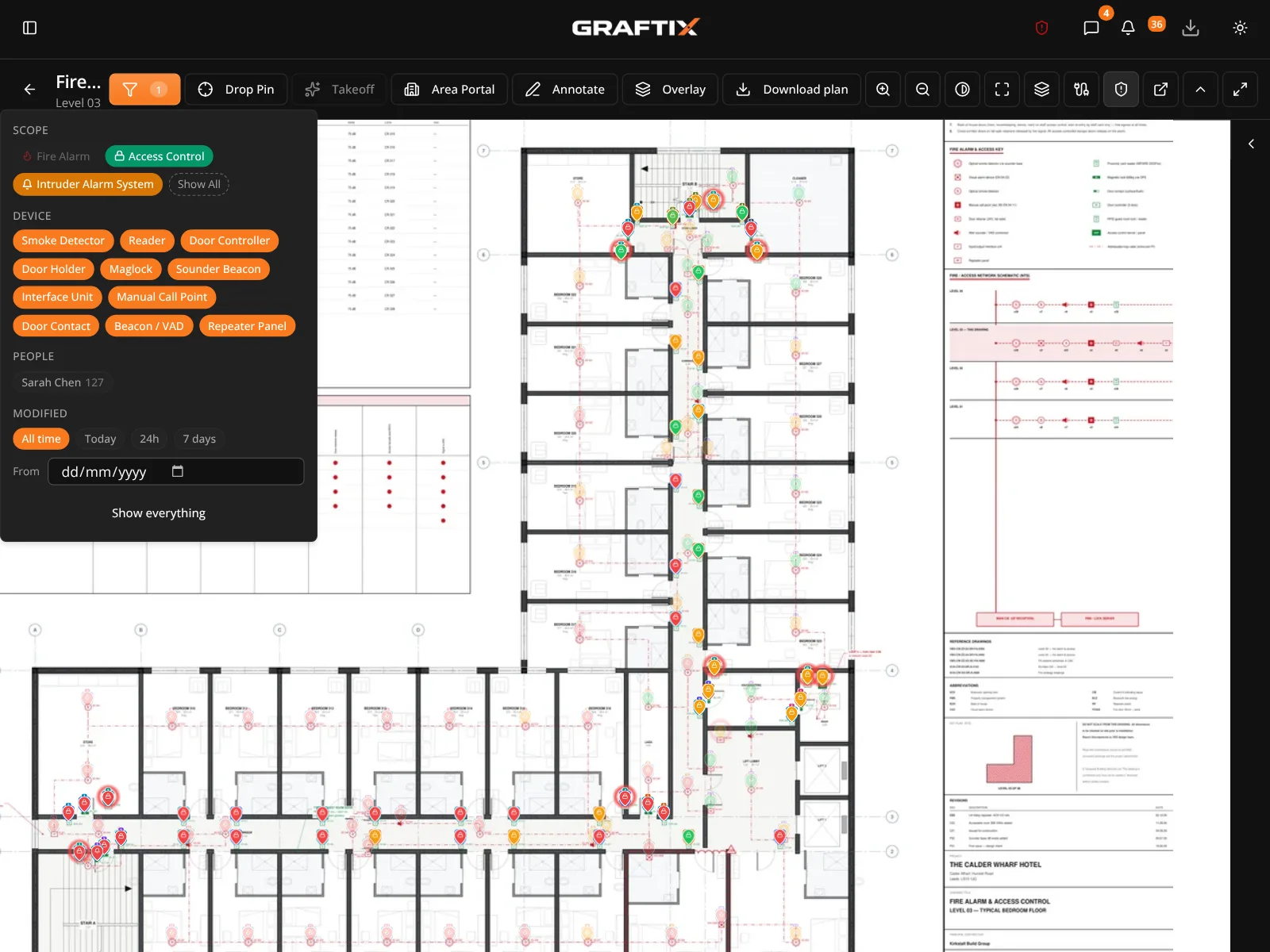
When each trade keeps its own schedule in its own file, the coordination happens in a WhatsApp group and the clashes get found on site. In Graftix the trades share a drawing set, filter to their own work when they want to, and see everyone else's when they need to.
See the platform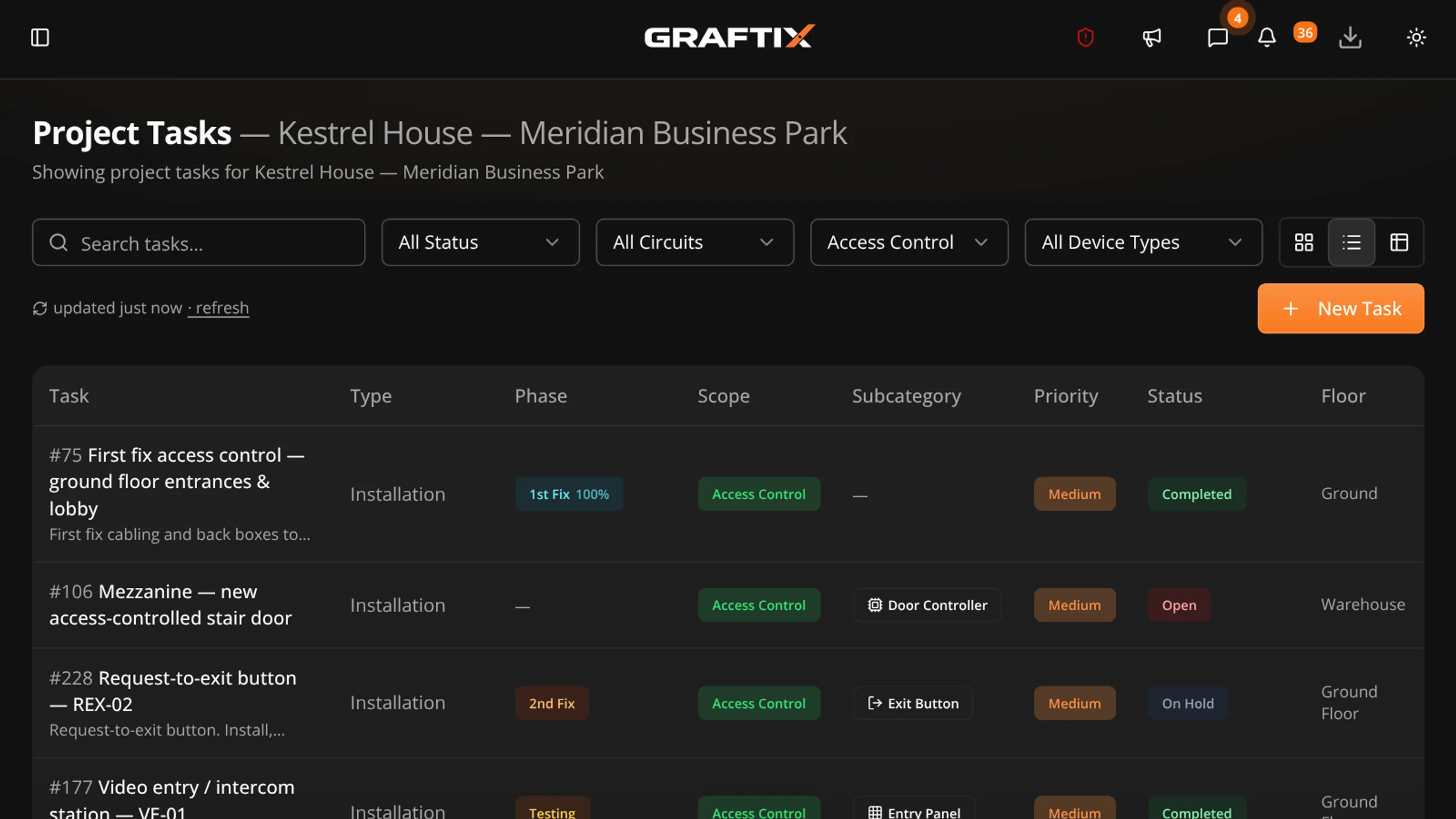
Live demo · Open to anyone
A live Graftix environment with a complete demo project, read-only, no sign-up. Open the plan viewer and filter the task register by trade. That single screen answers most of what these pages are trying to describe.
Get started
Seven days, every feature, no card. Put one live job in it and see whether the paperwork keeps up.