01
The schedule and the drawing disagree
The device schedule lives in a spreadsheet. The drawing lives in a PDF. Somebody moved a detector on site and told nobody, so the as-built is wrong before the job even finishes.


Solutions · Fire
Every device you install ends up on a certificate with your name on it. Graftix holds the device schedule, the zone plan and the commissioning record against the drawing they belong to.
The problem
The install is the easy part. What decides whether the job goes smoothly is whether you can produce the right document, for the right device, on the day someone asks.
01
The device schedule lives in a spreadsheet. The drawing lives in a PDF. Somebody moved a detector on site and told nobody, so the as-built is wrong before the job even finishes.
02
A device moves, a zone changes, and the zone plan on the wall no longer matches what is installed. Nobody notices until the fire officer does.
03
Test results written on a printed schedule, photographed badly, and never reconciled against the device list. Six months later nobody can prove a device was ever tested.
On the drawing
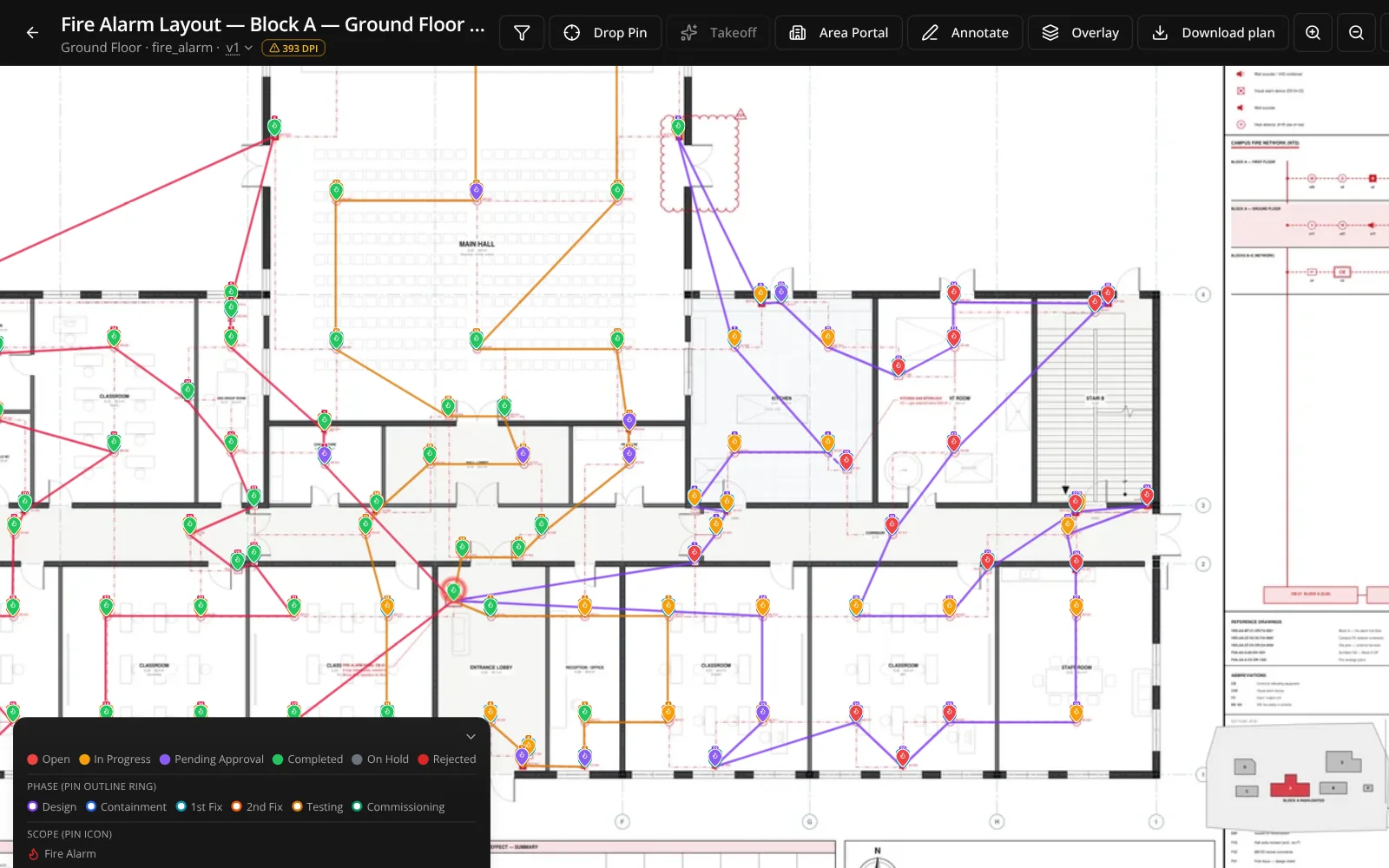
Pin each detector, sounder, call point, interface and beacon to its real coordinate on the sheet. Address, loop, zone and device type live on the pin as custom fields, searchable across the whole project.
Off the drawing
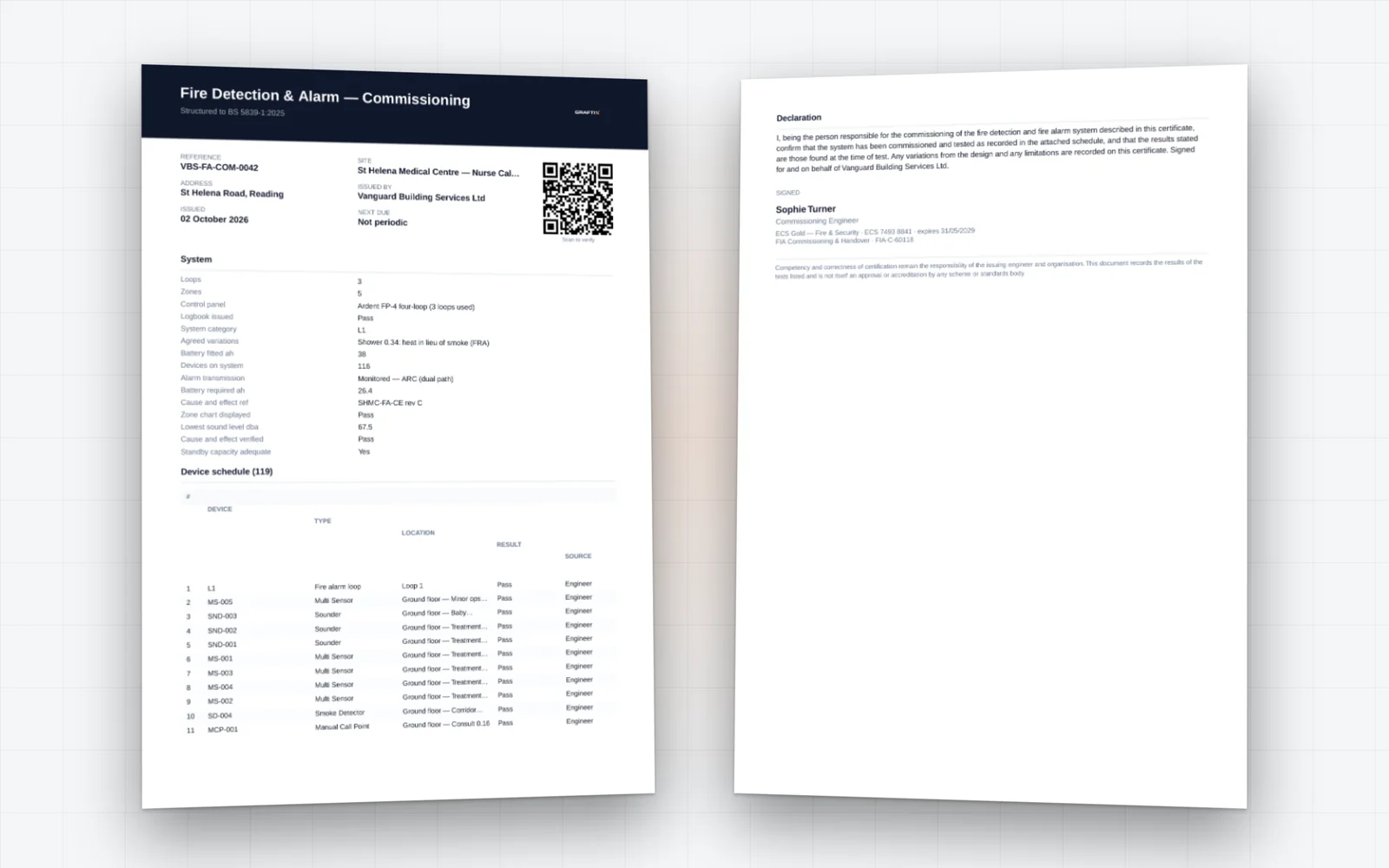
Task types run the whole lifecycle: installation, inspection, commissioning, testing, certification and client approval. A device is not finished because someone fitted it, it is finished when it has been tested and signed off.
What you will be asked for
Nothing on this list gets created at the end of the job. It accumulates while the work happens, because it was captured at the point the work was done.
Device schedule
Every device with type, loop, address, zone and location, exportable and matched to the drawing.
Zone plan reference
Drawings held against the project with annotations, so the issued zone plan and the record agree.
Commissioning records
Built as eForms in your own wording, completed on site, filed against the project automatically.
Cause and effect
The matrix built from the zones and devices you already hold, every step witness tested against its designed delay, and signed off.
See cause and effectCertificates
Fire and compliance certificates stored on the job and available long after the site closes.
RAMS
Issued, read and signed digitally, with version control so nobody is working to a superseded method statement.
Asset register
What was installed, where, with serials and warranty dates. The basis of the maintenance contract that follows.
Certification
Commissioning results become a certificate, sealed and verifiable by QR, with the O&M pack assembled from the job itself.
Maintenance contracts
The panel and detectors you installed become the estate you service, with planned visits raising their own jobs.
Fire
Upload the drawing set, pin a loop, and see whether the device schedule finally stops living in a spreadsheet.