

AI on the job
Takeoff counts your drawings from their own geometry. Dave, the built-in AI assistant, writes your RAMS, refines a proposal, turns a meeting into minutes and answers questions about live project data. And MCP lets your own Claude talk to a Graftix project directly.
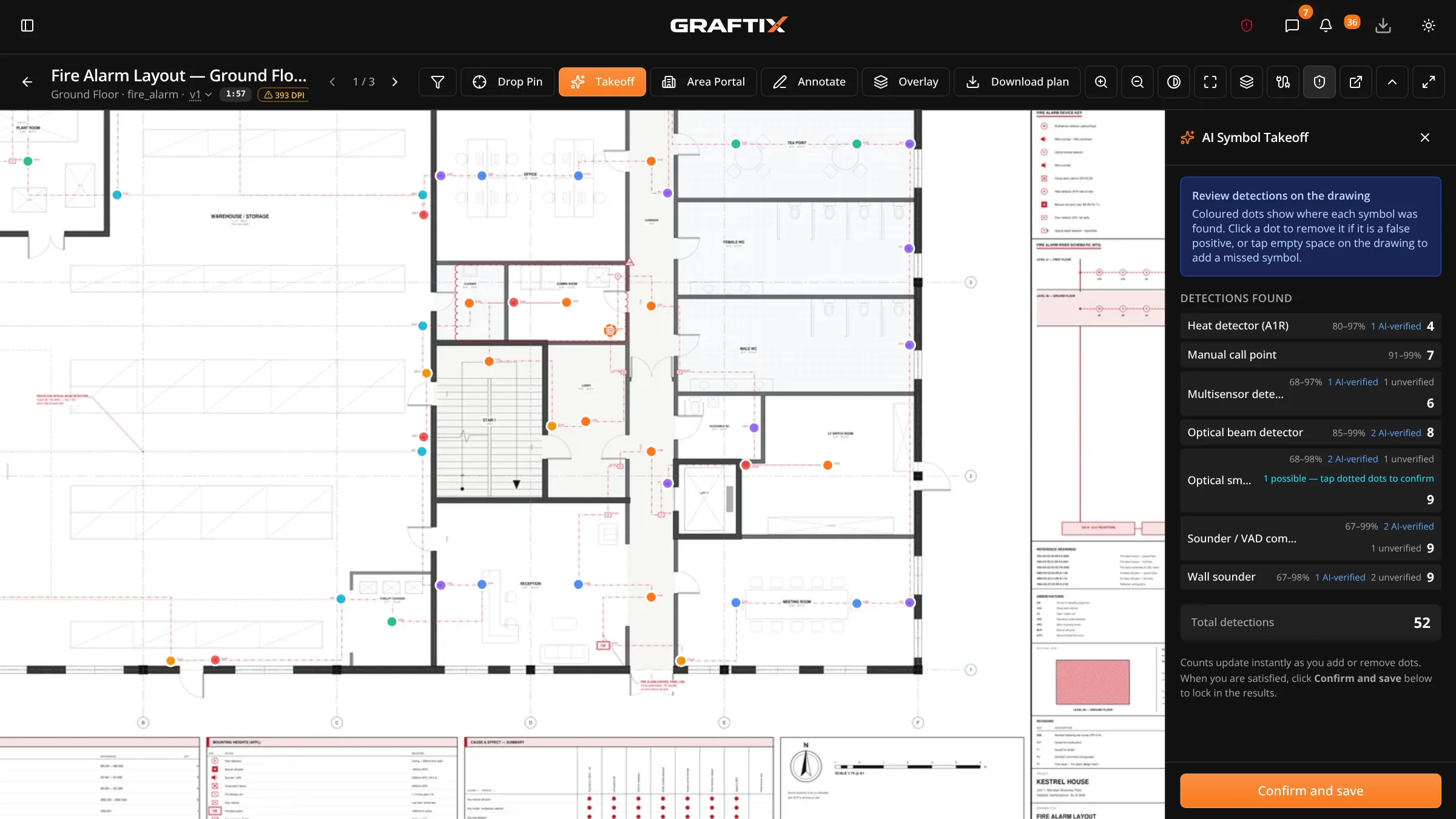
Symbol takeoff
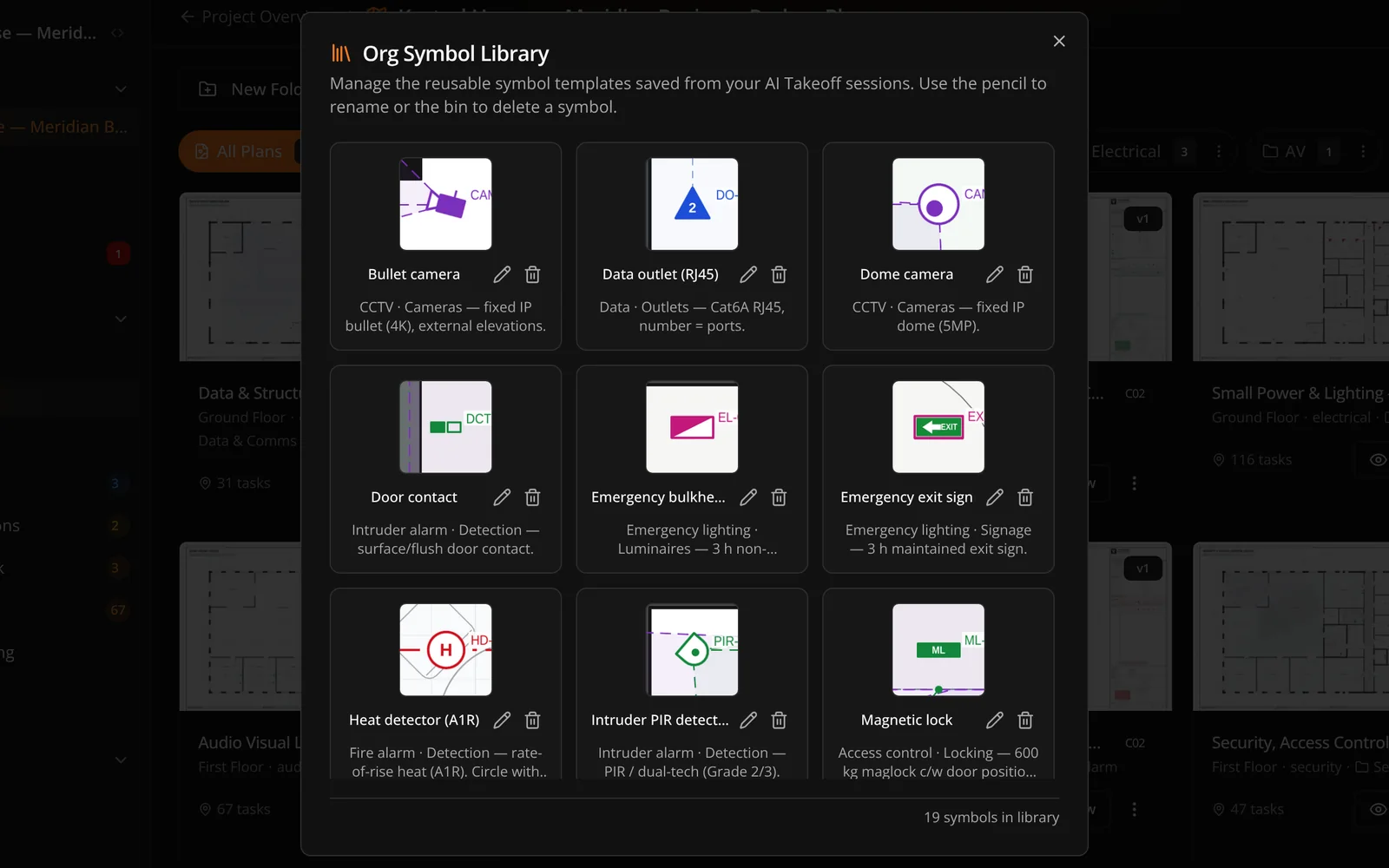
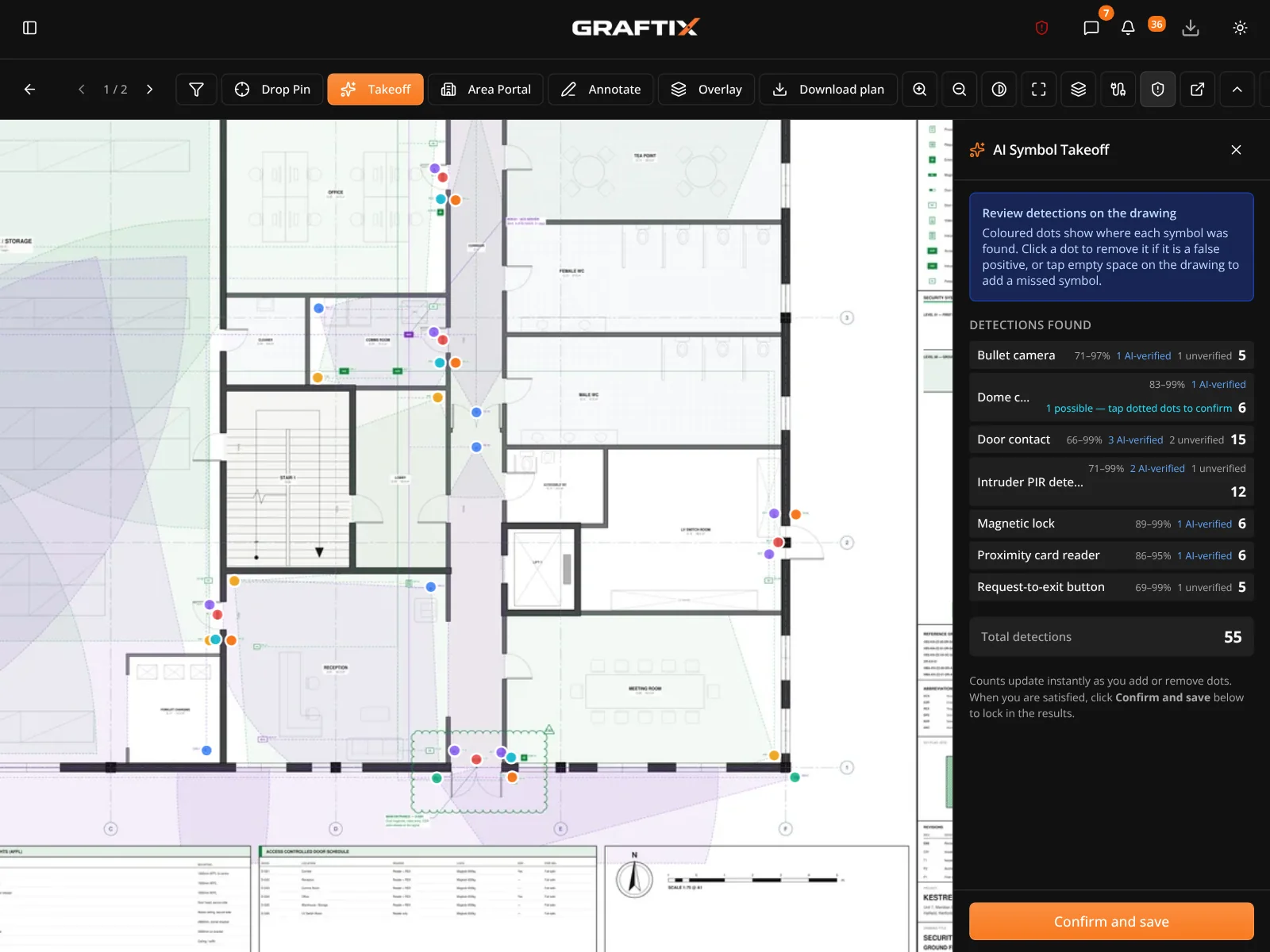
Quantifying a drawing set is one of the last genuinely manual jobs left in this industry. A highlighter, a clicker and a weekend. Takeoff works differently from most things sold as AI: the model reads the legend, you draw a box round one instance of a symbol, and the counting is done on the drawing's own vector geometry, at any rotation, rather than by guessing at pixels.
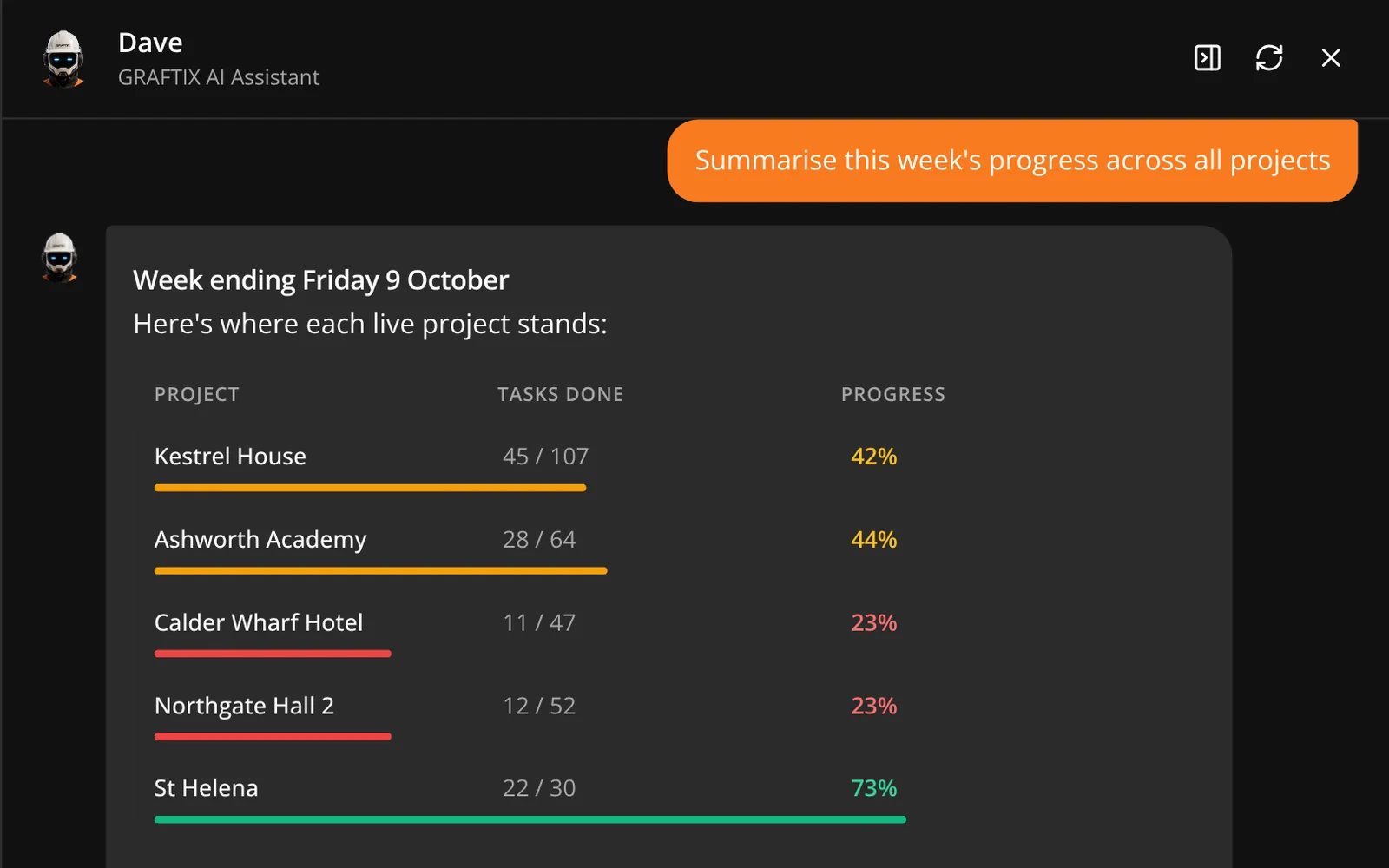
Dave
Dave is not a general-purpose assistant bolted onto the sidebar. He is connected to your live project data, and he turns up where the work already is — on a data card, in the RAMS editor, in a proposal, in the journal after a meeting, and in the summary at the top of a report.
Model Context Protocol · Your own assistant
Graftix speaks MCP, the open standard Anthropic built for connecting AI assistants to real systems. Connect your own Claude, or another MCP assistant, with a token you issue, and it reads your live project data directly. No export, no report builder, no waiting for somebody to pull a spreadsheet together on a Friday afternoon.
Ask for a progress summary across every building on a campus job. Ask which tasks have been blocked longest and who owns them. Ask what material spend looks like against budget this month. You get a written answer, from live data, in the time it takes to type the question.
"Give me a progress report across every building."
Rolls up completion by site, phase and trade, and flags which buildings are behind programme.
"What has been blocked longest, and who owns it?"
Every open blocker ordered by age, with its owner and the task it is holding up.
"How does material spend compare to budget?"
Cost codes, committed spend and contract value, per project or across the whole portfolio.
"Who is on site right now?"
Live check-ins straight from attendance, without anyone logging in to look.
"Reassign these twelve tasks to the second-fix team."
Controlled write access does the work, and every change lands in the audit history.
Where AI stops
Every output from symbol takeoff and from Dave is reviewable before it is used, because in this industry a wrong number ends up on a certificate with somebody's name on it. Dave is an assistant, not a competent person, and the platform is built to keep it that way.
In this module
11
AI symbol takeoff
Counts from the drawing's own vector geometry, reviewed before anything is committed.
Organisational symbol library
Trained symbols saved for the business, so the next project starts ahead.
Dave AI assistant
Plain-English answers about your own live project data.
Your own assistant
Connect your own Claude or another MCP assistant if you would rather use your own AI account. Requests then go to your provider under your own terms, so UK-resident inference is not guaranteed on that path.
Data residency
UK-resident inference via AWS Bedrock, for every organisation.
No model training
Your prompts and project data are never used to train AI models.
RAMS generation
A risk assessment and method statement from a project intake, with likelihood and severity scored one to five.
Proposal refinement
Rewrites a section of a tender proposal, grounded in the design, previewed before you accept it.
Meeting minutes
Turns a live meeting transcript into minutes, omitting a section rather than padding it out.
Report narrative
The executive summary at the top of a Highlight Report, written from the project's own numbers.
MCP access
Point your own Claude at a live project over the open standard, with a token you issue and revoke.
Cause and effect
Ask Dave what a device sets off. Steps your own AI suggests over MCP wait for a person to accept them.
Get started
Takeoff is the feature that makes people sit up. Upload a real sheet and run it on your own symbols.