Engineers
Their own day
Their visits, the jobs they are on, the assets at those sites, their own week of timesheets and their own van. No customers list, no quotes, no invoices, no other engineer's work.


Service and maintenance
Graftix runs the service side too: customers, sites, jobs and visits, planned maintenance, quotes and invoices, timesheets and van stock — against the same drawings, the same devices and the same certificates the installation left behind.
Included in every subscription · Seven days free · No card required
The join
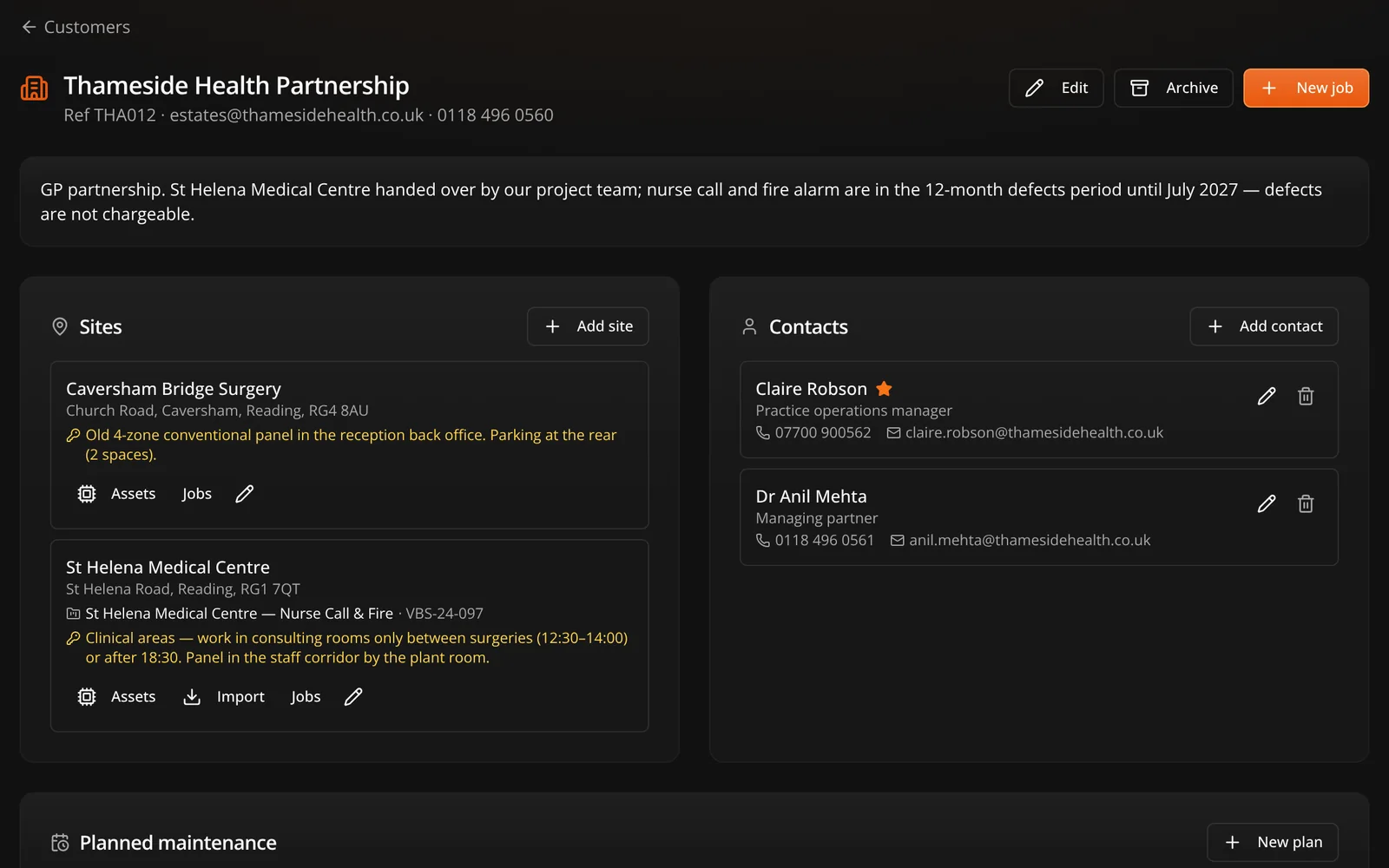
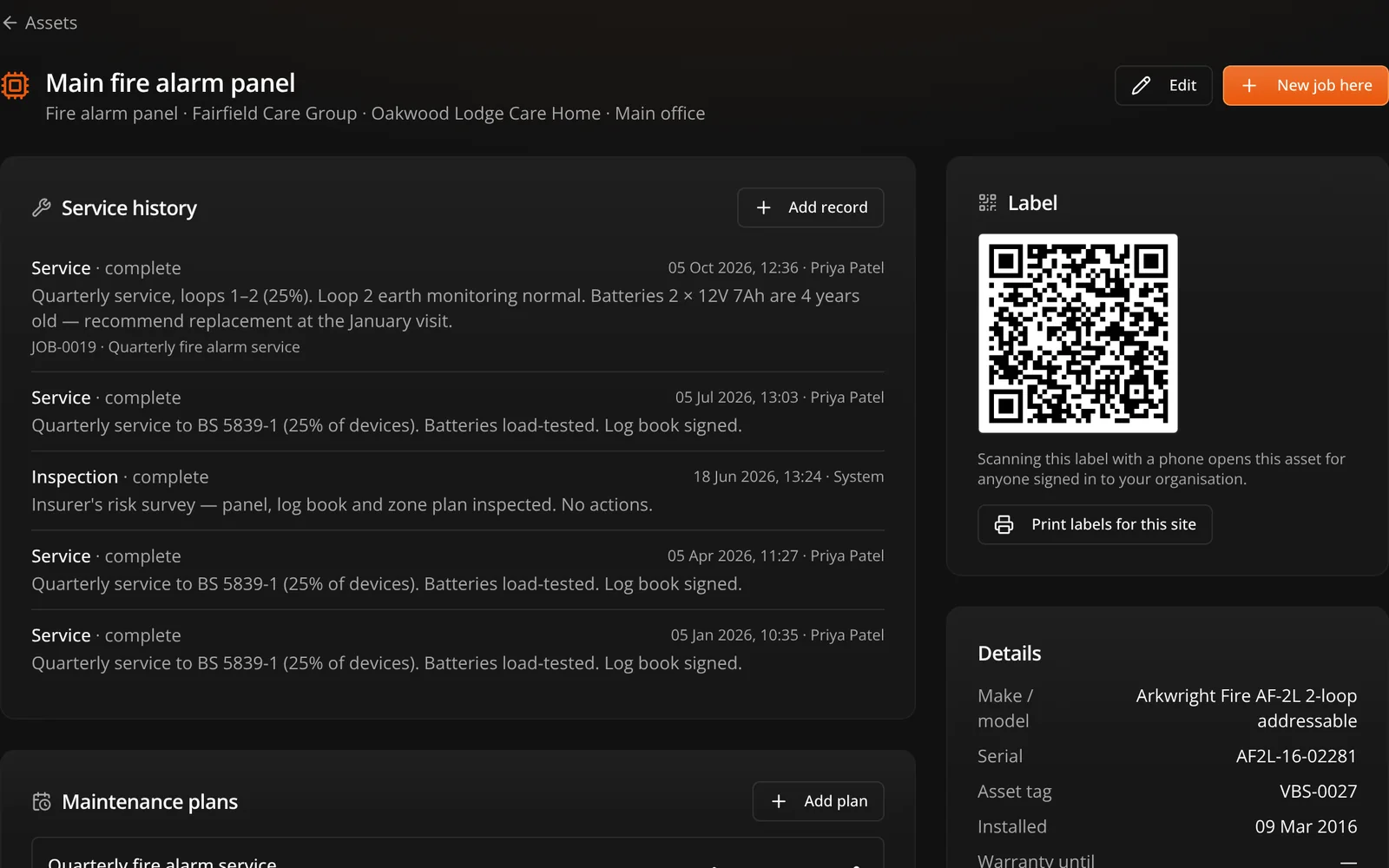
A delivery project's site becomes a customer site. Press Import and every device your engineers pinned during first fix copies into the service register — make, model, serial, MAC, IP, asset tag, floor and room, with the install date taken from the task that completed it.
Jobs and visits
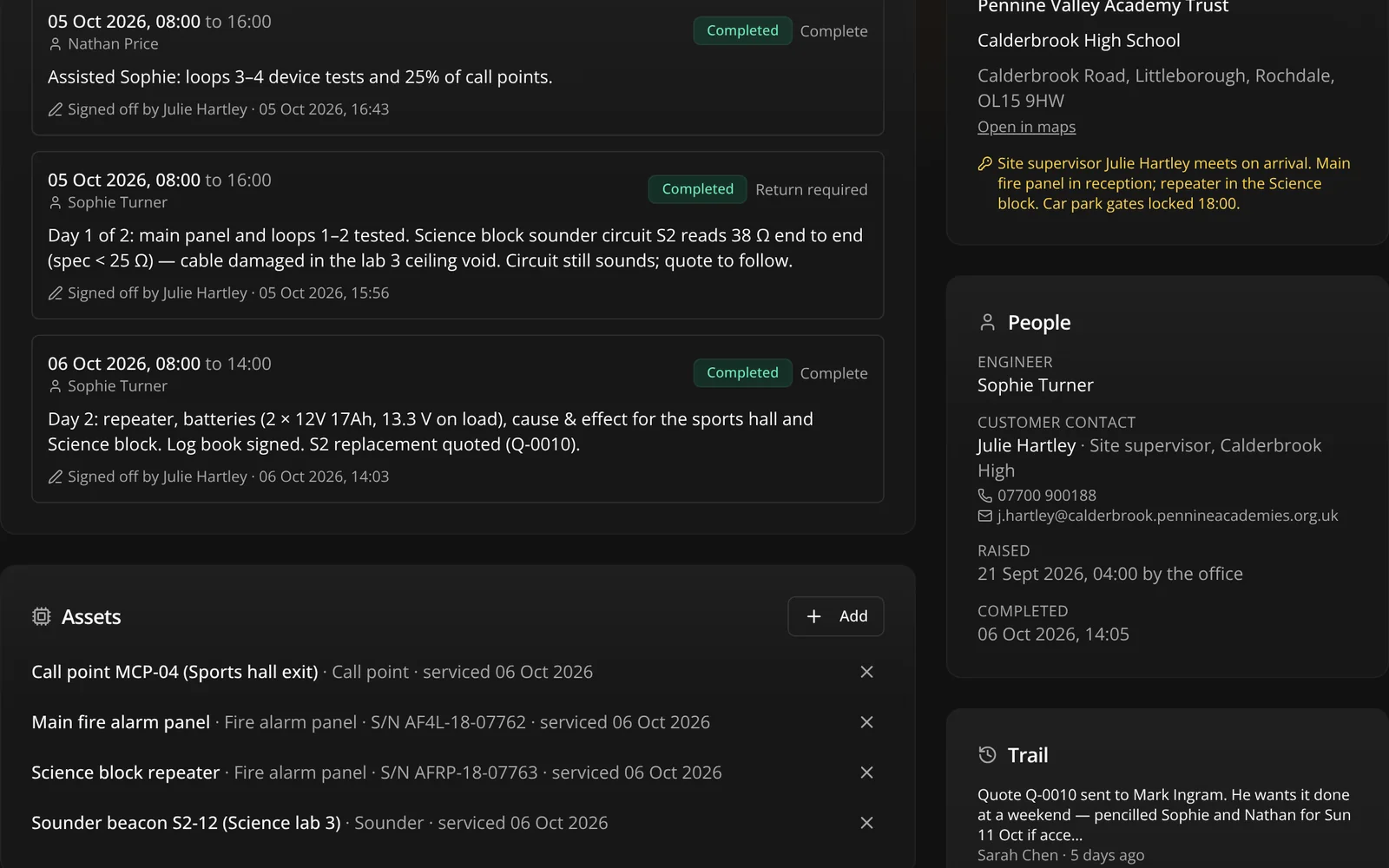
A job is raised against a site — reactive, planned or one-off — and attended through visits. The engineer walks it forward on the phone: on my way, on site, complete. The job's status follows on its own, and every change lands in the job's trail.
The day
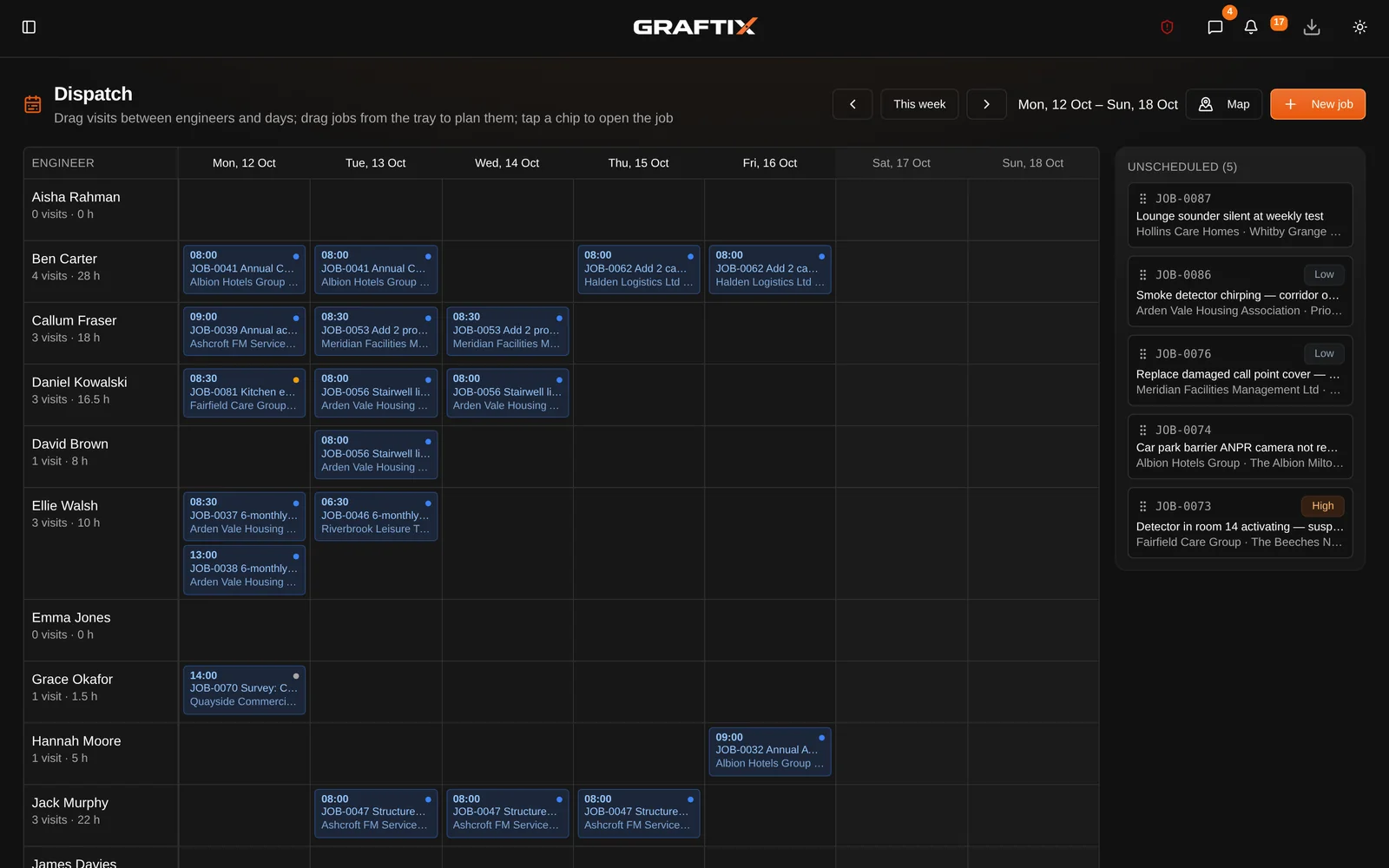
One row per engineer, one column per day, a chip for every visit. Drag a chip to move it. Drag a job out of the unscheduled tray and it becomes a visit. It works on a phone, because the person re-planning the day is rarely sitting at a desk when it changes.
Assets and planned maintenance
Every asset carries a QR label. Scan it and you land on that asset inside your own organisation — a label from another organisation is a 404, not a glimpse of somebody else's estate. Maintenance plans raise the job themselves.
Quotes and invoices
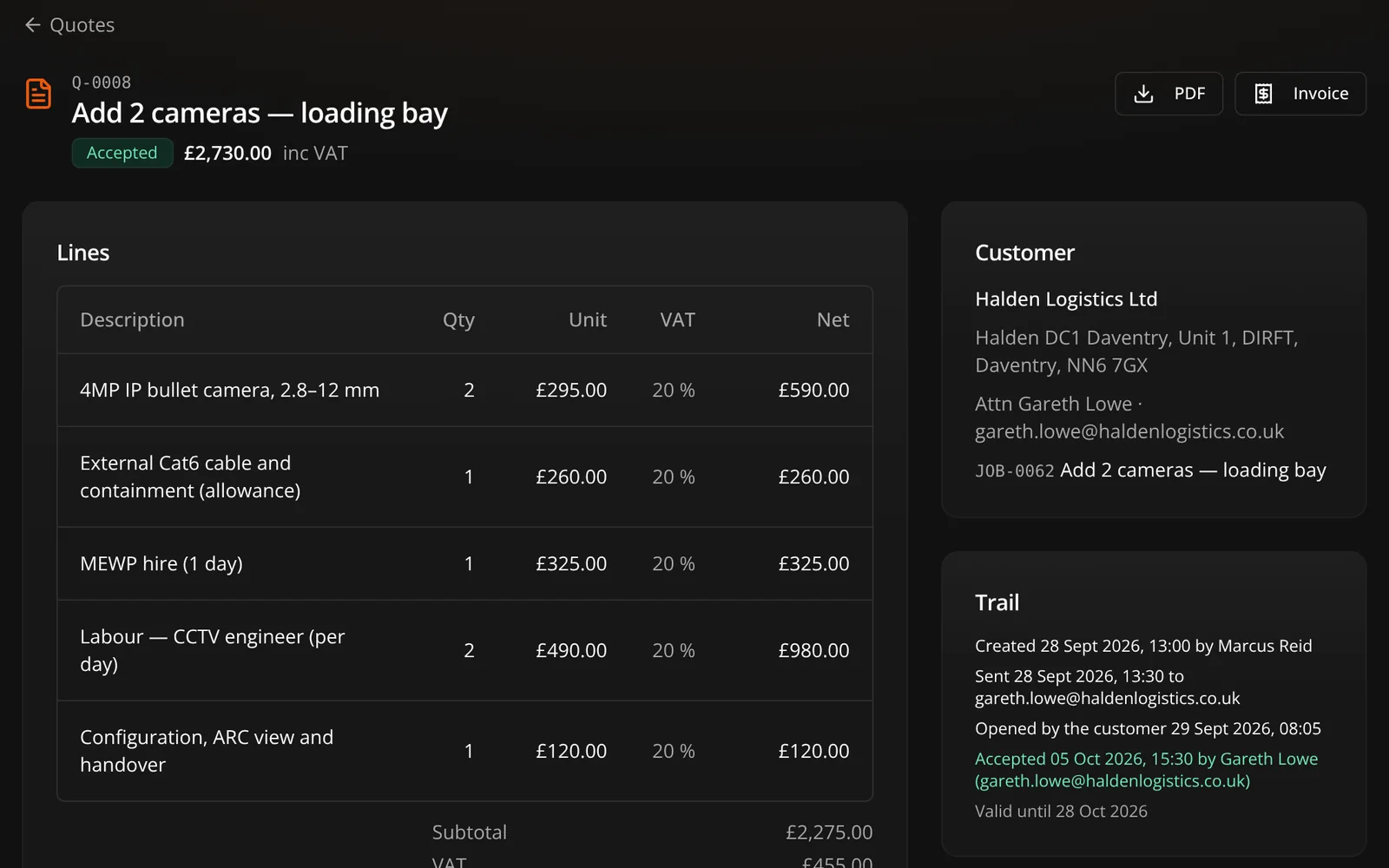
Numbered per organisation and contiguous. The customer opens a link with no account and accepts or declines. An accepted quote raises its job and drafts its invoice, both pinned back to the quote it came from.
Who sees what
An engineer opening the app on site sees their own work and nothing else. This is not a setting somebody has to remember to switch on.
Engineers
Their visits, the jobs they are on, the assets at those sites, their own week of timesheets and their own van. No customers list, no quotes, no invoices, no other engineer's work.
The office
Admins and organisation-wide project managers get every job, the whole board, the map of every site, everyone's timesheets to approve, and the full billing settings.
How
The restriction is applied to the data itself, not just hidden on the screen, so there is no way round it.
Service and maintenance
A complete service desk, included in every subscription from the first day of the trial.
OPS
Customers and sites
Customers, their sites and the contacts you actually ring, with access notes on the site.
Jobs and visits
Reactive, planned and one-off jobs, attended through visits with a required outcome.
Today
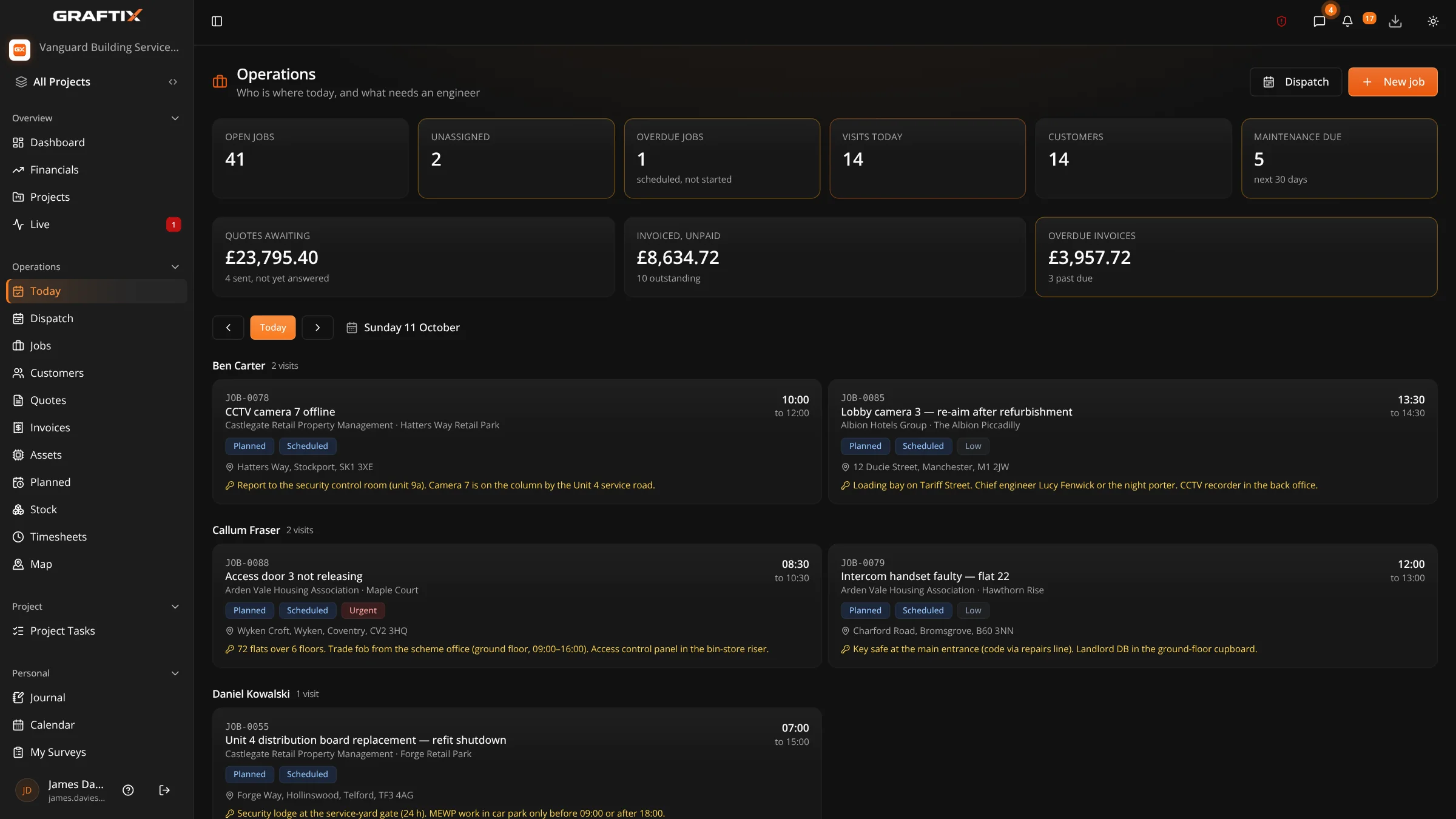
Every visit for a chosen day, grouped by engineer. The list the office works from.
Dispatch board
A draggable week, one row per engineer, with an unscheduled tray beside it.
Site map
Every active site, coloured by what is happening there, with the week's visits in the pin.
Asset register
Installed equipment per site, imported from the delivery project or entered by hand.
QR labels
Printable label sheets. Scan one and you are on the asset, in your own organisation.
Service history
Written automatically when a visit completes against the asset, or by hand.
Planned maintenance
Plans that raise their own jobs on a cycle, and never stack two when one is missed.
Quotes
Accepted or declined by the customer on a link, with no account to create.
Invoices
From a job, from an accepted quote, or blank. Overdue invoices are flagged automatically.
Accounts export
Export invoices to Xero's import format (CSV), for a chosen date range.
Timesheets
Written by the visit, topped up by hand, approved by the week, exported for payroll.
Stock and vans
A parts catalogue, a store and a van per engineer, with every movement explaining the count.
Customer notifications
By email (and text, where configured) when a visit is booked, when the engineer sets off, and when it is finished.
Offline
Today's list, the job, the site's access notes and the asset's history, with no signal.
Worth knowing
It runs a real service desk. These are the parts still to come.
01
Export invoices to Xero's import format (CSV). There is no live link into Xero or QuickBooks yet.
02
Customer notifications go out by email. Text messages go out where a messaging provider has been set up.
03
Engineers work jobs and visits on a phone in the Graftix web app, installed from the browser and working offline. Graftix Go, the native app, does not carry them yet.
Get started
Import the assets from a job you have already installed, set a maintenance plan against them, and see the first visit raise itself.