In development

You are welcome to use it on real jobs. Feedback shapes what gets built next, and beta testers keep their pricing fixed for life.

In development · Beta pricing fixed for life

Tell us what you think

GX-07 · Day to day

The small things people actually open.

Nobody buys a platform for its address book. But a system people open every morning is a system that gets used, and a system that gets used is the only kind that ever holds a complete record. This is the furniture of the working day.

Included in every subscription · Seven days free · No card required

Shot D1

Site feed with a photo dump from the day's work

2400 × 1350

Site feed

The job, as it happened

A feed of what actually went on: the photographs your engineers took against their tasks, the status changes that moved the job forward, and the wins somebody thought worth sharing. It is assembled when you open it, out of work that was already recorded — so it is complete from the first day, with nothing extra for anyone to post.

  • Photographs grouped into the dumps they were taken as, not scattered one by one
  • Status changes made by people, with the machine-generated ones left out as noise
  • Nothing to maintain — there is no separate post to write, and none to forget
  • The one thing you can post deliberately is a win worth putting in front of the team

Shot D2

Feed post — a grouped photo dump against its task

1600 × 1000

Shot D3

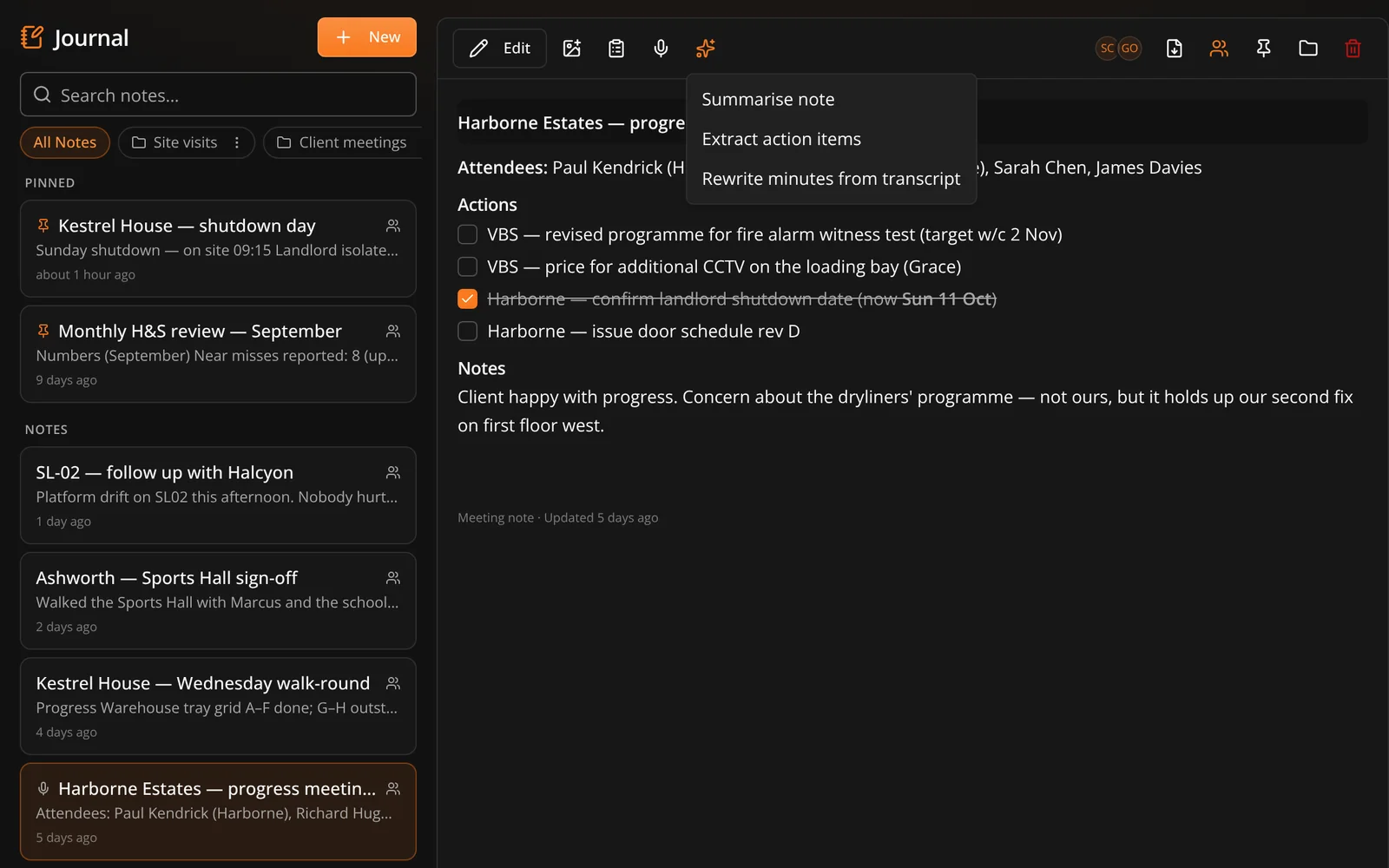
Meeting minutes drafted from a live transcript, before editing

1600 × 1000

Journal and minutes

Minutes from the meeting you were already in

A private notebook per person, and a meeting mode that listens while the meeting happens and turns what it heard into minutes. Dave is told plainly that the transcript contains recognition errors and that a thin section should be left out rather than padded — so what comes back is short where the meeting was vague.

  • Yours by default, and shareable with colleagues when a note is worth passing on
  • Transcription happens live in the browser, during the meeting
  • Drafted minutes are a draft — you edit them before anyone else sees them
  • Where the transcript is too thin for a section, that section is omitted rather than invented
See what Dave does

Performance

Who is moving, and what it is costing

A leaderboard, a project summary and an estate-wide view, built overnight from what the task register already records rather than from anybody filling in a form about their own productivity.

  • Computed nightly into a rollup, so opening it does not hammer the database
  • Refresh it on demand when you need today's picture rather than last night's
  • Raw task history never leaves the server — the page gets the aggregate, not the audit trail
  • Across a campus parent and every child site underneath it
See projects and portfolio

Shot D4

Performance summary with the estate view beside it

1600 × 1000

07 · Day to day

The rest of the furniture

None of these would sell a subscription on their own. Together they are the difference between a system people live in and one they update on a Friday.

07

Calendar

Site walks, meetings and key dates, with invites that reach people outside the business.

Calendar subscription

A private feed URL you subscribe to in Outlook, Google or iCloud. No OAuth, no connector.

Contacts

An address book that travels with the job, exportable as vCards for your phone.

Files

Documents held against the project, scanned on upload like everything else you send us.

Project chat

Conversation that stays with the job and is still there long after it finishes.

Notifications

In-app, push and email, for the things that genuinely cannot wait for a laptop.

Audit log

Who did what and when, across the records an auditor or a client will ask about.

RAID log

Risks, assumptions, issues and dependencies, logged where the project can see them.

Being straight with you

Two things people assume, that are not true

Both of these get described as more than they are by nearly everyone selling them, so it is worth saying exactly what you get.

01

The calendar is a feed, not a sync

You subscribe to a private URL and your Graftix events appear in Outlook, Google or iCloud. It goes one way. Events you create in Outlook do not come back, and an invite we email arrives as an attachment you import rather than a native accept-or-decline. Two-way sync is not built, so we are not going to call this an integration.

02

Transcription is live, not uploaded

Meeting mode listens while the meeting is happening, in the browser. You cannot hand it a recording of last week's progress meeting and get minutes back. If the meeting has already finished, you have missed it.

Get started

Open it on a Monday and see.

The test of a system is not the demo. It is whether anybody opens it on the second week without being asked to.